
What if you could send back that wrong item or unwanted package without stress or confusion? Many people feel overwhelmed when they need to return something to UPS. The good news is that the process is far simpler than you might think.
Getting a package delivered to the wrong address happens to lots of people. You might receive an item you didn’t order. Your gift could be the wrong size or color. Whatever your situation, knowing how to return to sender ups can save you time and frustration.
This guide walks you through every step of returning your UPS package. You’ll learn different methods for getting your package back to the sender. You’ll understand when each option works best for your needs. Most importantly, you’ll feel confident handling your UPS package return to sender.
Whether you’re dealing with a mistaken delivery, refusing a shipment, or sending back an online purchase, we cover all the details you need. Let’s start making this process easy for you.
Key Takeaways
- You can return a UPS package through multiple methods depending on your situation
- Understanding your tracking number helps speed up the return process
- Some packages can be refused before you accept them at your door
- Pre-printed return labels make sending packages back simpler and faster
- UPS offers both free and paid return shipping options depending on the sender
- Tracking your return package keeps you informed from pickup to delivery
Understanding UPS Package Returns to Sender
Getting a package that isn’t right for you can feel frustrating. You might have ordered something by mistake or received an item meant for someone else. Or maybe you just changed your mind about a purchase. Knowing how to handle this makes things easier.
Packages arrive at your door for many reasons. Sometimes they need to go back. Understanding your options helps you decide the best path forward.
What Does Return to Sender Mean?
Return to sender means sending a shipment back to the original sender or retailer. This is different from refusing a delivery at your door. When you refuse a package, UPS handles the return automatically.
When you return unwanted UPS shipment after opening it, you take active steps. You repackage and send it back. Think of it as reversing the delivery journey. Your package travels back through the UPS network to its starting point.
Common Reasons You Might Need to Return a Package
Life happens, and your reasons for wanting to return unwanted UPS shipment are valid. Here are situations where you might need the UPS return to sender process:
- You ordered the wrong size or color
- The package arrived damaged or defective
- You received a duplicate order by accident
- The item doesn’t match the online description
- A package arrived for a previous resident at your address
- You received something you never ordered
- You changed your mind about the purchase
- The shipment contains incorrect items from your order
Each situation requires similar steps through the UPS return to sender process. Some have special rules. Damaged items might need photos for insurance claims. Items meant for previous residents should be marked clearly.
Quick Steps to Return Your UPS Package
Before you send back your UPS package, gather important info first. A few minutes of prep can avoid future issues. Find your tracking number and check any included paperwork. This makes the return easy and clear.
Checking Your Tracking Number and Paperwork
Your tracking number is key for returns. You can find it in several spots:
- On the shipping label on your box
- In your email from the seller
- Online in your UPS My Choice account
- On your receipt if you picked it up
This number helps track your package back to the sender. Write it down or take a photo. Then, open your package gently and look for any paperwork inside. Many sellers include return authorization forms or instructions with your purchase.
Understanding Return Instructions from the Sender
Your seller might have included special return instructions in the box. Look for these items:
| Item to Look For | What It Means | Your Next Step |
|---|---|---|
| Pre-printed return label | Sender pays for shipping | Use this label on your package |
| Return authorization number | Tracking code for your return | Keep it for your records |
| Return address sticker | Where to send your package | Apply it to the package |
| Special handling notes | Specific return requirements | Follow all instructions carefully |
If your seller gave you a return label, use it. This makes sending back your package simple and correct. Many online stores include everything you need in the original box. Reading these instructions well saves you time and trouble.
How to Refuse a UPS Delivery
Sometimes, you know right away you don’t want a package. Maybe it was a mistake, you changed your mind, or it’s not what you expected. The good news is you can refuse UPS delivery without opening the box. UPS makes it easy for customers like you.
When you refuse UPS package delivery right away, you take control. You don’t need special labels or paperwork. The driver will take the package back, and your sender will be notified. This is best when you know you don’t want the shipment ahead of time.
Refusing a Package Before You Accept It
When the UPS driver comes to your door, tell them you want to refuse the package. You don’t need to sign for it or bring it inside. The driver will note the refusal and take the package.
If you’re not home, you have other options:
- Leave a note on your door asking the driver not to leave the package
- Contact UPS directly through their website or phone to refuse the shipment before the next delivery attempt
- Use the UPS app to request delivery refusal
- Call 1-800-742-5877 to speak with a UPS representative
Plan ahead if you know you want to reject UPS package delivery. The sooner you notify UPS, the faster they can process your refusal.
What Happens When You Reject a Delivery
After you refuse UPS delivery, the package doesn’t just sit around. UPS marks your shipment as “refused by recipient” in their system. The package starts its return journey to the sender right away, without any extra work from you.
| Refusal Status | Timeline | Your Responsibility |
|---|---|---|
| Package marked “Refused” | Immediately after refusal | None |
| Return shipment begins | Within 1-2 business days | None |
| Sender sees refusal status | Within 3-5 business days | None |
| Package arrives at sender | 7-10 business days | None |
You won’t pay any return shipping fees when you reject UPS package delivery. The sender covers all costs. Your refusal doesn’t damage your relationship with the company either. Refusing a delivery is a legitimate option that both UPS and retailers expect customers to use.
Check the tracking number to watch your refused package make its way back. The status will update as it returns to the sender, so you’ll always know where it is.
Returning a Package You’ve Already Received
So you’ve opened the box and found a problem. Maybe the item doesn’t match what you ordered, or it’s damaged. The good news is you can return it. The key is to prepare it right for its return trip.
Whether you want to return a UPS parcel without opening or you’ve already unwrapped it, proper preparation is key. It helps get your refund processed smoothly.
How to Properly Repackage Your Return
Start by packing your return carefully. Put the item back in its original box if you can. This protects it and meets most return policies.
Here are some packing steps to follow:
- Remove all old shipping labels from the box
- Include all original items, accessories, and documentation
- Add padding around the item with bubble wrap or packing paper
- Seal the box firmly with strong packing tape
- Label the outside clearly with your new return label
If your original box is damaged or missing, use a similar box from your local UPS Store. Staff can help you pack it safely if needed.
When You Can Return Without Opening
Unopened packages are easier to return. If you knew right away it wasn’t what you ordered or it’s a gift, you’re good to go. Returning a UPS parcel without opening means fewer questions from the merchant.
Remember these tips:
- Unopened items often get refunds faster
- They keep better resale value
- Some retailers give full refunds without checking
- Your package needs proper labeling for the return
- Take photos of the unopened condition if you can
Whether your package is sealed or opened, pack it right. This ensures it gets back in good shape. Your effort here speeds up your refund.
Labeling Your Return Package Correctly
Getting your return label right is key in the UPS package refusal procedure. A good label makes sure your package goes where it should, fast. Your return label is like a map for UPS, showing where to send your package.
Whether you get a label from the seller or make one yourself, knowing how to label is important. It makes sure your return goes smoothly.
Using Pre-Printed Return Labels
Many sellers give you a return label to make things easier. These labels can be physical or a PDF you print at home. The UPS package refusal procedure often starts with these labels when you return an item.
Here’s how to use a pre-printed return label:
- Print the label on standard white paper if you received it by email
- Remove or completely cover the original shipping label with tape
- Attach the new return label securely to the top or side of your package
- Make sure the barcode is flat, clean, and easy to scan
- Avoid placing the label on seams or package corners
Pre-printed labels have a tracking number. This helps you and the seller track your return.
Creating Your Own Return Label
Not all sellers give you a pre-printed label. You can make one yourself on ups.com. This part of the UPS package refusal procedure is easy to do.
Here’s how to make a return label on the UPS website:
- Go to the Create a Label section on ups.com
- Enter the sender’s address as your return destination
- Input your address as the return shipment origin
- Choose your preferred UPS service level (Ground, Express, or Next Day)
- Pay for the return shipping unless the merchant covers costs
- Print your label immediately or save it as a PDF
When making your own label, clear labeling is important. Write your address and the destination address in dark ink on the package. Remove any old shipping labels to avoid confusion. Make sure nothing covers the barcode on your return label.
| Label Type | Source | Best For | Key Step |
|---|---|---|---|
| Pre-Printed Label | Merchant or retailer | Most returns from online purchases | Print and remove old label completely |
| DIY Label | ups.com website | Merchant-provided return authorization | Enter correct addresses and pay for shipping |
| Electronic Label | UPS return service | Business accounts and frequent shippers | Forward to customers via email |
Pro tip: Take a photo of your labeled package before dropping it off. This creates proof of how you prepared your return in case any questions arise later.
UPS Drop-Off Locations for Returns
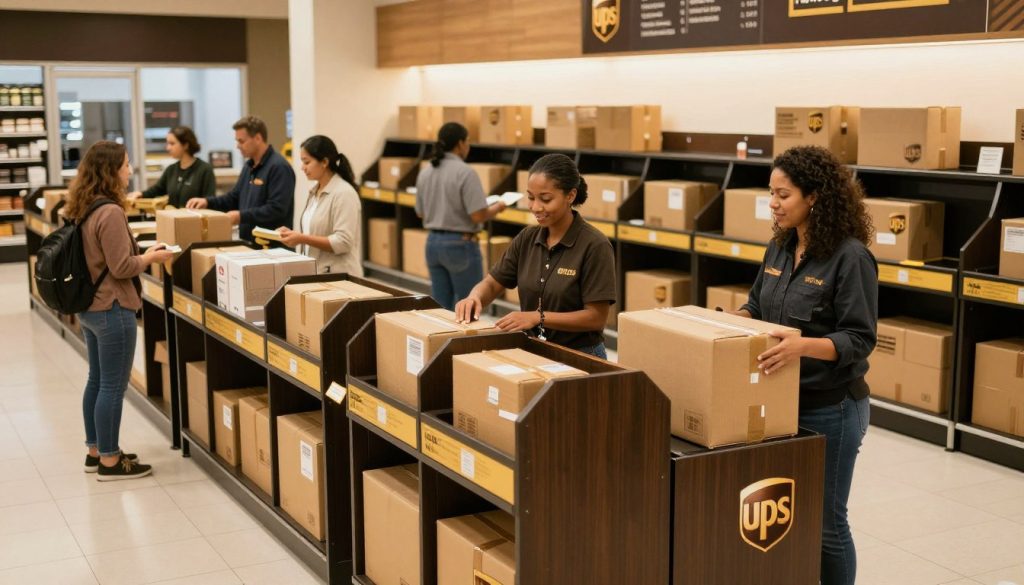
Finding a place to drop off your return is easy. UPS has many locations in your area. You can choose from UPS Stores or retail partners.
Finding UPS Stores and Access Points
Use the UPS location finder tool on ups.com or the UPS app. Just type in your ZIP code or address. You’ll see all the nearby places.
Official UPS Stores are great for returns. They can help you repackage your item. They also give you a receipt and answer your questions.
UPS Access Points are another good choice. They are in stores with long hours. You can drop off your package when it’s best for you.
Retail Partners That Accept UPS Returns
You can also drop off your return at big retail chains. This makes it easy to return items while you’re out. Here are some places:
- CVS Pharmacies – Drop off your return package at CVS
- Michaels – Return items while you shop for crafts
- Advance Auto Parts – Perfect for car shoppers
- Kohl’s Department Stores – Return items during your shopping trip
Some places only take pre-labeled packages. Others, like UPS Stores, offer more services. Always call ahead or check hours to make sure they accept returns.
With so many UPS locations, returning items is easy. It fits right into your daily routine.
Scheduling a UPS Pickup for Your Return
Getting your return package picked up is easy. You don’t have to go to a UPS location. You can schedule UPS return collection from your computer or phone. This saves you time and effort.
Let’s look at how to request a pickup and what you need to know about fees and requirements.
How to Request a Pickup Online
It’s easy to schedule your UPS return pickup. Go to the UPS website and find “Schedule A Pickup”. You’ll need to give your shipment details or log in with your account.
Here’s how to get started:
- Enter your return package information or tracking number
- Select your preferred pickup date (often available for the next business day)
- Specify the number of packages you need picked up
- Provide your pickup location details (such as “front porch” or “reception desk”)
- Confirm your pickup request
Make sure your package is properly labeled and ready before your pickup time. The driver will pick it up from where you said, making it easy.
Understanding Pickup Fees and Requirements
UPS usually charges a fee for pickup requests. But, the cost depends on your situation. If you have a regular business account, you might get free pickups.
Many merchants offer UPS Returns Plus. This lets drivers pick up return items from your doorstep without extra charges.
| Situation | Cost | Best For |
|---|---|---|
| Standard Pickup Request | Fee applies | Single returns or occasional shipments |
| Business Account Holders | Often free | Regular shipping needs |
| UPS Returns Plus (Merchant-Arranged) | No charge | Authorized return shipments |
Schedule UPS return collection for large or heavy items, or if you have multiple packages. It’s also good for those with limited mobility or no way to a drop-off location. Just make sure your packages are ready and easy for the driver to find.
Understanding Return Shipping Costs
Figuring out who pays for UPS returns can be tricky. It depends on your situation and the store’s rules. Some stores pay for returns, while others make you pay. Knowing this helps you decide if you should return something.
When the Sender Pays for Return Shipping
Many stores offer free returns. When this happens, the store pays for UPS return shipping. You get a prepaid return label in your package or by email.
This label means you don’t pay when you drop off your return at a UPS location.
Prepaid labels charge the shipping cost to the store’s account. Big stores like Amazon, Walmart, and Target often give these labels. Just print the label, attach it to your package, and drop it off at any UPS store or access point.
Your return policy should say who pays for shipping. Check this in your order confirmation or on the store’s website before you decide to return.
What to Do If You Need to Pay for Return Shipping
If you have to pay for UPS return shipping, you have choices. You can make a prepaid label online through UPS.com and print it at home. This way, you know the cost before you drop off your package.
You can also pay for shipping at a UPS location. The staff will weigh your package and tell you the cost. Choosing ground shipping can save you money if you’re not in a rush.
Before you decide to return, consider these tips:
- Use the UPS rate calculator to estimate your shipping costs in advance
- Compare different service levels (Ground, 3-Day Select, 2nd Day Air, Overnight)
- Ask yourself if the item’s value justifies the return shipping expense
- Check if the retailer offers store credit instead of refunds to avoid shipping costs
| Scenario | Who Pays | How It Works | Your Cost |
|---|---|---|---|
| Defective Product | Seller/Merchant | Prepaid label provided via email or in package | Free |
| Wrong Item Received | Seller/Merchant | Prepaid label provided via email or in package | Free |
| Free Return Policy | Seller/Merchant | Prepaid label included in packaging | Free |
| Changed Your Mind | You | Purchase label online or pay at UPS location | Varies by weight and service |
| Non-Free Return Policy | You | Purchase label online or pay at UPS location | Varies by weight and service |
Knowing about UPS return shipping costs helps avoid surprises. Always check the return policy before buying. And ask customer service if you’re not sure who pays for returns. This saves you time and money when you need to send something back.
Tracking Your UPS Return Package
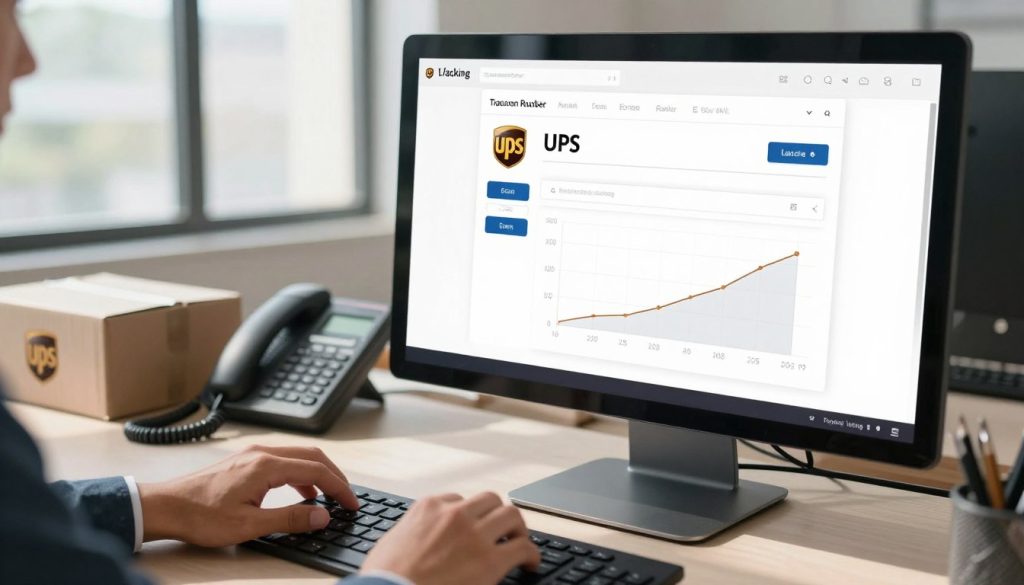
After you drop off your return, it’s easy to keep track of it. Your UPS return tracking number is your proof of shipment. It lets you watch your package from start to finish.
By tracking your return, you’ll know exactly where it is. You’ll also know when the sender gets it.
How to Monitor Your Return Shipment
To track your UPS return, find your tracking number on your receipt or label. Go to ups.com or use the UPS app. Just enter your tracking number in the tracking section.
You’ll get updates right away. You can also set up alerts by email or text. This way, you’ll know when your package is picked up, in transit, and delivered.
Keep your tracking number safe until the sender says they got it. This number proves you sent the return on time.
What Tracking Statuses Mean
Tracking messages tell you what’s happening with your return. Here are some common ones:
- Label Created – Your return label is ready but the package hasn’t been picked up yet
- Picked Up – UPS collected your package from the drop-off location
- In Transit – Your package is moving through UPS facilities toward the sender
- Out for Delivery – The package is on a delivery truck heading to the final destination
- Delivered – The sender has received your return
Occasionally, you might see Return to Sender. This means your package is going back to the original shipper. Scanning delays can happen, so wait a few days before getting worried.
If your package shows no movement for over a week, call UPS customer service for help.
Troubleshooting Common Return Issues
Dealing with UPS return problems can be stressful. But, many people face these issues. Most problems have easy fixes.
Having the right info helps a lot. Keep your tracking numbers and receipts safe. These prove you did your part right.
What to Do If Your Return Is Lost or Delayed
A missing or delayed return is frustrating. Check your tracking info often on the UPS website. Look for the last update on your package.
Here’s what to do:
- Wait five to seven business days before assuming your return is lost
- File a tracer request with UPS if the package shows no movement
- Contact the original merchant to report the delay
- Keep records of all communications with both UPS and the seller
UPS customer service is available 24/7 at ups.com. Use phone or chat support for help. They can find your return and fix the issue fast.
Handling Disputes About Return Receipt
Sometimes sellers say they never got your return. But you know you sent it. Delivery confirmation helps protect you.
Gather these documents to support your case:
- Drop-off receipts from UPS stores or retail partners
- Pickup confirmation emails from scheduled pickups
- Complete tracking history showing delivery attempts
- Photos of your packaged return before shipping
If a dispute happens, contact the seller and UPS with your documents. Escalate if needed. Your tracking proof shows you returned it right.
Special Considerations for UPS Returns
Not all returns are the same. You might have special cases that need different steps than usual. Knowing these can help you return your package smoothly and avoid problems.
Returning International Packages
International UPS returns are more complex than local ones. You’ll face customs rules and special forms not needed for local returns.
Here’s what you need to know about international UPS returns:
- Customs declaration forms are mandatory for most international packages
- Duties and taxes paid on your original purchase typically cannot be refunded
- Return shipping costs are often higher due to international rates
- Transit times can take two to three weeks or longer
- Some sellers won’t accept returns shipped internationally and require returns to domestic addresses only
- International return labels operate differently and may need special handling at UPS locations
Before sending your international package back, contact the seller. Ask if they accept returns from your country. Find out where to ship it and if they’ll give you a return label. Make sure to fill out customs forms correctly to avoid delays.
Handling Returns for Business vs. Personal Shipments
Business UPS return procedures are different from personal ones. Your approach depends on whether it’s for you or your company.
Personal returns usually work with standard options:
- Drop-offs at UPS Stores and retail partners
- Home pickups scheduled online
- Simple address-based returns
Business returns need more structure:
| Business Requirement | What You’ll Need |
|---|---|
| Account Numbers | Company UPS account credentials for tracking and billing |
| Commercial Invoices | Documentation of the original purchase for verification |
| Pickup Scheduling | Advance notice and specific pickup windows from your location |
| Return Authorization | Special codes or approval from your vendor or employer |
If you’re returning packages for your employer, get your company’s account info and any needed codes. Talk to your UPS account manager for procedures specific to your company. This helps with faster processing and correct billing.
Making Your UPS Return Experience Smooth
Returning a package doesn’t have to be stressful. With the right preparation and knowledge, you can handle an easy UPS package return without any problems. This section brings together everything you’ve learned to help you complete your return with confidence and ease.
Quick Checklist Before Returning Your Package
Before you ship anything back, take a few minutes to go through this checklist. Start by reviewing the merchant’s return policy and deadline. You need to know the exact window you have to return your item.
Confirm who will pay for the return shipping. Some retailers cover this cost, while others pass it on to you.
Gather all the original packaging materials and items you received. This includes the box, tissue paper, and any protective cushioning. Check whether your package came with a return label or special instructions from the merchant. If it did, keep these items nearby.
Package your return carefully to protect the item during shipping. Make sure you use the correct return label, whether it’s pre-printed or one you created yourself. Cover or remove any old shipping labels so they don’t confuse UPS workers.
Write down your new tracking number in a safe place. Choose your return method next—whether you’ll refuse the delivery, drop it off at a location, or request a pickup. Save a photo of your packaged return and keep proof of your shipment.
Final Tips for Hassle-Free Returns
Act as soon as you decide to return something. Return windows are often limited, and waiting around only eats up your available time. If you have any questions about the process, reach out to the merchant right away.
Taking photos of your packaged return gives you extra protection and proof that you shipped everything in good condition. Pick a drop-off location with hours that work for your schedule. For valuable items, think about adding insurance to your shipment for extra peace of mind.
Once you’ve sent your return, watch for refund confirmation from the merchant. If you don’t see anything within their stated timeframe, follow up with them to check on the status. Returning packages might seem like a lot of work at first, but you’ve got this. With proper planning and these UPS return tips in mind, the entire process becomes straightforward and manageable for anyone to handle.