Ever got a package you didn’t order? Returning it might be easier than you think. Knowing how to return with DPD can save you time and money.
Package returns don’t have to be hard. This guide will show you how to return to sender with DPD. It’s full of clear steps for handling unwanted packages in the United States.
Dealing with wrong deliveries or packages sent to the wrong address? Our tips will make managing DPD returns easy and stress-free.
Key Takeaways
- Learn the most efficient ways to return packages to sender
- Understand DPD’s return policy and procedures
- Discover digital tools for tracking and managing returns
- Avoid common mistakes in the return process
- Save time and reduce shipping complications
Understanding DPD’s Return Policy
Handling package deliveries can be hard, like when you need to turn down a DPD package. Knowing DPD’s return policy helps you handle your shipments well. It also helps you avoid problems.
What is DPD’s Return Policy?
DPD has rules for returning packages and refusing deliveries. If you want to turn down a DPD package, you have choices. The important thing is to know the exact steps and timing.
- Refuse delivery via notification link before package arrival
- Reject package on the day of delivery
- Limited options once order information is transmitted
Remember, once you refuse a DPD package, you can’t change your mind. Customer service can’t undo your refusal. You also can’t give more instructions about the package.
Importance of Familiarizing Yourself with Policies
Knowing DPD’s return policies keeps you safe from shipping problems. Understanding when and how to refuse a package stops unexpected delivery issues.
| Refusal Stage | Available Actions |
|---|---|
| Pre-Delivery | Full refusal through notification link |
| Delivery Day | Reject package directly |
| Order Transmitted | Contact original sender only |
By learning these rules, you’ll feel more confident with DPD’s shipping. You’ll also avoid many delivery problems.
When to Consider Returning to Sender
Handling package returns can be hard, like with DPD shipments. It’s key to know when and why to send back a parcel. This can save you time, money, and stress.
Common Scenarios for Returns
There are many times when returning a DPD shipment is a good idea. Here are the top reasons to send back a DPD parcel:
- Incorrect or damaged items received
- Duplicate orders accidentally placed
- Unwanted gifts or purchases
- Items not as expected
- Items no longer needed
Identifying Misdelivered Packages
Spotting a misdelivered package needs careful eyes. Here are signs that show a package might not be for you:
| Indicator | Action |
|---|---|
| Name on label is incorrect | Do not open, prepare for return |
| Address doesn’t match exactly | Contact local post office or DPD |
| Unfamiliar sender information | Verify sender before processing return |
Always check why you’re returning a DPD package. Some might need special care or return steps. Good communication and clear documentation with DPD can make returns easier.
Steps to Initiate a Return to Sender
Returning a package to sender through DPD can seem hard. But, with the right steps, you can do it easily. Knowing how to return a package to sender with DPD is key. You need to pay attention to details and follow certain steps.
Before you start, make sure you have all the package info. This makes the return process smoother and avoids problems.
Verify Your Delivery Details
First, check your delivery info carefully. Look at these important things:
- Tracking number accuracy
- Sender and recipient addresses
- Package weight and dimensions
- Delivery status in the DPD system
Connecting with DPD Customer Support
If you need help with the dpd package rejection procedure, customer service is key. Here are ways to reach DPD:
- Call their dedicated customer support line
- Use the online support chat on their website
- Email their customer service department
- Utilize the myDPD mobile app for direct communication
Have your tracking number and package details ready when you call support. This makes the return process faster and helps you get the right help.
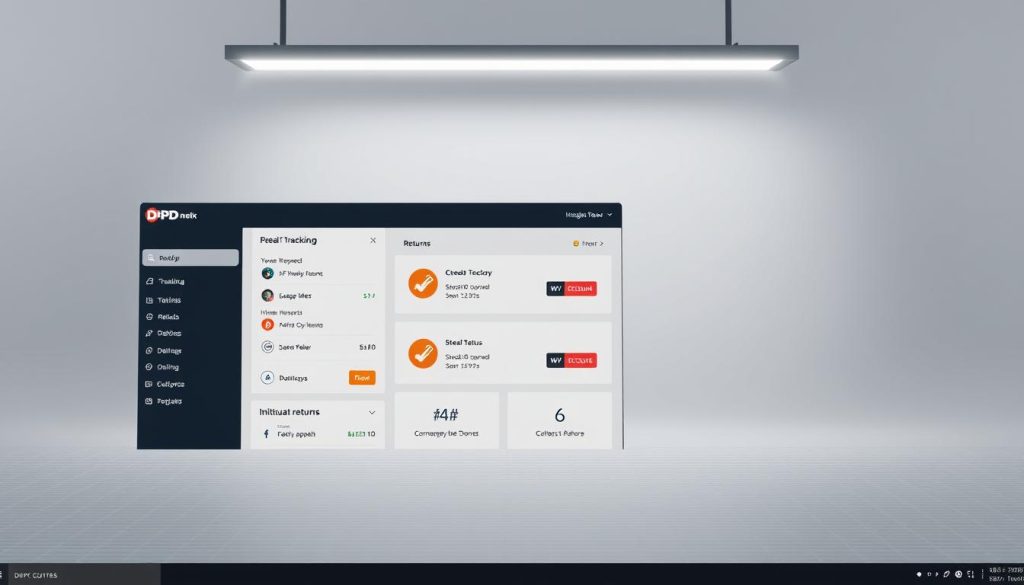
Using DPD’s Online Tools
Managing your package deliveries is now easy with DPD’s digital tools. You can refuse a DPD package or check delivery options online. These platforms help you control your shipments.
Accessing Your Digital Dashboard
Creating a DPD account lets you manage your deliveries. Here’s how to start:
- Visit the official DPD website
- Click on the “Create Account” button
- Enter your personal and contact information
- Verify your email address
- Log in to your new account
Exploring the Mobile App Features
The myDPD mobile app helps you manage dpd refused delivery options. It’s available for iOS and Android. You can track packages and control them from your phone.
Key features of the app include:
- Instant package tracking
- Real-time delivery notifications
- Easy package redirection
- Quick refuse dpd package options
- Delivery preference settings
These digital tools let you manage your deliveries easily. You can change shipping preferences and act fast when needed. The mobile app lets you handle packages anywhere, so you never miss a delivery.
Preparing Your Package for Return
When you need to send back a DPD parcel, it’s important to prepare well. This helps avoid delays and extra costs.
Getting your package ready for return needs focus. It doesn’t matter why you’re sending it back. Just follow these tips to make it easier.
Repackaging Guidelines
Here are some key tips for repackaging:
- Use the original packaging if you can
- Choose a box that’s a bit bigger than the item
- Wrap fragile things in bubble wrap or padding
- Seal all edges with strong tape
- Don’t use old shipping labels
Labeling Your Return Package
Labeling your package right is very important. Here’s how to do it:
- Write the return address in the top left corner
- Make sure the recipient’s address is correct and full
- Put on any return authorization labels needed
- Remove or cover old shipping labels
- Check all address info before you ship
Pro Tip: If you lost the original box, use a clean, strong box. It should cover the item well and protect it during shipping.
Returning Undeliverable Items
Returning unwanted DPD shipment can be tough. Sometimes, packages can’t be delivered because of things you can’t control. Knowing how DPD handles these issues helps you deal with delivery problems better.
When a package can’t be delivered, several things matter. DPD says a package is undeliverable if it can’t be delivered for certain reasons.
Understanding Undeliverable Packages
Packages can’t be delivered for many reasons:
- Wrong or missing address
- Failed delivery tries
- Recipient not home
- Can’t get to the delivery spot
- It’s not safe to leave the package
DPD’s Process for Handling Undeliverable Shipments
When you return a DPD shipment, the carrier has a plan:
- First try to deliver
- Notify the recipient about the issue
- Try again on the second day
- Hold the package at a local center
- Send it back to the sender
Remember, if you officially refuse delivery, you can’t change the return plan. DPD will send the package back to where it came from.
Key Considerations for Undeliverable Packages
| Scenario | DPD Action |
|---|---|
| Incorrect Address | Return to Sender after 5 business days |
| Delivery Refusal | Immediate Return Processing |
| No Recipient Contact | Package Held for 7 Days |
Knowing these rules helps you handle returning unwanted DPD shipments better.
Tracking Your Return Shipment
Tracking your return shipment with DPD is easy. It helps you stay calm and know what’s happening with your package.
How to Monitor Your Package Status
Here’s how to track your DPD return:
- Visit the official DPD website
- Enter your unique tracking number
- Check real-time status updates
- Set up SMS or email notifications
DPD offers many ways to track your return. You can use their website, mobile app, or call customer service for updates.
Expected Delivery Times for Returns
Return times depend on a few things. Here’s a quick guide to expected times:
| Distance | Estimated Return Time |
|---|---|
| Local Returns | 2-3 business days |
| Regional Returns | 3-5 business days |
| National Returns | 5-7 business days |
Remember to keep your tracking number ready. It makes checking your package’s status easy.
Tips for Smooth Returns
Handling DPD refused delivery options can be tough. But, with the right steps, you can make returns easier. Knowing how returns work helps you avoid problems and makes the process smooth.
Best Practices for Hassle-Free Returns
Here are key tips for dealing with DPD refused delivery options:
- Act quickly when deciding to refuse a delivery
- Check your parcel status before attempting to refuse
- Use official DPD channels for communication
- Keep detailed records of all interactions
- Communicate clearly with the original sender
Avoiding Common Mistakes
Stay away from these common mistakes to avoid return problems:
- Delaying refusal notification – Time is critical in package returns
- Attempting to refuse after delivery attempts
- Failing to verify parcel status
- Ignoring official communication channels
| Return Action | Recommended Approach |
|---|---|
| Parcel Status Check | Verify before taking any action |
| Communication | Use official DPD app or customer service |
| Documentation | Maintain detailed return records |
By following these tips, you’ll reduce stress and make returns more efficient. Remember, being prepared and acting fast are key to a smooth return.
Frequently Asked Questions about DPD Returns
Understanding DPD’s return process can be hard. We’ve gathered the most common questions. They help you know how to handle returns and refusals well.
Understanding Your Options
Do you wonder about the steps in the DPD package rejection process? You can refuse delivery through the myDPD app, online, or by telling the courier. Remember, once you refuse a package, you can’t change your mind.
Critical Refusal Details
If the DPD package status says “Order information has been transmitted to DPD”, contact the sender. Customer service can’t change delivery at this point. Knowing when you can reject a package is key to avoid problems.
Getting Additional Support
For more help, check DPD’s official website or contact their customer support. The myDPD app has tools to manage your deliveries. Look at their help center for info on returns and rejections in different countries.