What if your package never arrives or shows up damaged? It can feel really stressful. But, you don’t have to deal with it alone. UPS customer service is here to help you file a claim and fix the problem.
Filing a claim for a lost or damaged package is easy. You can reach UPS in many ways to start the process. This guide will show you how to do it, whether by phone or online.
Your package is important to you, and so is it to UPS. The company has many ways to help you, like rescheduling delivery or filing claims. Knowing your options helps you control your shipment.
This guide will teach you how to handle package issues with confidence. You’ll learn the best ways to talk to customer service and move your claim forward. By the end, you’ll know what to do if your package doesn’t arrive as expected.
Key Takeaways
- UPS offers many ways to file claims for lost or damaged packages
- UPS My Choice membership gives you free basic features and premium options starting at $19.99 per year
- You can reschedule UPS package delivery online before it arrives
- Having your tracking info ready makes filing a claim faster
- UPS has both phone and online options for filing claims
- Knowing how to reschedule UPS delivery can prevent many problems
- Following up on your claim ensures it’s handled and solved
1. Understanding UPS Customer Service
UPS customer service is more than just tracking packages. They have tools to help you manage your deliveries in real-time. Before you file a claim, it’s good to know what services are available to you.
Knowing your options helps you choose between using self-service tools or talking to a representative.
What Services Do They Offer?
UPS offers many delivery management features. You can change the delivery date for packages that haven’t arrived yet. They also have many UPS delivery reschedule options to fit your schedule.
Here are the main services available:
- Redirect packages to different delivery addresses
- Request your package be held for pickup at a UPS Access Point
- Return parcels to the sender
- Schedule specific delivery time windows
- Request signature requirements or delivery instructions
When to Contact UPS Customer Service
You should contact UPS customer service in certain situations. Use their online tools for simple needs like changing delivery dates or rescheduling. Contact a representative for packages with delivery restrictions, commercial shipments, or technical website problems.
Direct customer service contact is essential for filing a claim. A representative can help you through the process and answer your questions about lost or damaged items. They can solve complex issues faster than self-service options.
2. Preparing to File Your Claim
Before you call UPS, get your info ready. It’s like packing a suitcase. You want everything in one spot. This makes your call quick and easy.
Gather Necessary Information
First, get your package details. You’ll need your UPS tracking number. This is on your shipping label or in emails from the sender. Keep it close when you call.
Then, find your receipt or order confirmation. Know what was in the package, its value, and description. If it was damaged, take photos. These will help prove your claim.
Have the sender’s info and your address ready. Also, note when you were supposed to get the package and when you found the problem.
- UPS tracking number
- Package value and contents description
- Photos of damage (if applicable)
- Sender and recipient information
- Expected delivery date
- Date damage was discovered
Understand the Claim Process
Knowing what to expect makes you feel ready. UPS claims usually take 30 to 90 days. The time depends on the package’s value and your situation.
It’s also good to know about delivery management. If your package was late, you can change the delivery date online. This way, you can avoid calling customer service. You can also track your packages before any issues arise.
When you file your claim, UPS will look into it carefully. They’ll check the tracking, talk to the driver, and look at security footage. Your job is to give them all the info and documents you have.
| Claim Stage | What Happens | Time Frame |
|---|---|---|
| Initial Filing | You provide information and evidence to UPS | During your call |
| Investigation | UPS reviews tracking, footage, and details | 15-30 days |
| Decision | UPS approves or denies your claim | 30-90 days total |
| Resolution | Refund or replacement is processed | Additional 7-10 days |
Creating a UPS.com profile lets you track packages and make changes. Being proactive can prevent many problems.
3. Finding the Right UPS Customer Service Number
Getting in touch with UPS is easy. Just know which phone line to call for your issue. Need to change delivery time or reschedule? The right number saves you from being transferred.
Different Numbers for Different Services
UPS has different lines for different needs. Your choice depends on your call. Here’s what you need to know:
- Residential deliveries – Use this line for home delivery changes or reschedules
- Commercial accounts – Business customers call the commercial support line
- International shipments – Call for packages going overseas
- Technical support – For UPS My Choice account issues
Most people call for home delivery changes. This line helps reschedule quickly and easily.
How to Locate the Number Quickly
Finding the right number is easy. Go to UPS.com and click “Contact Us” at the bottom. You’ll see options for different services. Have your tracking number ready when you call.
Call during mid-morning or early afternoon on weekdays for quicker service. Off-peak hours mean faster help from a real person.
4. What to Expect When You Call
Calling UPS customer service can be a bit tricky. You need to know what to expect. It helps if you have your tracking number and package details ready. This makes talking to the representative easier and faster.
When you call UPS, you’ll go through automated options. You can choose what you need, like filing a claim or rescheduling a pickup. The system will tell you how long you’ll wait.
Average Wait Times
Wait times can vary. Busy times like the holidays make waits longer. Calls in the early morning or late evening are usually quicker.
| Time Period | Average Wait Time | Busiest Days |
|---|---|---|
| Early Morning (6-9 AM) | 5-10 minutes | Monday-Wednesday |
| Midday (10 AM-2 PM) | 15-20 minutes | Monday-Friday |
| Late Afternoon (3-6 PM) | 10-15 minutes | Thursday-Friday |
| Evening (6 PM-Close) | 5-12 minutes | All Days |
Customer Service Agent Assistance
When you get through, a UPS rep will ask for your tracking number. They might check your identity with your delivery address. These agents have the latest package info.
The agent can help with many things:
- Filing lost or damaged package claims
- Rescheduling deliveries
- Explaining delivery restrictions
- Providing package location updates
- Arranging to reschedule UPS package pickup if you’re the sender
Being organized and patient helps a lot. The rep will work with you to solve your package problem.
5. Best Practices for a Successful Call
When you call UPS customer service, how you act really matters. You might need to reschedule a delivery or file a claim. Being ready and clear helps a lot.
Be Clear and Concise
Start by saying what you need right away. Don’t tell a long story. Just say, “I need to reschedule my UPS delivery” or “My package arrived damaged.”
Before you call, get these things ready:
- Your tracking number
- Current delivery address
- New delivery date or address (if rescheduling)
- Package contents details
- Original shipping date
Speak clearly and simply. When explaining, use easy words. Listen well and answer fully.
Stay Calm and Patient
Customer service lines can have long waits. Stay calm—rushing is hard. The agent needs time to find your info.
If your first ask doesn’t work, ask about other options. Sometimes, there are choices you didn’t think of. Being friendly can help the agent find a good solution for you.
| Best Practice | Why It Matters | Result |
|---|---|---|
| Have tracking number ready | Speeds up information lookup | Faster service |
| Speak clearly | Prevents misunderstandings | Accurate resolution |
| Stay calm | Keeps conversation productive | Better cooperation |
| Listen actively | Shows you care about details | Complete solutions |
| Ask for alternatives | Discovers more options | Better outcomes |
Remember, patience and politeness are key. The person helping you wants to solve your problem. By being calm and clear, you work together for better results.
6. Filing Your Claim Over the Phone
Calling UPS customer service is a good way to file a claim. You get to talk to a person who can help you. They will guide you through the whole process.

Step-by-Step Process
First, have your tracking number ready. The UPS person will use it to find your package. Then, they will ask you to describe what happened.
They will then tell you what you can do next. You might need to change the delivery date. They will check what’s possible with your package’s status.
The agent will then make your claim and give you a number. Keep this number safe. They will tell you what to do next and when you’ll hear back.
Important Details to Provide
Get ready with this info before you call:
- Your package tracking number
- Shipping and delivery dates
- Sender’s name and address
- What was in the package
- Photos of damage (if you have them)
- Receipt or value of the item
- Your contact info
Be honest and clear about the damage or loss. Tell the agent exactly what happened. If you want to change the delivery date, say so.
Ask about any fees or what else you need. The agent will tell you. Keep all your claim documents safe until it’s all settled.
7. Alternative Ways to File a Claim
Calling customer service is good for many, but there are quicker ways. Digital tools let you manage packages easily. You can change delivery times or submit claims online, anytime.
Online Claim Submission
Start by going to UPS.com. Log into your UPS MyChoice account. Here, you can see all your packages coming your way.
To change delivery, just follow these steps:
- Click on the package you want to modify
- Select the delivery options button
- Choose your preferred delivery date or location
- Review any fees before confirming
- Complete your UPS MyChoice delivery change request
This way works 24/7. You can update your delivery anytime, day or night. The system tells you if you can make changes.
Using the UPS Mobile App
Your phone is another quick way to manage deliveries. The UPS mobile app is available for iOS and Android. It sends you alerts about packages so you never miss a delivery.
The app has the same features as the website:
- Real-time tracking updates
- Quick UPS MyChoice delivery change options
- Transparent fee displays
- Instant confirmation of changes
Most people find these digital options faster and clearer. They work well for simple changes like dates or locations.
8. Follow-Up After Filing Your Claim
After you file your claim with UPS, it’s important to keep track of it. This helps you know where your claim is and when you’ll get an answer. By paying attention, you can get the help you need for your lost or damaged package.
How to Track Your Claim Status
UPS gives you tools to track your claim. You can check it online or by calling customer service with your claim number. This way, you get updates on your claim’s progress.
When you first filed your claim, you got a claim number. Keep it safe for future questions. Use this number on the UPS website to see your claim’s details.
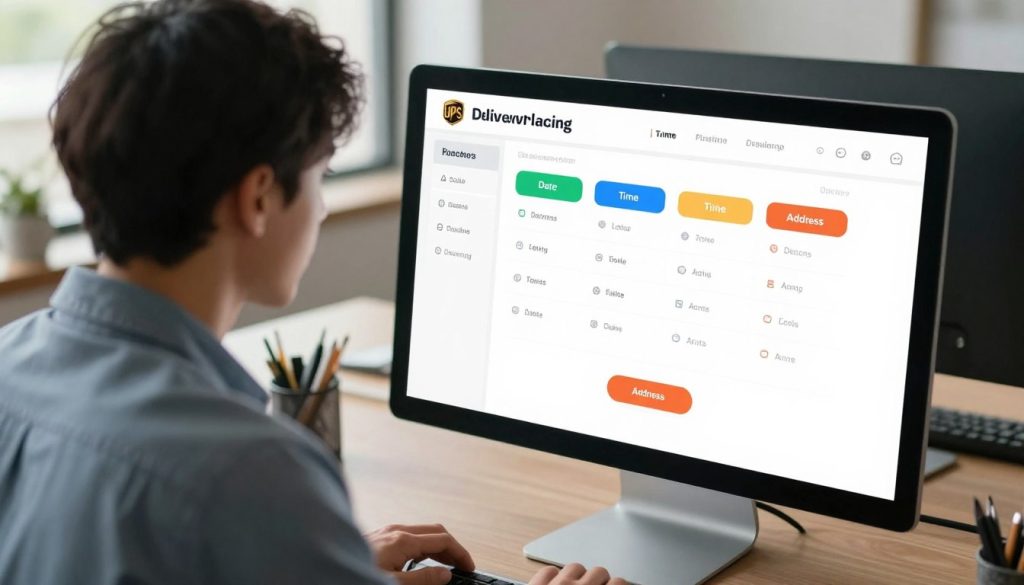
Your dashboard shows key info like when UPS got your claim and its current stage. If you need to change delivery times, you can do it through My Choice once your claim is approved.
Expected Response Times
UPS usually answers damage claims in 5 to 7 business days. Lost package claims might take 10 to 14 business days. This time lets UPS check your claim well.
The time it takes depends on:
- Package value amount
- Claim complexity
- Required documentation
- Carrier investigation needs
You’ll get emails or calls as your claim moves along. Be patient, as investigations take time.
9. Understanding UPS Claims Resolution
When you ask to change your UPS package pickup, knowing how long it takes helps. UPS starts working on your request right away. You’ll get a yes or no answer quickly online or by phone.
This yes means UPS has accepted your change. But, if your package is already on a truck, it might not change that day. It will change on the next try.
When to Expect a Decision
After you change your UPS package pickup, you get quick feedback. Online, you get an answer right away. By phone, it’s fast too.
But, getting your change made is different. Where your package is in the delivery network matters.
Options for Appeals
Not all changes can be made. The shipper might not allow it, or your package’s status doesn’t let you change it. You have choices:
- Call UPS customer service to explain your situation
- Ask representatives about extra tools not online
- Request package recovery if it went to the wrong place
- Arrange a return to sender if you can’t reschedule
The UPS Intercept Program has solutions when regular changes don’t work. You can send it to a new address, hold it for pickup, or return it. Talk to UPS customer service to find the best option for you.
10. Tips for Avoiding Future Issues
After fixing a delivery problem, you don’t want it to happen again. The best way to avoid future problems is to act before they start. Use smart tools and plan ahead to keep your packages safe and on time.
Packaging Best Practices
How you pack your items is key to avoiding damage. Use strong boxes made of corrugated cardboard. Fill empty spaces with bubble wrap, foam peanuts, or crumpled paper to keep items from moving.
Here are key packaging tips to follow:
- Use boxes with a minimum thickness of 175 pounds per inch (PSI)
- Wrap fragile items individually in protective material
- Seal all seams with strong packing tape, not just the top
- Label boxes clearly with “FRAGILE” or “HANDLE WITH CARE” when needed
- Include a return address on your package
Proper packaging reduces damage claims and keeps items safer during transport. When you reschedule UPS shipment online, well-packaged items are less likely to get damaged in transit, cutting down on future claim needs.
Using Tracking Features Effectively
Your UPS My Choice account is a great tool for avoiding delivery problems. This free service gives you real-time visibility into your incoming packages and lets you take control before issues happen.
Set up automatic alerts so you know when packages are on the way. This advance notice gives you time to plan and make changes if needed. If you know you’ll be away during delivery, you have several UPS delivery reschedule options available:
| Feature | Benefit | Cost |
|---|---|---|
| Vacation Hold | Suspends all deliveries while you’re away | Free |
| Redirect to UPS Store | Pick up packages at your convenience | Free |
| Neighbor Delivery | Package left with a trusted neighbor | Free |
| Premium Membership | Extra flexibility and priority support | $19.99/year |
For people who travel regularly, the Premium membership offers the most flexibility. It provides enhanced tracking, more rescheduling options, and faster customer service. Frequent travelers save money by using this membership instead of paying for individual reschedules.
Check your UPS My Choice dashboard regularly, when you’re expecting deliveries. The more you monitor your packages, the more time you have to adjust delivery plans. Set your delivery preferences in the app so drivers understand how you want packages handled. You might authorize them to leave packages in a safe spot or require signatures for security. These preferences help packages arrive the way you want them from the start, reducing reschedule needs.
11. Customer Support Resources
UPS offers many ways to get help, not just by calling. You can find answers on the UPS website. They have tools and resources ready to help you anytime.
Additional Contact Methods
You can contact UPS in many ways. Use Twitter and Facebook for quick answers. Email is good for non-urgent questions.
The UPS app lets you talk to customer service on your phone. Business customers get special help from dedicated reps.
Online Help and FAQs
The UPS website has a FAQ section. It answers questions about delivery changes, fees, and more. You can find answers without waiting.
UPS My Choice lets you change delivery dates and times online. The website also has video tutorials and guides to help you.
A chatbot on the UPS website answers basic questions anytime. Save important links to your bookmarks. These resources help you manage your shipments easily.