
What if you could return a package in minutes? UPS offers quick and simple ways to send items back without stress.
Getting a wrong item in the mail is frustrating. Maybe you got the wrong size, or it arrived damaged. UPS makes returning items easy with several options.
UPS gives you choices for returning packages. You can write “Return to Sender” on your package. Then, drop it off at thousands of locations across the United States.
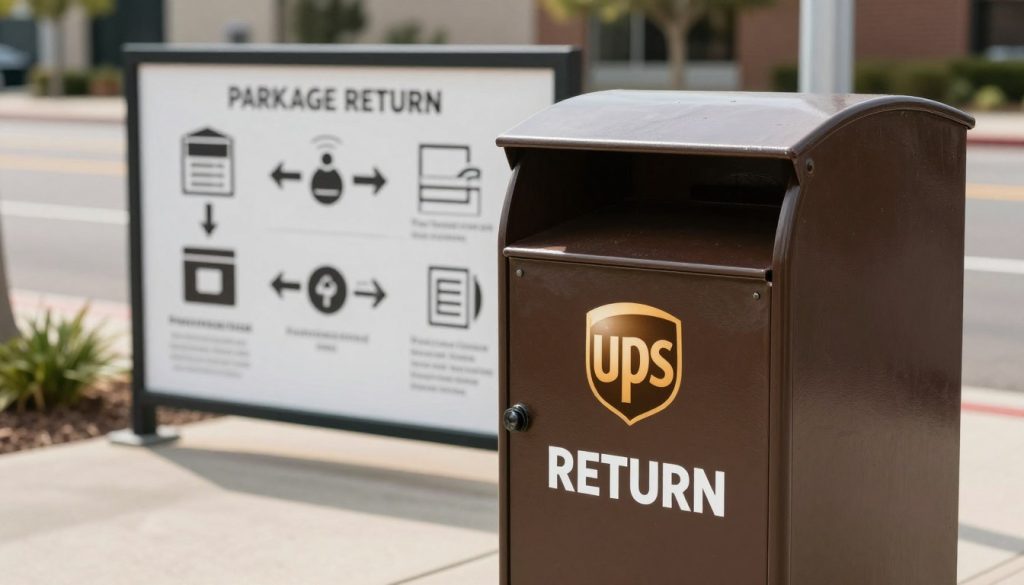
UPS offers ways to drop off packages at a drop box at your local CVS store or other retail partners. You can visit a UPS Store location near you for full-service support. You can also request a pickup from your home if that works better. You can even set up return preferences online using UPS My Choice.
This guide will show you each return method step by step. You’ll learn how to find UPS drop box locations near you. You’ll understand what works best for your situation.
We’ll teach you how to pack your return correctly. We’ll explain how to track your package on its way back. By the end, you’ll feel confident handling any return situation.
Key Takeaways
- UPS provides multiple return options including drop boxes, retail locations, and home pickups
- You can drop off a pre-labeled package at thousands of locations nationwide including CVS and other retail partners
- UPS Store locations offer extended services beyond simple package drop-off
- UPS Access Point locations provide secure lockers at third-party retail stores
- Online tools like UPS My Choice let you manage your return preferences from home
- Knowing your return options helps you choose the most cost-effective method
- Proper labeling and packaging makes the return process smooth and fast
Understanding the UPS Return Process
Before you start returning a package, it’s key to know what you’re doing. It’s important to understand when to use return options. Learning about UPS returns helps you choose the best option for your situation.
You might be refusing delivery, sending back the wrong item, or doing a standard return with a prepaid label. Knowing this helps avoid mistakes and keeps things smooth.
What Does “Return to Sender” Mean?
Return to Sender means UPS sends your package back to the shipper. This is for when you don’t want the package, got the wrong item, or need to refuse it. The label on your box has important info about where it should go.
Understanding this keeps your return on track and avoids confusion at UPS.
When Should You Return a UPS Package?
You might return a package for many reasons. Common reasons include:
- Receiving an unwanted or damaged item
- Getting the wrong product shipped to your address
- Refusing delivery upon arrival
- Processing a standard return through a retailer
- Sending back items that don’t fit or work properly
Each reason might need different steps. Some retailers offer a prepaid UPS label drop box option. Others might need you to create a return label yourself using UPS drop box instructions.
How to Check the Shipping Label
Your shipping label has important info for returning packages. Look for these details:
| Label Information | What It Tells You |
|---|---|
| Tracking Number | Unique identifier for your package |
| Return Address | Where to send the package back |
| Prepaid Label Indicator | Shows if return postage is already paid |
| Shipping Barcode | Scanned at UPS facilities for tracking |
| Special Instructions | Any specific requirements from the sender |
Check if your package has a prepaid UPS label drop box option. Many retailers include return labels in your shipment. If not, you’ll need to create a new label using UPS drop box instructions.
The shipping label shows your tracking number. This lets you track your return. According to UPS Store, having your tracking number ready makes the process faster and easier.
Initial Steps for Returning a UPS Package
Starting your UPS package return is easy. The first steps you take are key to a smooth process. You might have your receipt or need to return without one. Knowing what to do first is important.
Direct the Package to the Sender
First, get your package ready to go back to the sender. Look at the original shipping label. It has the sender’s address. If you’re returning without a receipt, write down this address.
Make sure the package is in good shape. Check for any damage. A well-kept package helps your return go faster. Keep the original packaging if you can.
Write “Return to Sender” on the Package
This step is critical for your return. Use a black marker to write “RETURN TO SENDER” in big, bold letters. Put it on the front of the box where it’s easy to see.
Write this phrase in at least two places on your package:
- On the top of the box
- On the front side of the package
If you’re returning without a receipt, this marking is your main message. It tells UPS workers to send it back to the original sender, not to the intended delivery location.
Remove or cover the original shipping label. Cross it out with dark marker or tape over it. This stops any confusion or mistakes that could slow down your return.
Using a UPS Drop-off Location
Returning your UPS package is quick at a nearby drop-off location. You can find everything from full-service UPS Stores to simple drop boxes. Knowing where to go and how to prepare your package makes the return easy.
Finding Your Nearest UPS Store
Finding a drop-off point is easy. Use the UPS website’s nearest drop box finder. Just enter your city, state, or postal code. You’ll see all options in your area, like Stores, drop boxes, and shipping outlets.
UPS Stores are owned by different people. Each store might offer different services and hours. Check the hours for your store before you go. Many stores are open evenings and weekends.
| Drop-off Location Type | Services Offered | Typical Hours | Best For |
|---|---|---|---|
| Full-Service UPS Store | Packing assistance, supplies, shipping services | 6 AM – 8 PM (varies) | Fragile or complex items |
| UPS Drop Box | Package drop-off only | 24/7 access (varies) | Quick returns, pre-packed items |
| Authorized Shipping Outlet | Limited shipping and drop-off services | 9 AM – 6 PM (varies) | Basic return shipments |
Packing Your Return Properly
Before you go, make sure your package is packed right. Good packing keeps your items safe and ensures they arrive in good shape.
UPS Stores have packing services and supplies. Their staff knows how to pack different items well.
Here’s what you need for packing:
- Sturdy boxes in various sizes
- Bubble wrap and cushioning materials
- Packing peanuts for fragile items
- Packing tape and sealing materials
- Protective envelopes for documents
If your item is fragile or odd-shaped, go to a full-service UPS Store. They can wrap it well and pick the right box. Call your nearest location to check their hours and get help packing.
Seal your package well with packing tape. If you don’t have a return label, write “Return to Sender” on the box. Make sure your return and sender’s addresses are clear and correct before you drop it off.
Requesting a UPS Return Pickup
Carrying your package to a location might not be easy. You can ask UPS to pick it up at your home or business. This saves you time and effort. Knowing your options helps you pick the best way to return items.
Scheduling a Pickup Online
You can book a UPS pickup on the UPS website. It’s easy and quick. First, go to ups.com and log in. If you don’t have an account, you’ll need to make one.
To schedule, give UPS your address, package details, and when you want it picked up. Most places offer same-day or next-day service. Pick a time that fits your schedule.
The UPS Store locations can’t schedule pickups themselves. You must call UPS to arrange it. Some UPS Store locations offer pickup, but it depends on where you are.
If you don’t want to book online, call UPS at 1-800-742-5877. A person can help you over the phone.
Cost and Fees for Pickup Services
Knowing the cost helps you choose between pickup or a drop box. UPS charges based on several things.
| Pickup Service Type | Cost Range | Best For |
|---|---|---|
| Single One-Time Pickup | $6.00 – $9.50 | Occasional returns and small shipments |
| Regular Scheduled Pickups (Monthly) | Discounted rates available | Frequent shippers and businesses |
| Prepaid Return Label Pickups | Often waived or included | Retailer-arranged returns |
| Residential Pickup Fee | Additional $2.00 – $5.00 | Home delivery returns |
Many retailers give free pickup with prepaid labels. Check your return email to see if you get this. This saves you money by avoiding extra fees.
Package size and weight change the price. Bigger or heavier items cost more. Most packages fall in the listed rates. But, oversized items might have extra fees.
- Compare pickup costs against driving to drop off your package
- Ask about discounts if you ship regularly
- Request pickup services only for packages that justify the fee
- Use drop box options when costs are similar
Residential pickups might cost more than business ones. If you’re near a UPS facility, dropping off there could save money. Learning how to drop off UPS package at a drop box can save you money too.
Using UPS My Choice for Returns
UPS My Choice gives you control over package returns. It lets you manage deliveries and track shipments. You can also set up preferences for easy returns.
Setting Up Your Account
Starting with UPS My Choice is easy. Just go to the UPS website and create an account with your email. You’ll need to give your address to activate your account.
Here’s what you need to do:
- Visit the UPS My Choice registration page
- Enter your email address and create a secure password
- Provide your residential address for verification
- Confirm your account through the verification email
- Set up notification preferences for package updates
After your account is active, you can manage your returns. UPS My Choice tracks your packages with tracking numbers and UPS InfoNotice details.
Utilizing Return Preferences
Once your account is set up, you can customize return preferences. This lets you choose where and how your packages are returned.
- Selecting preferred drop-off locations for your returns
- Redirecting returns to UPS Access Point locations instead of traditional drop boxes
- Authorizing specific return methods that work best for you
- Receiving automatic notifications when returns arrive at sender facilities
- Managing multiple return preferences for different senders
Choosing between a UPS drop box vs access point depends on your needs. UPS drop box vs access point options have different benefits. Access Points offer extended hours and package holding, while drop boxes are quick and simple.
UPS Access Point locations are great for package pickup. They stay open longer than drop boxes. This means you can return items when it’s convenient for you.
Use UPS My Choice to make returns easier and faster. Enjoy a hassle-free experience every time you ship something back.
Creating a UPS Return Label
Getting your return label ready is key to sending your package back. A good UPS return label makes sure your package goes where it needs to, fast and safe. This guide will help you make your label, whether you got a return code or need to make one.
Accessing the UPS Returns Portal
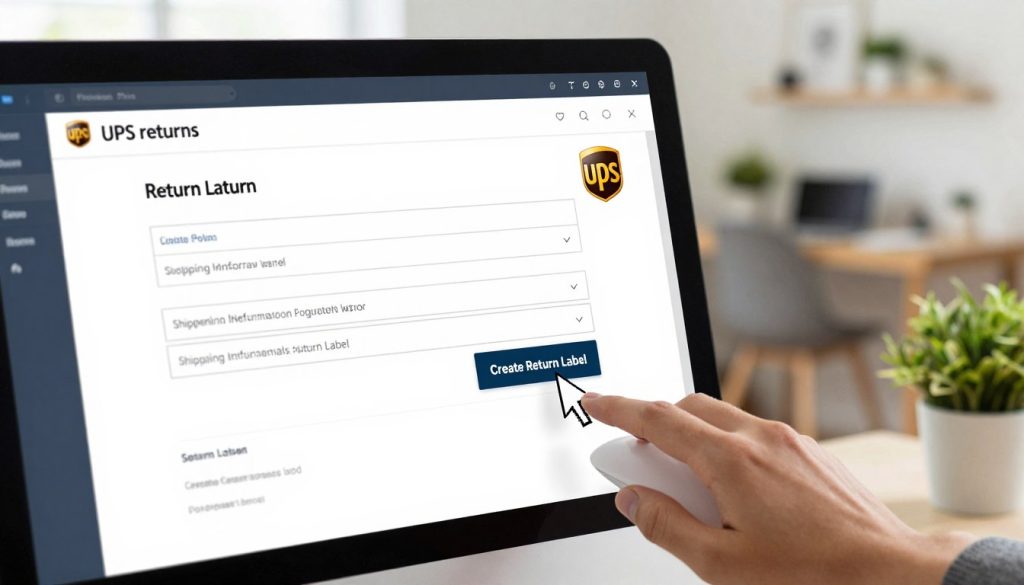
First, go to the UPS website and log in or make an account if you don’t have one. Look for the “Returns” section in the menu. If you have a return code, enter it here. This code lets you use prepaid return shipping.
If you don’t have a code, you can make a label by choosing “Create a Return Label” on the portal. Enter your package’s details, like weight and size. Knowing UPS drop box size limits helps pick the right drop-off spot for your package.
Printing and Attaching the Label
After you fill out your info, the system makes your prepaid UPS label. Print it on regular white paper. Make sure the barcode is clear and big enough to scan well.
Stick your label to the biggest, flattest side of your package. Use clear tape to keep it on. If there’s a old label, cover it up with your new one.
- Print labels on white paper for clarity
- Ensure the barcode is dark and unfolded
- Use clear tape to secure all edges
- Place the label on the flattest package surface
- Check that UPS drop box size limits work for your package
Know your UPS drop box size limits before dropping off your package. Most prepaid UPS label drop box locations accept packages up to 20 kg (44 pounds) and 80 cm (31 inches) in length. If your package is bigger, go to a UPS Store for proper handling.
Contacting UPS Customer Service
Sometimes, your return package needs extra help. It might be stuck in transit or you can’t find a UPS drop box near you. Reaching out to UPS customer service gets you the help you need quickly. Knowing when to call and what details to have ready makes your conversation shorter and more productive.
When to Call Customer Support
Contact UPS customer service when your return package disappears during shipping. Reach out if you’re confused about return policies or can’t find UPS drop box locations near you. Call the team when you have questions about return fees or authorization numbers that aren’t clear on your paperwork.
If your original package arrived damaged or late, contact the UPS Store location that shipped your items. Remember, UPS Store locations are independently owned and operated. The home office doesn’t have access to individual shipping details, so calling your local store often gets faster results.
Don’t wait to contact support if you experience these issues:
- Your return package hasn’t been tracked for several days
- You can’t find nearby UPS drop box locations near me
- You received conflicting information about return deadlines
- You need to request a return pickup but encounter errors online
- Your refund status remains unclear after dropping off your package
What Information to Provide
Prepare your details before calling UPS. This saves you time and helps the representative solve your problem immediately. Gather your information in one place so you can reference it during the call.
| Information Type | Why You Need It | Where to Find It |
|---|---|---|
| Tracking Number | Identifies your specific package in the UPS system | Shipping receipt, email confirmation, or original box label |
| Return Authorization Number | Links your return to the merchant’s request | Return label, email from retailer, or packing slip |
| Original Shipping Receipt | Proves purchase details and delivery information | Email inbox or your account on the retailer’s website |
| Package Description | Helps verify the correct item in the system | Your memory or original order confirmation |
| Return Reason | Explains why you’re returning the package | Your notes about the issue or refund policy details |
| Your Phone Number | Allows UPS to contact you with updates | Your personal contact information |
Having this information ready shortens your wait time. The representative gets all the facts at once instead of asking follow-up questions. This approach works best when you’re trying to resolve issues with packages that came through UPS or UPS Store locations.
Contact the package carrier directly if your items weren’t shipped through UPS. Different carriers manage their own return processes and policies. Know which company shipped your package before calling support about UPS drop box locations near me or other return services.
Return Policies for Different Senders
Every sender has their own rules for returns. When you get a package, who sent it decides the return policy. Big stores like Amazon have different rules than small shops or people selling things online. Knowing these differences can save you time and trouble when you need to return something.
Return policies can change a lot. Some sellers let you return things for free, while others make you pay. Also, how long you have to return items can vary. Some places let you return things within 30 days, others within 60 or 90 days. Always check the original packaging and receipt to find out the exact return deadline.
Retailer-Specific Return Policies
Every company has its own rules for returns. Amazon lets you return items at UPS Access Point locations if you have their return label. Target, Walmart, and Best Buy each have their own rules. Some sellers want you to return items in the same packaging, while others are more flexible.
International sellers and those on marketplaces have special rules. Services like clothing boxes might only let you return unopened items. Always read the return policy before you accept a package.
Checking for Prepaid Return Labels
A prepaid return label makes things easier. If you find one with your order, it means the sender paid for your return shipping. Look for the label inside the box or on the packing slip.
- Check the shipping label for return information
- Look for a separate return label in the package
- Search your email for digital return instructions
- Visit the retailer’s website if you cannot find the label
With a prepaid label, you can use UPS drop box instructions. Just print the label, stick it on your package, and drop it off. This way, your return is processed right. Without a prepaid label, ask the sender for one before trying to return it through any UPS drop box instructions.
Understanding UPS Tracking for Returns
After you drop off your return, it’s important to track it. You’ll want to know where it is at all times. Tracking your return helps you relax and know when you’ll get your refund.
How to Track Your Return Package
Tracking your return is easy. Use your tracking number on UPS.com for updates. If you lost your tracking number, go to the UPS Store where you dropped it off. They can help you track your return.
UPS sends you emails to keep you updated. You can get alerts to up to three emails. This way, you’ll know when your return is picked up, in transit, and delivered.
Knowing what each tracking status means is helpful. Here’s what each status is:
- Picked up — Your package has been collected from the drop-off location
- In transit — Your package is traveling through the UPS network
- Out for delivery — Your package is on its way to the sender’s facility
- Delivered — Your package has reached its destination
Knowing When to Expect a Refund
When you get your refund depends on a few things. Most places refund you in 5-10 business days after they get your return. Using a nearest UPS drop box finder helps your package get processed faster.
Every store has its own refund rules. Some give refunds right away, others check the item first. Keep your shipping receipts and tracking info handy. If you haven’t gotten your refund and it’s been too long, contact the sender with your tracking info.
Resolving Issues with Returns
Even with careful planning, return shipments can run into problems. Dropping off a UPS package without receipt might make things trickier. But, you’re not stuck without help. Knowing how to fix common return issues keeps your refund on track.
Common Problems with Returns
Return packages face several typical challenges. They might get damaged during transit, arrive late, or disappear from tracking. Sometimes, the sender claims they never received your return, even though tracking shows delivery. These problems can delay your refund and create frustration.
One frequent issue occurs when you drop off a UPS package without receipt. This situation complicates problem resolution. You won’t have proof of the exact drop-off time or location, making it harder to investigate if something goes wrong.
Another common problem happens with incorrect return addresses. The package reaches the wrong location, and your refund gets delayed. Damaged packaging during handling is also frequent, if items inside aren’t protected properly.
| Common Return Problem | What Happens | Who Should Report It |
|---|---|---|
| Damaged Package | Items arrive broken or shipment shows damage | Sender notifies UPS Store location immediately |
| Lost or Stolen Package | Package disappears from tracking or never arrives | Sender reports to shipping location right away |
| Late Delivery | Return takes longer than expected | Sender notifies UPS Store location |
| No Receipt Documentation | Dropped off without proof of shipment | Sender files claim with tracking number as evidence |
| Sender Claims Non-Receipt | Sender says they never got the return | You provide tracking confirmation and communication records |
Contacting the Sender for Resolution
Your original sender plays the biggest role in fixing return problems. Contact them right away when issues arise. The sender is the customer of UPS, so they have more authority to file claims and investigate problems than you do.
When you reach out, share important details:
- Your tracking number for the return
- Photos showing package condition
- Dates you dropped off or shipped the package
- All emails and messages about the return
- Receipt information, even if you completed a UPS package drop off without receipt
The sender can start UPS’s claims process for lost or damaged returns. They’ll need your documentation to prove what happened. If you dropped off without receipt, your tracking number becomes your best evidence. Save all communications between you and the sender.
Act quickly when problems appear. UPS has time limits for filing damage and loss claims. Getting the sender involved immediately gives you the best chance at getting your refund or replacement.
Tips for a Smooth Return Process
Getting your return right takes planning and detail. Follow smart practices to ensure your package returns without issues. These tips come from shipping experts and frequent returners. They focus on the small things that often cause delays or disputes.
Keep Copies of Shipping Receipts
Always save your shipping receipts after dropping off a return. These papers prove you sent the package and show when it left your hands. The receipt has your tracking number printed right on it. You need this number to follow your package through the system.
Your receipt becomes very important if something goes wrong. If the sender says they never got your return, you have proof of drop-off. If a refund gets denied, your receipt helps you fight that decision. Store these copies in a safe place, either in a folder at home or as digital photos on your phone. Pull them out right away if you need them.
Follow Packaging Guidelines
How you pack your return matters a lot. Use enough cushioning material around your item so it does not move inside the box. Bubble wrap, foam, or packing paper all work well. Seal your box with strong tape on all sides. Weak sealing means your package might open during shipping.
Know the UPS drop box size limits before you pack. Packages at UPS Access Point lockers must weigh less than 20 kg and be shorter than 80 cm in length. If your return is larger, you need to use a UPS Store location instead. The UPS Store has packing experts on staff who can help you prepare your item correctly. They know how to pack things so they survive the rough handling during shipping.
Check the UPS drop box hours of operation for your location so you arrive before the final pickup time. Dropping off earlier in the day means your return enters the system faster. Take a photo of your packed return before you drop it off. This picture helps prove the condition of your package if there is a dispute later. Being proactive puts you in control of the return process.