Did you know you can control your package deliveries without being home? UPS My Choice lets you manage your shipments in new ways.
Getting packages delivered should be easy and stress-free. With UPS My Choice, you can track your parcels in real time. You can also reschedule deliveries and give special instructions to your driver. This service is great for anyone who gets packages from UPS.
Managing deliveries can be hard, whether you work long hours or travel a lot. You might miss a package and have to pick it up later. Or, you might worry about leaving expensive items on your porch. These problems happen to millions every day.
This guide will teach you everything about signing up for UPS My Choice. You’ll learn how to create your account, set up your preferences, and use all the features. By the end, you’ll know how to make your delivery experience better.
Key Takeaways
- UPS My Choice is a free service that lets you control how and when your packages arrive
- You can sign up on the UPS website in just a few minutes with basic information
- The service works on computers, tablets, and smartphones for easy access
- You get real-time tracking and the ability to reschedule deliveries right from your account
- Setting up security features helps protect your delivery information
- Premium options are available if you want extra features and benefits
- UPS customer support is available to help you with any questions or problems
What is UPS My Choice?
UPS My Choice is a free service that lets you control your package deliveries. It helps you manage your shipments before they reach your door. This is great for both small and big packages, fitting your schedule.
It’s like having your own delivery center. You can track packages, change delivery dates, and get alerts. It works in all UPS zones, from 1 to 8, keeping you updated wherever you are in the U.S.
Overview of the Service
UPS My Choice connects you to your deliveries before they get to you. You can see all your packages online. You’ll get details like the package’s weight, when it’s coming, and who sent it.
It works with UPS packages coming to your address. Once a package is picked up, it shows up in your account. You get updates on your delivery status, no matter where it’s going or how heavy it is.
Benefits of Using UPS My Choice
This service has many benefits for you:
- Control your delivery schedule before packages arrive
- Receive advance notifications about incoming shipments
- Reschedule deliveries to fit your availability
- Arrange alternate delivery locations if needed
- Track the weight of the parcel and other shipment details
- Access your account 24/7 from any device
You’ll never miss a delivery again. You can make changes up to the day of delivery. This gives you more flexibility than regular shipping.
Who Should Sign Up?
UPS My Choice is for anyone who gets packages. It’s good for those who work from home, have a busy schedule, or live in remote areas. Online shoppers find it very useful.
| User Type | Main Benefit | Priority Feature |
|---|---|---|
| Online Shoppers | Track multiple deliveries | Delivery notifications |
| Busy Professionals | Reschedule deliveries easily | Flexible delivery dates |
| Business Owners | Manage shipments by weight of the parcel | Delivery instructions |
| Remote Residents | Control deliveries in remote zones | Alternate delivery locations |
Signing up takes just minutes, and it’s free. You’ll get to see all UPS shipments coming to you, no matter where you are or the package’s weight.
Getting Started with UPS My Choice
Before you sign up for UPS My Choice, know what you need. This service works best with the right setup and basic requirements. Reviewing these details now will make your registration smooth and quick.
UPS made this platform for everyday tools. You can use zone charts and calculators on any device. No special software is needed. Just a stable internet connection is important.
https://www.youtube.com/watch?v=bTzjPNG4YTM
Eligibility Requirements
Most people in the United States can use UPS My Choice. You must be 18 or older and have a valid email address. A few things will help your experience:
- A U.S. address where you get packages
- Access to your email for verification
- Basic knowledge of your origin and destination zip codes
- Understanding of your preferred service level, like UPS Ground or 2nd Day Air
It’s smart to have your shipping history ready. Knowing your typical zip codes and service level helps you use the platform better. Different services have their own zone charts, so knowing yours is key to tracking costs.
Device Compatibility
UPS is accessible from almost any device. You can manage your deliveries from home or on the go.
| Device Type | Compatibility Status | Best Use Case |
|---|---|---|
| Desktop Computer | Full Support | Managing detailed preferences and settings |
| Laptop | Full Support | Accessing accounts while traveling |
| Tablet | Full Support | Quick tracking and notifications |
| Smartphone | Full Support | On-the-go package management |
Having a PDF reader is helpful for zone charts. Use the current year’s zone chart for accurate shipping costs. UPS updates these annually, so a recent version is important.
Remember, zones vary by carrier and service. UPS Ground zones are different from UPS Air zones and FedEx. Use the right zone chart for your service to get accurate information.
Make sure you have a stable internet connection ready. You don’t need anything fancy—just reliable access to UPS’s online tools and calculators. Once you’ve checked these boxes, you’re ready to create your account.
Step-by-Step Guide to Signing Up
Starting with UPS My Choice is easy and quick. This guide will show you how to sign up. You’ll learn to use the UPS website, make your account, and share your info. Soon, you’ll enjoy managing your deliveries online.
Accessing the UPS Website
First, go to the UPS My Choice registration page. Open your browser and visit ups.com. Look for the “UPS My Choice” link on the homepage. It’s in the top right corner or in the search bar. Click it to get to the signup page.
Use a safe internet connection. Public WiFi can be risky when sharing personal info. It’s better to use your home network or mobile data.
Creating Your Account
When you’re on the UPS My Choice page, click “Sign Up” or “Create Account.” Start creating your account. You’ll need to pick a username and password. Your username can be your email or a name you like.
Here’s how to make a good password:
- Make it at least 8 characters long
- Include both uppercase and lowercase letters
- Add numbers and special characters
- Don’t use personal info like birthdays
Entering Your Information
After setting up your login, you’ll share your personal info. The system wants:
| Information Required | What to Enter |
|---|---|
| Full Name | Your first and last name as it appears on packages |
| Email Address | A valid email you check regularly |
| Phone Number | Your primary contact number with area code |
| Address | Your complete delivery address |
| ZIP Code | Your five-digit postal code |
Check your info carefully. Mistakes in your address or phone can cause issues. Your details help UPS find your packages.
Confirming Your Account
After you sign up for UPS My Choice, you need to confirm your account. This step keeps your account safe and lets you use all its features. It’s important to verify your email and set up security to protect your delivery info.
Verification Email
UPS sends a verification email after you sign up. This email has a link you must click to confirm your identity. Look for it in your inbox right after signing up.
If you can’t find the email, check your spam folder. Sometimes, these emails get sent there by mistake. You can ask for a new email if the link expires.
- Open the verification email from UPS
- Click the confirmation link provided
- Wait for confirmation that your email is verified
- Return to UPS My Choice to access your account
Setting Up Security Features
After verifying your email, strengthen your account security by making a strong password. A good password has letters, numbers, and symbols. Don’t use your birthday or name.
UPS My Choice has extra security options you can turn on:
| Security Feature | What It Does | Protection Level |
|---|---|---|
| Strong Password | Prevents unauthorized access to your account | Essential |
| Two-Factor Authentication | Requires a second verification method when logging in | High |
| Security Questions | Verifies your identity during account recovery | Moderate |
| Account Notifications | Alerts you about login attempts and account changes | Preventive |
Your UPS My Choice account is now ready to manage your deliveries safely.
Customizing Your Preferences
After setting up your UPS My Choice account, you can make it your own. You can choose how and when packages arrive. This makes handling shipments a breeze.
Delivery Notifications
Get updates on your packages with delivery notifications. You can pick how you get these updates. UPS My Choice offers several options.
- Text message alerts for real-time updates
- Email notifications with tracking details
- Push notifications through the UPS app
- Customize notification timing for your schedule
These alerts come before your package arrives. This gives you time to get ready.
Delivery Rescheduling Options
UPS My Choice lets you change delivery dates without calling customer service. You can pick any day that suits you.
- Delay delivery by several days if needed
- Hold packages at UPS locations for pickup
- Request delivery on specific dates
- Reschedule multiple packages at once
Managing Delivery Addresses
You can save many addresses in your UPS My Choice account. This is great if you move a lot or get packages at different places.
- Add home, office, or alternate addresses
- Set default delivery locations
- Update address information anytime
- Receive packages at your preferred destination
These options let you control your package delivery experience.
Understanding UPS My Choice Features
UPS My Choice makes managing your deliveries easy. After setting up your account, you get tools to keep you updated on your packages. These tools help you control your shipments, no matter the zone or package weight.
Your UPS My Choice account changes how you deal with package delivery. You can track packages in real-time, set delivery instructions, and get alerts. This keeps you informed every step of the way.
Real-Time Tracking
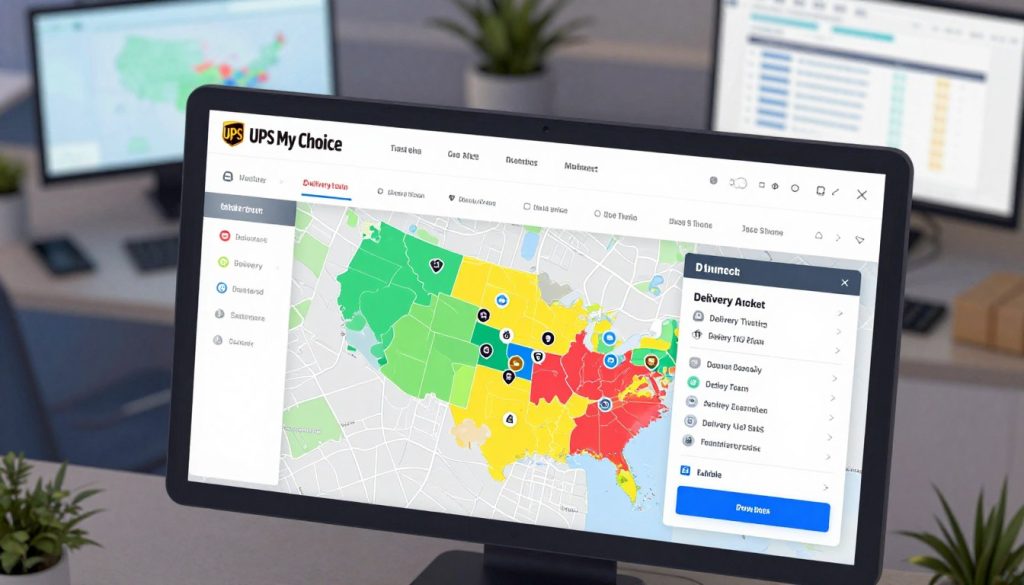
Real-time tracking lets you watch your package’s journey. You get updates on its location and when it’s coming. This is great for planning your day around delivery times.
Tracking shows how zone numbers affect delivery times. Packages to farther zones take longer to arrive. You can see this on your dashboard.
Special Delivery Instructions
You can give special instructions to your delivery driver. Tell them where to leave your package or if you need a signature. This ensures your packages arrive just right.
- Leave packages at side door
- Require signature confirmation
- Hold package for later pickup
- Leave with neighbor if needed
Delivery Alerts
Delivery alerts tell you about your shipment’s status. You’ll know when it ships, is out for delivery, and when it arrives. These alerts work for any package weight and zone number.
You can pick how you get alerts—by email, text, or app. Choose the method that suits you best to stay connected to your deliveries.
Troubleshooting Common Issues
Stuck during UPS My Choice signup or having trouble with your account? Don’t worry, most problems have simple fixes. This section will guide you through common issues and solutions. You’ll learn how to fix problems like registration not working, missing notifications, and account access issues.
Problems Signing Up
Registration can sometimes get stuck. You might see error messages or get stuck on a page. But don’t worry, these issues can be fixed.
- Clear your web browser’s cache and cookies
- Try a different web browser
- Disable pop-up blockers and ad blockers temporarily
- Check that JavaScript is enabled in your browser settings
- Use a different device to attempt registration
- Verify your email address is correct and active
- Make sure your password meets UPS requirements (at least 8 characters with numbers and letters)
If you’re having trouble signing up, your internet might be slow. Try connecting to a different network or wait a few minutes before trying again.
Issues with Notifications
Missing delivery alerts is a big problem. If you’re not getting notifications, check these things first.
| Problem Type | What to Check | Quick Fix |
|---|---|---|
| Not receiving email alerts | Spam folder and email settings | Add noreply@ups.com to your contacts and check notification preferences in your UPS account |
| Missing text message notifications | Phone number and carrier settings | Confirm your cell phone number in account settings and verify your carrier isn’t blocking messages |
| Push notifications not working | App permissions and settings | Check that UPS app has notification permissions enabled in your phone’s settings |
| Delayed alerts | Notification timing preferences | Review your delivery notification schedule and adjust timing preferences as needed |
Visit your account settings and turn notifications off, then back on again. This simple reset often fixes notification problems.
Accessing Your Account
Being locked out of your UPS My Choice account is inconvenient. Several reasons might prevent you from logging in.
- Go to the UPS website login page
- Click “Forgot Password” if you can’t remember your login details
- Enter your email address or UPS account number
- Check your email for a password reset link
- Follow the link and create a new password
- Log in with your new password
If you keep getting locked out after multiple login attempts, wait 30 minutes before trying again. UPS limits login tries for security reasons. Contact UPS customer service if you’re unable to access your account after these steps.
Upgrading Your UPS My Choice Experience
The basic UPS My Choice service is great for controlling your deliveries. It offers tracking updates and basic delivery management for free. Many people find it perfect for their needs.
But, UPS also has a premium tier for more features. This tier is for those who want more power and flexibility.
Upgrading to a paid plan gives you access to services that serious shoppers and businesses need. These services make managing your packages better. Your delivery experience becomes smoother and more tailored to you.
UPS My Choice Premium Features
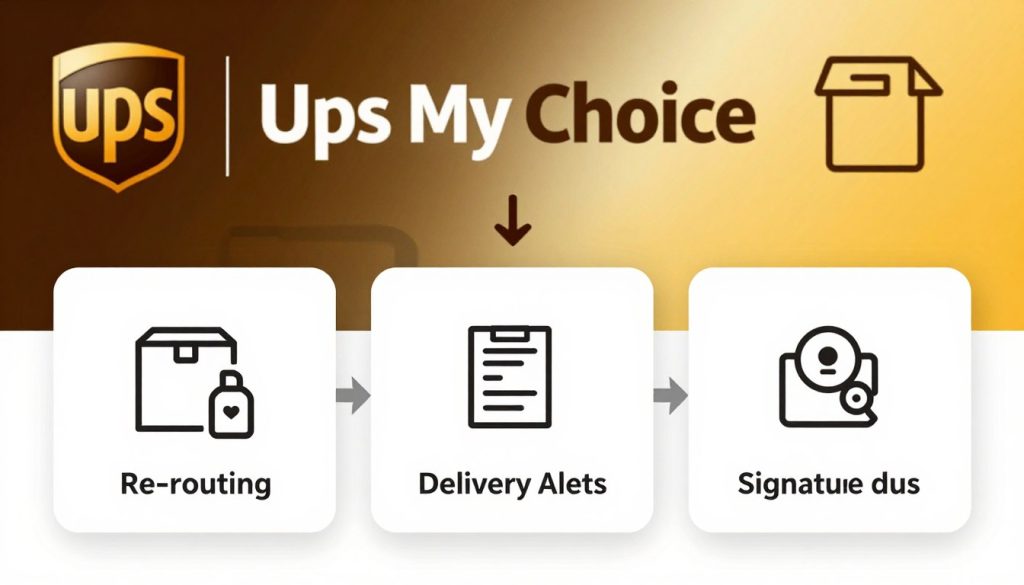
Premium membership gives you powerful tools for managing your shipments. You get features that go beyond the free version. These tools make handling packages easier and give you more control over when and where they arrive.
With a premium account, you get:
- Extended delivery windows that fit your schedule better
- The ability to redirect packages to UPS locations before they arrive
- Priority customer service support
- Advanced delivery instructions for special handling
- Guaranteed delivery options for time-sensitive shipments
Comparing Free vs. Premium
Understanding the differences helps you decide if upgrading is right for you. Review this breakdown to see what matches your shipping needs:
| Feature | Free Version | Premium Version |
|---|---|---|
| Real-time tracking | Yes | Yes |
| Delivery notifications | Yes | Yes |
| Reschedule deliveries | Limited options | Extended windows |
| Redirect packages | No | Yes |
| Priority support | Standard support | 24/7 dedicated support |
| Special delivery instructions | Basic options | Advanced options |
| Cost | Free | Annual subscription fee |
Think about how often you get packages and if you need advanced flexibility. If you shop online a lot or manage business shipments, premium features can save time and reduce delivery headaches. The choice depends on your shipping volume and preferences.
Finding Customer Support
Getting help with your UPS My Choice account is easy and stress-free. UPS offers many ways to reach support teams. You can get help with your delivery, shipping costs, or how to automate your shipping.
Knowing where to find help saves time and reduces stress. You can call, email, chat, or visit a physical location for help. Many people find using different ways to get help works best for them.
Contacting UPS for Help
UPS customer service reps are ready to help with any issues. You can call the UPS My Choice support line or visit ups.com. For shipping questions, use UPS Internet Ship to do tasks yourself.
How fast you get help depends on how you contact them. Phone support is quick during business hours. Email answers usually come within 24 hours.
Utilizing Online Resources
The UPS website has lots of help articles, videos, and FAQs. You can find answers to common questions. It helps with account access, delivery preferences, and shipping tips.
- Access your account dashboard for quick solutions
- Browse the help center for detailed guides
- Watch video tutorials on shipping features
- Use the live chat option for immediate answers
Many people find answers online before calling support. You can also use UPS shipping software like WorldShip to automate tasks and cut down on calls.
Community Forums
UPS has active community forums where customers share tips. People discuss common problems and share solutions.
Visit The UPS Store or a UPS Authorized Shipping Outlet for face-to-face help. Staff can answer your questions, set up preferences, and offer shipping solutions.
| Support Channel | Availability | Best For |
|---|---|---|
| Phone Support | 24/7 | Urgent issues and complex problems |
| Email Support | 24/7 | Non-urgent questions and detailed explanations |
| Live Chat | Business hours | Quick questions and account settings |
| Help Center | 24/7 | Self-service troubleshooting and guides |
| Physical Locations | Store hours | In-person assistance and shipping services |
Don’t hesitate to reach out for support. UPS has many ways to help you quickly. Whether it’s shipping costs, automated solutions, or delivery preferences, experts are ready to help.
Frequently Asked Questions
Starting with UPS My Choice might raise questions about shipping zones and delivery times. Knowing about zones helps you choose better for your packages. Let’s tackle some common questions about UPS services and managing your deliveries.
Common Queries About UPS My Choice
Many ask how UPS divides the country into shipping zones. UPS has nine zones for delivery times and costs. Zone 1 is for areas within 50 miles of you.
Zone 2 covers 51–150 miles, Zone 3 is 151–300 miles, and Zone 4 is 301–600 miles. Zone 5 is 601–1,000 miles, and Zone 6 is 1,001–1,400 miles. Zone 7 is 1,401–1,800 miles, and Zone 8 is 1,801+ miles. Zone 9 is for Alaska, Hawaii, and U.S. territories.
UPS Ground delivers in 1 to 5 days across the US. Zones 1, 2, and 3 get packages in 1–2 days. Zones 6, 7, and 8 take 4–5 days. Your delivery time depends on the zone and shipping volume.
Do shipping zones change every year? Yes, they do. UPS updates zones annually. Always use the latest zone chart for planning. Businesses can negotiate rates, but personal shippers usually can’t.
Further Reading and Resources
For more on UPS shipping zones and delivery times, check the UPS Zone Charts at ups.com/rates. You’ll find maps and info on all nine zones. The UPS Capital blog has tips on shipping trends and strategies.
Reading Parcel Magazine can teach you about carrier zones and shipping. Learning about e-commerce logistics helps you manage your deliveries better. Now you know how to make smarter shipping choices with UPS My Choice.