
Ever made a UPS shipping label mistake? Canceling a shipment before it ships is easy. Knowing how to void a UPS shipment quickly saves time and money.
Shipping errors are common, like picking the wrong service or wrong address. This guide helps you cancel UPS labels and keep your shipping costs down.
Shipping multiple packages with UPS can be managed well. You can fix mistakes fast with the right tools. Acting fast is key to avoid extra charges.
This article will show you how to handle UPS shipping for multiple items. You’ll learn about saving money with services like Shippo. With inflation at 3% annually, smart shipping choices are vital for your business.
Key Takeaways
- You can cancel most UPS labels within a specific timeframe before pickup or delivery occurs
- Acting quickly increases your chances of getting a full refund on your shipping label
- Different UPS services have different cancellation policies and windows
- Using third-party platforms like Shippo can help you avoid costly shipping mistakes through better management tools
- Understanding your UPS account options helps you void shipments efficiently
- Proper documentation ensures smooth cancellations and refunds
Understanding UPS Multi-Package Shipments
When you send many packages UPS to your customers, it’s key to know how it works. A UPS multi-package shipment lets you send two or more packages to one person. You can use one tracking number or linked numbers. This is different from sending each package alone.
Learning about multi-package shipping helps your business run smoother. It makes customers happier too. Whether you sell online or manage inventory, shipping several boxes UPS can save you money and time.
What Qualifies as a Multi-Package Shipment
Your shipment is a multi-package shipment if you send two or more boxes to the same place. This is common in business. For example, if an order is too big for one box, you split it. Or, if items need different packaging, each gets its own box.
All these packages travel together. They have one tracking and billing. This makes it easier for you and your customers to track their delivery.
Benefits of Shipping Multiple Packages Together
Shipping many packages together has big advantages:
- Tracking is easier for you and your customer
- You get better rates
- It’s less work for you
- Billings and documents are simpler
- Customers are happier with one delivery
These reasons make multi-package shipping great for all businesses.
When to Use Multi-Package Shipping
When to ship several boxes UPS matters. Use it when:
- A customer’s order needs many boxes
- Products need different packaging
- You’re sending bulk orders
- Items come from different places but go to the same address
- You want to save on shipping costs
UPS supports multi-package shipments at all service levels. Whether it’s UPS Ground for cheap, non-urgent shipping or UPS Next Day Air for fast delivery, your packages go together. International options like UPS Worldwide Express work well too.
| Service Level | Best For | Multi-Package Support |
|---|---|---|
| UPS Ground | Cost-effective, non-urgent shipments | Yes |
| UPS 3 Day Select | Standard domestic delivery | Yes |
| UPS 2nd Day Air | Medium-speed delivery | Yes |
| UPS Next Day Air | Fast, urgent shipments | Yes |
| UPS Worldwide Express | International expedited delivery | Yes |
Knowing your options helps you meet delivery needs and budget. It keeps your customers happy with reliable shipping.
Step-by-Step Process to Ship Multiple Packages with UPS
Shipping multiple packages with UPS is easy once you know how. It’s great for small businesses or people sending many items. UPS makes it simple to ship multiple boxes at once. This guide will help you from start to finish, including preparing packages and scheduling pickup.
Preparing Your Packages for Shipment
First, get all your packages ready. Each box should weigh 150 pounds or less. Measure and weigh each box carefully, rounding up to the nearest whole number.
Wrong measurements can lead to extra fees. Make sure the total length and girth of each box is 165 inches or less. The longest side should not be over 108 inches to avoid extra fees.
Check that you have the right addresses for each box. Double-check zip codes and the names of the people you’re sending to.
Creating Multi-Package Shipping Labels Online
Now, it’s time to make your shipping labels online at UPS.com. Log in and choose “Create a Shipment.” Here, you tell UPS you have more than one package.
Enter how many packages you have. UPS will make labels for each box. Each label will show a tracking number, like “Package 1 of 3.”
- Enter the weight for each package
- Input dimensions for every box
- Note any special handling requirements
- Select your service level
- Confirm the recipient address
Using UPS.com for Multiple Package Shipments
UPS.com makes managing your shipment easy. When you ship multiple boxes, they stay connected under one number. This lets you track everything together, but each box has its own tracking code.
Enter details for each package one at a time. This makes future shipments quicker. You can also save templates for regular places, saving time.
| Information Needed | Details to Provide | Why It Matters |
|---|---|---|
| Package Weight | Rounded to nearest pound | Prevents billing surprises |
| Package Dimensions | Length, width, height in inches | Avoids size surcharges |
| Contents Description | Brief item description | Helps with tracking |
| Destination Address | Complete recipient information | Ensures accurate delivery |
| Service Type | Ground, Express, or Overnight | Determines delivery speed |
Scheduling Pickup for Multiple Packages
After making your labels, schedule a UPS pickup. This saves you from having to carry heavy boxes to a UPS location.
When you schedule a pickup, UPS will pick up all your packages at once. Tell them how many boxes you have, and the driver will collect everything. This keeps your shipment together and ensures nothing is left behind.
- Complete your shipment on UPS.com
- Select “Schedule a Pickup”
- Choose your preferred pickup date and time
- Confirm the number of packages
- Leave packages in an accessible location
- Receive confirmation of your pickup
By following these steps, your shipping labels will be right, and your packages will ship smoothly. Print your labels clearly, attach them well to each box, and you’re ready for pickup.
Using UPS WorldShip for Batch Shipping
If you ship many packages, you should know about UPS WorldShip for multiple packages. This free software makes shipping easier. It automates label making for you. This means you can ship lots of packages without typing a lot.
Batch shipping is easy with UPS WorldShip. It stops you from making mistakes like picking the wrong shipping option. For example, it keeps you from choosing UPS 2nd Day Air A.M. by mistake. Such errors can cost you money and hurt your reputation.
What is UPS WorldShip Software
UPS WorldShip is a desktop app for businesses. It works with your order system. It imports orders and makes labels for you. This saves your team a lot of time.
Setting Up Multi-Package Shipments in WorldShip
Starting with multi-package shipments in WorldShip is easy. Here’s how:
- Import your order data into the system
- Specify which orders contain multiple packages
- Enter individual package details in the streamlined interface
- Print all related labels in one batch session
This system makes shipping faster. You can print labels for all packages at once. This saves a lot of time.
Advantages of WorldShip for High-Volume Shippers
WorldShip offers many benefits for your shipping. Here are some key points:
| Feature | Benefit to Your Business |
|---|---|
| Order Data Integration | Pull information directly from your order system without manual typing |
| Automated Label Generation | Create labels for multiple packages in seconds |
| Shipment Profile Saving | Reuse settings for recurring multi-package orders |
| Detailed Shipping Reports | Track costs and performance across all your shipments |
| Error Reduction | Automation prevents service level mistakes and address errors |
For businesses that ship a lot, WorldShip is a game-changer. It turns hard work into easy tasks. Your team saves time, and you make fewer mistakes. This saves you money and makes your business better.
Choosing the Right UPS Service for Multiple Packages
When you ship several boxes UPS, picking the right service is key. It affects your costs and makes customers happy. UPS services vary in speed and price. Knowing your options helps you choose wisely.
Think about how fast your customers need their packages. Also, consider your budget. You want to find a balance between speed and cost. The right service ensures your customers get what they expect at a price that fits your business.
Comparing UPS Ground vs. Express Services
UPS Ground is the most affordable option for shipping many packages. It takes 1-5 business days for delivery. Rates for packages under 10 pounds start at $10.10. This service is good when speed isn’t a big deal.
Express services are faster but cost more. Your UPS multi-package shipment options include:
- UPS 2nd Day Air – Arrives in 2 business days
- UPS 2nd Day Air A.M. – Early morning delivery on the second day
- UPS Next Day Air – Overnight delivery the next business day
- UPS Next Day Air Saver – Overnight delivery at lower cost
Matching Service Levels to Customer Expectations
Your customers’ needs should guide your service choice. If someone orders non-urgent items, UPS Ground is a good choice. When customers want faster shipping, they expect it. Match their expectations with the right service to build trust and loyalty.
Cost Considerations for Different UPS Services
Your shipping costs change based on the service you pick. This table shows how popular UPS services compare:
| UPS Service | Delivery Speed | Best For | Cost Level |
|---|---|---|---|
| UPS Ground | 1-5 business days | Non-urgent orders | Lowest |
| UPS 3 Day Select | 3 business days | Standard orders | Low to Medium |
| UPS 2nd Day Air | 2 business days | Time-sensitive items | Medium to High |
| UPS Next Day Air | Next business day | Urgent orders | Highest |
When you ship several boxes UPS, offer multiple service options at checkout. This lets customers choose what works best for them. Some save money with Ground shipping. Others pay extra for faster delivery. Your strategy should include clear pricing for each option so customers understand what they’re getting.
Think about your business model too. E-commerce businesses often offer Ground shipping as the default. They provide express options for customers who need items faster. Wholesalers shipping bulk orders might use Ground consistently. Consider your typical customer needs when deciding which services to offer regularly.
Packaging Best Practices for Multiple Box Shipments
When you ship several boxes UPS, smart packaging can save you money. The UPS bulk shipping process rewards those who pack well. Your goal is to pick boxes that fit your items snugly and meet UPS size and weight limits.
Right-Sizing Your Packages to Reduce Costs
Choosing the right box size is very important. Oversized boxes waste space and money. Start by measuring your items. Pick a box that fits them well, leaving room for padding.
Packing materials should protect your items without adding bulk. Use crinkle paper or air pillows carefully. Your goal is to protect, not add volume. Small items need tight packing to save space.
Avoiding Dimensional Weight Charges
UPS charges based on dimensional weight for large, lightweight packages. This means you pay for the space your package occupies, not just its weight. Knowing this helps avoid surprises on your shipping invoices.
| UPS Size and Weight Requirement | Maximum Limit | What This Means for You |
|---|---|---|
| Individual Package Weight | 150 pounds | Each box in your shipment cannot exceed this weight |
| Length Plus Girth Combined | 165 inches | Measure longest side, then add twice the width plus twice the height |
| Single Longest Side | 108 inches | No dimension can be longer than this measurement |
| Accuracy Required | Rounded to Nearest Whole Number | Always measure and round up for dimensional calculations |
Accurate measurement prevents dimensional weight surprises. Many merchants skip this step and face unexpected surcharges. Weigh each package on a reliable scale and measure all three dimensions carefully. Round up to the nearest whole number when calculating.
Meeting UPS Size and Weight Requirements
The UPS bulk shipping process requires strict adherence to size and weight standards. Your packages must stay under 150 pounds each. The combined length and girth cannot exceed 165 inches. No single side can measure longer than 108 inches.
Follow these steps to ensure compliance:
- Use a certified scale to weigh each package accurately
- Measure length, width, and height of every box
- Calculate length plus girth (2 × width + 2 × height)
- Verify all measurements against UPS requirements before creating labels
- Document dimensions for your records
When you ship several boxes UPS, consistent measurement practices across your team prevent costly errors. Train everyone handling packages on proper measurement techniques. Small improvements in packaging efficiency add up to substantial savings when shipping multiple boxes regularly.
Labeling and Documentation for Multi-Package Shipments
Getting your labels and paperwork right is key for multi-box UPS shipments. Each box gets its own tracking number. But, these numbers link together in the UPS system.
This lets you and your customer see all boxes belong to one order. Labels show “Package 1 of 3” or “Package 2 of 3.” This makes it clear how many boxes should arrive.
Understanding Package Labels and Tracking Numbers
UPS makes linked barcodes for each box when you use multiple package shipping labels. Your customer gets one tracking number for the whole shipment. But, each box has its own barcode.
This system keeps everything organized and prevents confusion at delivery.
Automation tools like Shippo help avoid mistakes. These platforms make correct shipping labels every time. This saves money and stress. You won’t pay extra for labeling errors.
Proper Label Placement on Multiple Boxes
Label placement is very important. Always put your label on the largest surface of the box. Never place it on seams, tape, or edges.
UPS scanning equipment needs a clear view of your barcode from any angle during transit.
Make sure labels stay flat and straight. Wrinkled or bent labels cause scanning delays. Position each label so it faces outward and won’t get damaged during handling.
Required Documentation for Multiple Package Orders
Your documentation needs depend on your shipment type. For domestic shipments within the United States, your shipping labels provide all the documentation UPS needs. Keep copies of all labels and tracking numbers for your own records.
International multi-box shipments require more paperwork. You’ll need commercial invoices, customs forms, and sometimes additional documentation. Attach packing slips inside each box so contents are clear if boxes open during transit.
| Shipment Type | Required Documents | Label Requirements | Storage Time |
|---|---|---|---|
| Domestic Multiple Packages | Shipping labels only | One label per box with unique barcode | Keep copies for 30 days |
| International Multi-Box | Commercial invoices, customs forms, packing slips | Linked labels with customs barcodes | Keep copies for 90 days |
| Business High-Volume | Shipping labels, batch reports, delivery confirmations | Sequenced labels with batch numbers | Keep copies for 1 year |
Staying organized with your documentation protects you from disputes and lost shipments. When you create multi-box UPS shipment, keep everything filed by tracking number for easy reference.
- Check that all labels match your shipping information before sending
- Print labels on quality paper that won’t smudge or fade
- Verify barcode readability under different lighting conditions
- Store digital copies in your shipping management system
- Cross-reference package counts with your documentation
Multiple package shipping labels work best when you follow these practices. Your attention to detail here prevents delays and keeps your customers happy with their delivery experience.
Tracking and Managing Multiple Package Shipments
When you send many packages with UPS, it’s key to keep track of them. You need a way to watch your shipment without worry. UPS has great tools to help you stay updated on where each package is.
Learning to use these tracking tools brings peace of mind. You can then tell your customers where their packages are with confidence.
How to Track All Packages in One Shipment
Tracking a UPS multi-package shipment is easy. Just go to UPS.com and use your master tracking number or any package number. The system shows the status of all packages in your shipment.
This saves time because you don’t have to look up each package.
You’ll get updates in real-time. These updates include:
- Current location of each package
- Expected delivery dates
- Scan history along the shipping route
- Delivery confirmation once boxes arrive
Using UPS My Choice for Delivery Management
UPS My Choice is a free service that lets you and your customers manage deliveries. When you send packages through this program, you both get alerts when packages move. Your customers can see when their packages will arrive and ask for changes if needed.
UPS My Choice offers many benefits, including:
| Feature | What It Does | Who Benefits |
|---|---|---|
| Delivery Alerts | Sends notifications when packages are coming | You and your customers |
| Estimated Delivery Windows | Shows specific time frames for arrival | Recipients planning their schedules |
| Delivery Instructions | Allows special requests like signature requirements | Customers controlling package safety |
| Shipment Consolidation View | Displays all boxes from one shipment together | Businesses managing UPS multi-package shipment orders |
Troubleshooting When Packages Arrive Separately
Sometimes, packages from one order arrive on different days. This is because UPS sorts boxes by size, weight, and route. Packages might go through different centers to reach your customer faster.
To handle separate arrivals, follow these steps:
- Check tracking numbers to confirm all packages are in the system
- Contact UPS if a package shows delays beyond expectations
- Inform customers before they expect delivery about this possibility
- Provide all tracking numbers so recipients can monitor each box
- Document any issues for future reference
Being open with customers about possible delays is important. It helps avoid frustration and builds trust in your shipping.
Cost-Saving Strategies for Shipping Multiple Packages
Shipping many packages doesn’t have to cost a lot. Smart businesses save money by using the right strategies. Learning how to ship packages with UPS can lead to big savings. It’s all about knowing where to look and what works best for you.
Leveraging UPS Discounts and Business Accounts
Getting a UPS business account can save you money right away. A business account offers negotiated rates that are lower than regular prices. As you ship more, you can get even better deals.
Business accounts have many benefits:
- Tailored pricing based on your shipping patterns
- Consolidated billing for all your shipments
- Advanced tracking and reporting features
- Volume-based discounts that increase as you ship more
- Waived accessorial fees for certain services
Companies that ship a lot can get rid of extra charges. These charges can add 20 to 30 percent to your costs. Getting rid of them saves a lot of money.
Consolidating Shipments to Maximize Savings
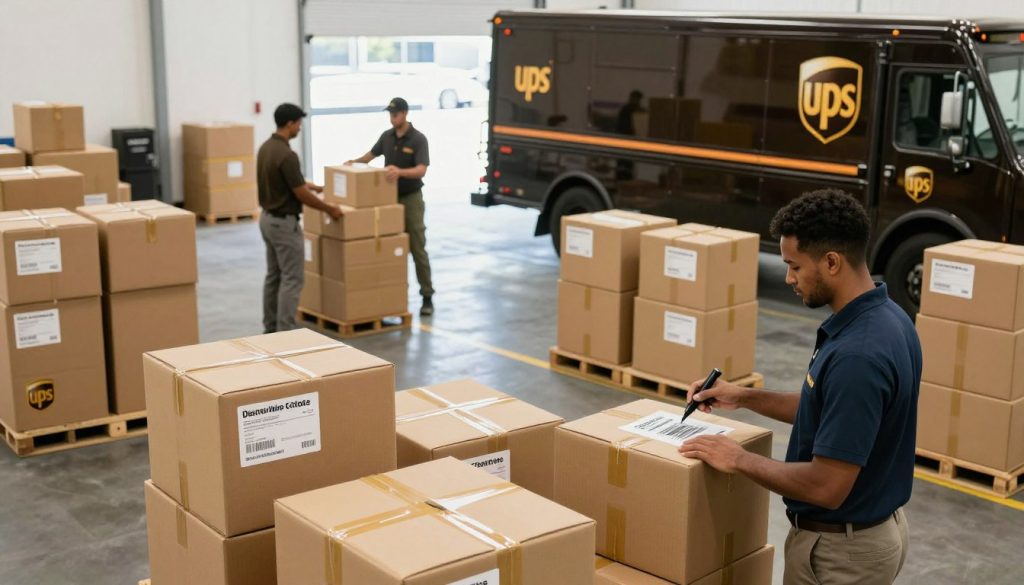
The UPS bulk shipping process works best when you combine packages smartly. If packages are going to the same area, shipping them together is cheaper.
Smart ways to combine packages include:
- Group packages by delivery region to reduce handling
- Combine orders for the same customer when possible
- Schedule batch shipping with UPS during off-peak times
- Use consistent drop-off times to streamline your process
Using Shipping Platforms for Better Rates
Third-party shipping platforms like Shippo change the game for businesses. These platforms get discounts from UPS for you. You get these rates automatically when you sign up.
| Service Type | Discount Available | Typical Savings |
|---|---|---|
| UPS Ground | Up to 78% off | $15-40 per multi-package shipment |
| UPS 2nd Day Air | Up to 73% off | $20-50 per multi-package shipment |
| UPS Next Day Air | Up to 73% off | $25-60 per multi-package shipment |
| International Services | Up to 82% off | $40-100+ per shipment |
These platforms also help you avoid extra charges. You skip fuel charges, residential fees, and peak season penalties. Shipping three boxes to one customer can save $15 to $40. This adds up fast when you ship a lot.
Using a shipping platform makes everything easier. You manage all your shipping from one place. You track packages together and see how much you save. Shipping with UPS becomes simple, consistent, and profitable.
Common Mistakes to Avoid When Shipping Multiple Packages
When you ship many packages together, small mistakes can cost a lot. Many businesses miss important details. This leads to extra charges and unhappy customers. Knowing these mistakes helps you ship better and save money.
Inaccurate Weight and Dimension Measurements
One big mistake is not measuring carefully. When shipping many items, it’s easy to guess sizes. But, this usually leads to problems.
UPS’s systems check these mistakes and charge you dimensional weight fees. These extra costs can hurt your profits. Use a good scale and measuring tape. Taking a few extra minutes per package can save you money.
Here’s what you need to measure:
- Length of each box
- Width of each box
- Height of each box
- Actual weight on a calibrated scale
Choosing the Wrong Service Level
Choosing the wrong shipping service can be costly. If a customer paid for UPS Ground, don’t use UPS 2nd Day Air. You’ll have to pay the difference.
When shipping many packages, make sure labels match what customers ordered. Use shipping software like UPS WorldShip. It helps keep service levels right across all packages.
Poor Package Coordination and Communication
Not knowing which boxes go together can cause trouble. Some common mistakes include:
- Forgetting to link package labels together in your system
- Shipping some boxes while leaving others behind
- Not telling customers their order arrives in multiple boxes
- Failing to share tracking information for each package
Before shipping, use this quick checklist:
| Task | Status | Notes |
|---|---|---|
| Verified all package weights and dimensions | ✓ Complete | Use calibrated scale |
| Confirmed service level matches order | ✓ Complete | Check customer receipt |
| Linked all labels in system | ✓ Complete | Use multi-package feature |
| Notified customer of package count | ✓ Complete | Send via email |
| Provided tracking numbers | ✓ Complete | All packages listed |
Doing these extra steps builds trust with customers. It also keeps your shipping costs steady.
International Multi-Package Shipments with UPS
Shipping multiple packages UPS across borders is more complex than local shipping. You must follow customs rules and manage costs. Knowing these steps helps you send products worldwide without issues.
UPS international shipments need careful planning. Each package has its own customs forms and service choices. You must ensure all paperwork meets the destination country’s rules.
Customs Documentation for Multiple Packages
Every package needs its own customs forms. You must fill out a commercial invoice for each box. This includes what’s inside and its value.
Getting this right is key. Wrong info can cause delays and upset customers. Treat each package’s paperwork as unique, even if they’re going to the same place.
Choosing International UPS Services
UPS has many international delivery options:
- UPS Worldwide Express: Fast delivery to major places in 1-3 days
- UPS Worldwide Express Plus: The fastest service
- UPS Worldwide Expedited: A balance of speed and cost
- UPS Standard to Canada: A cheap option for Canada
Choose based on how fast your customers need their items. Faster services cost more but please customers who want quick delivery.
Understanding International Shipping Costs
International shipping costs more than local. You’ll pay for customs clearance and your customer might owe duties or taxes.
| Service Type | Delivery Speed | Cost Level | Best For |
|---|---|---|---|
| UPS Worldwide Express | 1-3 business days | Premium | Time-sensitive shipments |
| UPS Worldwide Express Plus | 1-2 business days | Premium Plus | Fastest international delivery |
| UPS Worldwide Expedited | 3-5 business days | Moderate | Balanced cost and speed |
| UPS Standard to Canada | 5-7 business days | Economical | Cost-conscious Canadian orders |
Use Shippo to find cheaper international rates. You can save up to 82% by comparing rates.
When shipping UPS internationally, be honest about costs. Tell customers what they’ll pay when their package arrives. This avoids surprises and returns.
Maximizing Efficiency with Multi-Package Shipping
Having a good shipping plan is important for sending out many packages. Your team should know what to do from start to finish. This way, you avoid mistakes and keep quality up.
Using standard steps for shipping with UPS makes things consistent. This means your customers get their packages on time. And, your costs stay the same.
Building a Consistent Multi-Package Shipping Process
Make a detailed plan for your shipping steps. It should cover getting orders, measuring packages, making labels, and setting up pickups. When everyone knows their role, things go faster.
UPS WorldShip can help with many of these tasks. Writing down your steps helps everything run smoothly. It also keeps mistakes low.
Training Your Team on Best Practices
Your team needs to learn the best ways to ship. Teach them how to measure packages right and choose the best shipping service. Show them how to put labels on correctly and use shipping tools well.
When they understand why these steps are important, they work better. Training helps reduce mistakes, speeds up shipping, and lowers costs. Your team will feel more confident in their work.
Continuously Optimizing Your Shipping Strategy
Check your UPS shipping data often to find ways to get better. Look at what you spend per package and find patterns. Check for ways to save money or work faster.
UPS changes its rates and fees often. Staying up-to-date helps you adjust your plan. Work with trusted shipping tech providers and review your carrier contracts regularly. By always improving, you ship better, save money, and serve your customers well.