Do you want to make invitations or cards that look great but don’t cost too much? Printing 5×7 cardstock at FedEx might be just what you need. With over 2,000 locations in the U.S., FedEx makes it easy to turn your ideas into beautiful prints.
Planning a wedding or a special event? Or maybe you just want to make some unique greeting cards? Learning how to print 5×7 cardstock at FedEx can save you time and money. This guide will show you how to use FedEx’s cardstock printing services. It will make printing your cards easy and fun.
Want to know how to pick the right paper and upload your design? Or how to get your prints? We’ve got all the details. You’ll learn how to make 5×7 cardstock prints that will impress everyone.
Key Takeaways
- FedEx offers extensive cardstock printing services nationwide
- Professional-quality prints are achievable with proper preparation
- Multiple printing options available online and in-store
- Suitable for various projects like invitations and greeting cards
- Easy-to-follow process for designing and ordering prints
Understanding 5×7 Cardstock
5×7 cardstock is great for making lasting printed items. It’s perfect for both personal and work projects. You can use it for many things, like invitations and cards.
What is 5×7 Cardstock?
A 5×7 cardstock is a thick paper that’s 5 inches by 7 inches. It’s great for invitations because it fits in A7 envelopes. It feels high-quality and lasts a long time.
Common Uses for 5×7 Cardstock
- Wedding invitations
- Birthday party announcements
- Holiday greeting cards
- Thank you notes
- Save-the-date cards
- Photo cards and keepsakes
Different Types of 5×7 Cardstock
FedEx has many cardstock options for your printing needs:
- Paper Weight: Ranges from 80 lb to 110 lb cover stock
- Finishes:
- Matte
- Glossy
- Linen
- Textured
- Various color options
Knowing about these options helps you pick the best cardstock. This ensures your prints look professional and stand out.
Preparing Your Design for Printing
When you’re ready to make stunning 5×7 cardstock prints at FedEx, picking the right design is key. Your project needs careful prep for top-notch results.
Choosing the Right Software
Many design software options are great for fedex printing on cardstock. Here are some top picks:
- Adobe Illustrator for pro graphic design
- Canva for easy templates
- Microsoft Publisher for simple designs
- Adobe Photoshop for lots of images
Recommended File Formats
FedEx likes several file formats for cardstock printing. Choose these high-quality ones:
- PDF – The most reliable and pro format
- JPEG – Great for photos
- PNG – Good for transparent backgrounds
- TIFF – Keeps images sharp
Design Tips for Perfect Prints
For fedex printing on cardstock, follow these tips:
- Make sure your document is exactly 5×7 inches
- Use high-res images (300 DPI or more)
- Add 0.125-inch bleed for full edge printing
- Keep important text 0.25 inches from edges
- Choose fonts that are easy to read
- Use CMYK color mode for true print colors
By using these design tips, you’ll make cardstock prints that look pro and meet FedEx’s standards.
Accessing FedEx Print Services
Printing your cardstock at FedEx is easy. You can use online services or get help in-store. FedEx offers many ways to finish your project fast and well.
FedEx has two main ways to print: online and in-store. With over 2,000 locations, you can find what you need easily.
Finding Your Nearest FedEx Location
Finding a FedEx Office is easy. Just follow these steps:
- Visit the FedEx website
- Click on the “Find a Location” feature
- Enter your zip code or city
- View nearby stores with their hours and contact information
Using the FedEx Online Portal
The online portal is great for busy people. Create a free account for more benefits:
- Upload your design files easily
- Customize print specifications
- Save previous designs
- Track your order
| Service Option | Advantages | Best For |
|---|---|---|
| In-Store Services | Personal assistance, immediate support | Complex projects, paper sample viewing |
| Online Portal | 24/7 accessibility, convenient ordering | Quick reorders, time-saving printing |
Choosing FedEx print services means you get professional results. They meet your specific needs.
Uploading Your Print Files
Printing your custom greeting cards at FedEx is easy. The online portal makes it simple for customers. You can create professional-quality prints without trouble.
Navigating the Online Upload System
Your journey to print greeting cards starts online. First, go to the FedEx Office website. Then, pick the custom printing section. Make sure your design files are ready for the best results.
- Choose the “Cards & Invitations” option
- Select your specific 5×7 cardstock product
- Click the file upload button
- Browse your computer for the design file
File Size and Quality Tips
Remember these important tips when uploading:
- Maintain file sizes under 100MB
- Use high-resolution PDF formats
- Aim for 300 DPI for crisp image quality
- Check the preview window carefully
The preview window is your last check. Make sure colors are right and nothing important is missing. A good file means a great printed card.
Selecting the Right Paper Type
When you print 5×7 photo cards at FedEx, picking the right paper is key. It makes your project stand out. The paper you choose affects how your prints look and feel.
FedEx has many 5×7 photo printing options. Knowing these can help you make cards that impress everyone.
Cardstock Weight and Types
FedEx has different cardstock weights for your 5×7 prints:
- 80 lb cover stock – good for simple projects
- 100 lb cover stock – a medium choice
- 110 lb cover stock – feels premium
Glossy vs. Matte Finishes
FedEx offers two main finishes for your 5×7 prints:
- Glossy Finish
- Colors pop
- Photos are clear
- Looks professional
- Matte Finish
- No glare
- Great for writing
- Looks classy
Choose based on your project. Glossy is good for photos, while matte is better for text.
Specialty Paper Options
FedEx also has special paper stocks:
- Textured linen cardstock
- Recycled eco-friendly paper
- Pearl and metallic finishes
Find your perfect 5×7 photo printing options at FedEx. Choose well to make your prints amazing!
Choosing Customization Options
When you print cards at FedEx, you get to make them special. Your cards can go from simple to amazing with the right choices.
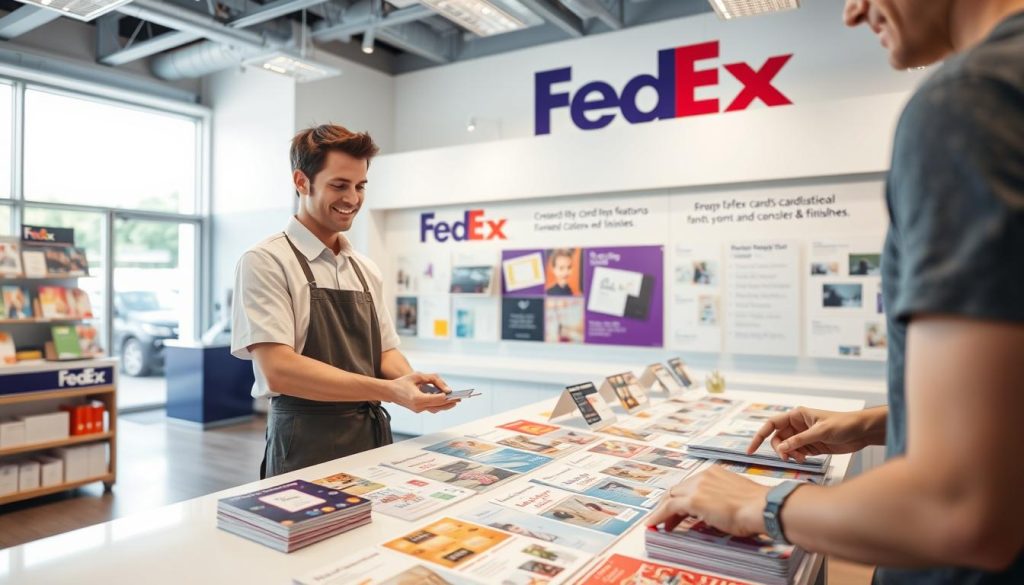
FedEx has many ways to make your 5×7 cardstock unique. Let’s look at the top features that can make your design stand out.
Adding Envelopes to Your Order
Choosing the right envelopes can make your card look more professional. At FedEx, you can pick from:
- Standard white A7 envelopes
- Ivory envelopes
- Kraft brown envelopes
- Custom colored envelopes
Selecting a Unique Color Finish
At FedEx, you can add amazing color finishes to your cards. These can make your design really pop:
- Metallic foil stamping in gold, silver, or rose gold
- Rounded corner designs
- Specialty printing techniques
- Scoring and folding options
Pro tip: Some special features might cost a bit more. But they can really make your card look great.
Understanding Pricing and Quotes
Finding out how much FedEx printing costs for cards can be tricky. Knowing how they figure it out helps you plan your budget better.
FedEx figures out printing costs by looking at a few important things:
- How many cards you want to print
- The type and weight of the paper
- What kind of finish you want
- If you want color or black and white
- Any special features you want
- How fast you need it done
How Pricing Varies by Order Volume
Printing more cards can make each one cheaper. For example, printing 25 cards costs more than printing 100. This is because FedEx gives you a better deal when you order more.
Getting an Accurate Quote
The FedEx website gives you prices as you pick your options. By making an account, you can:
- Save quotes for later
- Look at different printing choices
- Get emails about your quotes
Tip: Quotes are good for 30 days. This gives you time to think about your printing project.
Price Estimation Guide
Standard 5×7 cardstock invitations cost between $1-$3 per card. If you want special finishes, it might cost more. Choosing standard production times can also save you money.
Placing Your Order at FedEx
Ordering cardstock printing at FedEx is easy. The online process is simple. It turns your design into beautiful cards in a few steps.
- Upload your design to the FedEx system
- Select your desired cardstock specifications
- Click “Add to Cart”
- Review your cart contents carefully
Understanding Your Cart Options
Your FedEx cart has many options. Remember, items expire after 30 days. So, order fast. You can choose:
- In-store pickup
- Home or office shipping
- Same-day or standard turnaround
Reviewing Before Finalizing
Before you buy, check a few things. Make sure you have the right quantity. Confirm the paper type. And check your design preview. Also, double-check your pickup or shipping spot.
FedEx makes ordering easy. You can pay with credit cards, debit cards, or business accounts. You’ll get an email with all the order details.
Picking Up Your Order
Your FedEx print center cardstock order is ready. You’re excited to see your final product. The pickup process is easy and makes sure you get what you ordered.
What to Expect at FedEx
When you get to FedEx, bring these things:
- Order number or confirmation email
- Valid photo identification
- Patience and attention to detail
Quality Checking Your Prints
Checking your fedex print center cardstock is important. Here’s how to do it:
- Make sure the number of prints is right
- Check if the colors are correct and prints are clear
- Look at the cardstock’s weight and finish
- Check for any printing mistakes
| Quality Check Item | What to Look For |
|---|---|
| Color Accuracy | Match to original design |
| Print Clarity | Sharp edges, no blurring |
| Cardstock Condition | No tears or bends |
If you see any problems, tell the FedEx staff right away. They want you to be happy.
Resolving Common Printing Issues
When you use FedEx printing on cardstock, you might face some problems. Knowing how to fix these issues can save you time and stress.
Printing issues can come from many places. But most can be fixed with the right steps. Here are some common problems you might see with FedEx printing on cardstock:
Troubleshooting Design Problems
Design issues can affect your print’s quality. Watch out for:
- Color differences between what you see on screen and the print
- Blurry text or images
- Unexpected cropping or margin problems
To prevent these issues, follow these important tips:
- Use CMYK color mode for print projects
- Make sure image resolution is at least 300 DPI
- Keep important content 0.25 inches from document edges
Addressing Printing Errors or Misprints
If your prints don’t look right, FedEx has solutions:
| Issue | Recommended Action |
|---|---|
| Color inconsistencies | Ask for a reprint with color calibration |
| Alignment problems | Take your original order to FedEx Office |
| Paper stock errors | Talk to customer service about a replacement |
Always document any printing issues with clear photos. Most FedEx locations will reprint your cardstock if there are real defects. Always bring your original order receipt when asking for a fix.
Tips for Your Next Printing Project
Did you know FedEx can help with more than just 5×7 invitations? They have many printing services for all kinds of projects.
Benefits of Using FedEx for Cardstock and Beyond
Choosing FedEx for your 5×7 invitations opens up a lot of possibilities. Their services are top-notch and offer many benefits:
- Nationwide availability with over 2,000 locations
- Flexible online and in-store ordering options
- Competitive pricing for various print quantities
- Fast turnaround times, including same-day service
- High-quality professional printing equipment
Exploring Additional Printing Services
There’s more to FedEx printing than just 5×7 invitations. Check out these exciting services for your next project:
- Wedding Essentials:
- Ceremony programs
- Reception menus
- Table numbers
- Welcome signs
- Thank you cards
- Business Materials:
- Business cards
- Brochures
- Presentation materials
- Promotional signage
- Personal Projects:
- Photo prints
- Canvas prints
- Calendars
- Photo gifts
Using FedEx for all your printing needs can save you money. Your 5×7 invitation is just the start of your printing adventures!
Feedback and Customer Service
After you get your cards from FedEx, your journey doesn’t stop. Your thoughts and any help you need are key to a good experience. FedEx Office knows you might need help or want to share your card printing story.
Need help? FedEx has many ways to reach out. You can call, chat online, email, or visit a FedEx Office. To get the best help, have your order number, where you printed, and what problems you faced ready.
Your feedback helps FedEx get better. Good or bad, your thoughts are important. You can share them in surveys, online reviews, or by talking to store managers. FedEx cares about making you happy and uses your feedback to improve.
FedEx Office staff want to fix any problems. If there’s an issue with your prints, they can help. They might offer to reprint or give a refund. Your feedback helps keep their service top-notch.
FAQ
What exactly is 5×7 cardstock?
What file formats does FedEx accept for printing?
How much does it cost to print 5×7 cardstock at FedEx?
FAQ
What exactly is 5×7 cardstock?
5×7 cardstock is a thick paper. It’s 5 inches by 7 inches big. It’s used for invitations and cards.
It’s heavier than regular paper. It has weights from 80 lb to 110 lb. This makes your prints look professional.
What file formats does FedEx accept for printing?
FedEx likes PDF files best for printing. They also take JPEG, PNG, and TIFF. Use high-resolution images (at least 300 DPI).
Make sure your design is exactly 5×7 inches for the best look.
How much does it cost to print 5×7 cardstock at FedEx?
Prices change based on how many you print, the paper, and if you customize. A basic card can cost
FAQ
What exactly is 5×7 cardstock?
5×7 cardstock is a thick paper. It’s 5 inches by 7 inches big. It’s used for invitations and cards.
It’s heavier than regular paper. It has weights from 80 lb to 110 lb. This makes your prints look professional.
What file formats does FedEx accept for printing?
FedEx likes PDF files best for printing. They also take JPEG, PNG, and TIFF. Use high-resolution images (at least 300 DPI).
Make sure your design is exactly 5×7 inches for the best look.
How much does it cost to print 5×7 cardstock at FedEx?
Prices change based on how many you print, the paper, and if you customize. A basic card can cost $1-$3.
More cards cost less. Special finishes or foil stamping will make it more expensive.
Can I design my cards using Canva?
Yes! FedEx Office works with Canva. You can use Canva’s 5×7 card templates. Then, upload your design to FedEx for printing.
What’s the difference between glossy and matte cardstock?
Glossy makes colors pop and photos sharp. It looks polished and professional.
Matte is sophisticated and easy to write on. It reduces glare. Choose what fits your project best.
How can I order my 5×7 cardstock prints?
You can go to a FedEx Office or use their online portal. Online, you can upload files and order from home.
In-store, experts can help you with your order.
What should I do if there’s a problem with my printed cards?
Take your order and receipt back to FedEx Office. They’ll usually reprint it for free.
Be ready to explain the problem and show any errors.
How long does it take to print 5×7 cardstock?
FedEx has fast options like same-day or next-day. The time depends on your order.
You can choose your time when you order.
Can I get matching envelopes with my 5×7 cardstock prints?
Yes! FedEx has A7 envelopes that match your card. They come in white, ivory, and kraft brown.
Some places even offer envelope addressing for a fee.
Are there eco-friendly cardstock options available?
Yes, FedEx has eco-friendly recycled cardstock. It’s good for the planet and prints well.
-.
More cards cost less. Special finishes or foil stamping will make it more expensive.
Can I design my cards using Canva?
Yes! FedEx Office works with Canva. You can use Canva’s 5×7 card templates. Then, upload your design to FedEx for printing.
What’s the difference between glossy and matte cardstock?
Glossy makes colors pop and photos sharp. It looks polished and professional.
Matte is sophisticated and easy to write on. It reduces glare. Choose what fits your project best.
How can I order my 5×7 cardstock prints?
You can go to a FedEx Office or use their online portal. Online, you can upload files and order from home.
In-store, experts can help you with your order.
What should I do if there’s a problem with my printed cards?
Take your order and receipt back to FedEx Office. They’ll usually reprint it for free.
Be ready to explain the problem and show any errors.
How long does it take to print 5×7 cardstock?
FedEx has fast options like same-day or next-day. The time depends on your order.
You can choose your time when you order.
Can I get matching envelopes with my 5×7 cardstock prints?
Yes! FedEx has A7 envelopes that match your card. They come in white, ivory, and kraft brown.
Some places even offer envelope addressing for a fee.
Are there eco-friendly cardstock options available?
Yes, FedEx has eco-friendly recycled cardstock. It’s good for the planet and prints well.