
What if you could protect your packages from theft while gaining total control over when and where you pick them up?
Package theft is a big problem. About 23% of Canadians said they lost packages, with an average loss of $113. This risk is real for your Amazon returns and deliveries. But, UPS has a “Hold for Pickup” service that can help.
UPS Customer Centers and UPS Access Point locations are safe places for your packages. You can use UPS My Choice to pick where and when you get your packages. This way, you can return Amazon items safely and on your terms.
You’ll need a government-issued ID and your tracking number to pick up your items. This guide will show you how to use UPS’s holding service. You’ll learn how to keep your packages safe and easy to get.
Key Takeaways
- UPS offers “Hold for Pickup” service at UPS Customer Centers and UPS Access Point locations for added security
- You need a government-issued ID and tracking number to retrieve held packages
- UPS My Choice lets you manage delivery preferences and redirect packages before they arrive
- Package theft protection is a major benefit, with 23% of Canadians losing packages worth $113 on average
- The Hold for Pickup process is simple and takes just a few minutes to set up
- You control the timing of your pickup, making it convenient for your schedule
Understanding UPS Hold for Pickup Policies
Before you ask for a hold on your package, learn how it works. This service lets you control when you get your deliveries. Knowing the rules helps you avoid surprises and use the service well.
What Is UPS Hold for Pickup Service?
UPS Hold for Pickup lets you pause a delivery and pick up your package yourself. You can use the UPS My Choice dashboard to request this service. It’s great if you’re not home or want to pick up your package yourself.
You can hold your package at UPS Customer Centers or UPS Access Points. These places are secure and safe for your items. They’re open when you want to pick up your package.
Eligible Package Types
Not all packages can be held. Here’s what you need to know:
- Standard UPS ground shipments are eligible
- UPS Next Day Air packages can be held
- UPS 2nd Day Air deliveries work with this service
- International packages may have different rules
- Packages requiring signatures might have limits
- Hazardous materials typically cannot be held
Timeframes and Restrictions
Timing is key when using hold service. You should ask for a hold before the delivery attempt, ideally 24 hours in advance. UPS will keep your package for 5 to 7 business days.
| Timeframe Element | Details |
|---|---|
| Request Timing | Submit your request at least 24 hours before delivery |
| Storage Duration | 5 to 7 business days at the holding location |
| What Happens After | Package returns to sender if not picked up |
| Holiday Impact | Timeframes may extend during holiday periods |
If you miss the pickup window, your package goes back to the sender. You’ll need to arrange for redelivery or contact the sender about your options. Planning ahead prevents this situation and keeps your items moving smoothly.
Preparing to Request a UPS Hold
To place a hold on your UPS package, follow a few easy steps. First, gather some basic info and set up your account. This makes the whole process easy and stress-free. Let’s go over what you need to do.
Locate Your Tracking Number
Your tracking number is key for managing your delivery. You need it to request a hold on your package. This code is on your shipping receipt, order confirmation email, or the package label.
Look for a nine to eleven digit number starting with “1Z” for UPS shipments. You can find it in:
- Your email confirmation from the sender
- The shipping receipt or label
- Your online shopping account with the retailer
- Text messages or notifications from the shipper
Sign Up for UPS My Choice
UPS My Choice is key for managing hold requests. It’s a free service that lets you control your deliveries. Signing up takes just a few minutes.
Go to the UPS website and choose “Sign Up for UPS My Choice.” You’ll need your name, email, and password. You can sign up online or through the UPS My Choice dashboard on your device. Once signed up, you can set delivery preferences to redirect packages to better locations.
Check Package Eligibility
Not all packages can be held for pickup. Check if your shipment is eligible before requesting a hold. Most standard UPS packages qualify, but some don’t.
Your package must be in UPS’s delivery network and scheduled for home or business delivery. International shipments, cash-on-delivery packages, and oversized items may not qualify. The UPS My Choice dashboard will tell you if your package is eligible.
Remember, you’ll need government-issued ID to pick up your package. Have your ID ready at the pickup location for a smooth pickup.
Finding a UPS Hold Location Near You
When you choose UPS hold for pickup, finding a location is next. UPS has many places for pickup, like UPS Customer Centers and UPS Access Points. These are safe spots like stores or UPS places all over.
There are over 85,000 UPS drop boxes and places to pick from. Pick one that fits your life and schedule.
Knowing where to hold packages helps you make good choices. Your options depend on what each place offers and how easy it is to get to. Let’s look at the different UPS places and how to find the right one for you.
UPS Customer Centers vs. UPS Access Points
UPS Customer Centers are official UPS places with trained staff. They have full services and are open long hours. They can help with all your hold needs and answer your questions.
UPS Access Points are different. They are safe spots like stores or UPS places where you can pick up packages. The UPS Store locations can hold packages securely. They also offer mailbox services with real street addresses.
| Location Type | Services Offered | Operating Hours | Best For |
|---|---|---|---|
| UPS Customer Centers | Full-service support, package holds, shipping services | Extended weekday hours | Complex requests and customer support |
| The UPS Store | Package pickup, mailbox services, shipping | Variable by location | Convenient neighborhood access |
| UPS Access Points at Retail | Package pickup and delivery holds | Retail store hours | Quick pickups during shopping trips |
Using the UPS Location Finder Tool
Finding the right spot is easy with UPS’s online tools. Use the online locator to find UPS Store locations by city, province, and postal code. This tool saves time and shows you many options near you.
Here’s how to use the tool well:
- Go to the UPS website and find the location finder
- Put in your city, state, or postal code
- Look at the list of nearby UPS places
- Check what services and hours each place has
- Write down the address and how to get there
Choosing the Most Convenient Location
When picking a place, think about what’s easy for you. Look for places near work, home, or places you often go. You want a spot that fits into your daily life.
Think about these things when choosing:
- How far it is from your home or work
- If it’s open when you need it
- If it’s easy to park and get to
- If it offers the service you want
- What others say about it
Picking a convenient spot makes holding and picking up packages easy. Once you find your spot, you can ask for your hold.
How to Request a Hold for Your UPS Package
Requesting a hold for your package is a smart move. You can do this online or by calling customer service. The key is to time your request right. You can’t pick up a package before it’s out for delivery. But, if it’s not on a truck yet, you might get a hold.
This isn’t always possible and might cost you. Knowing how to do this helps you plan better.
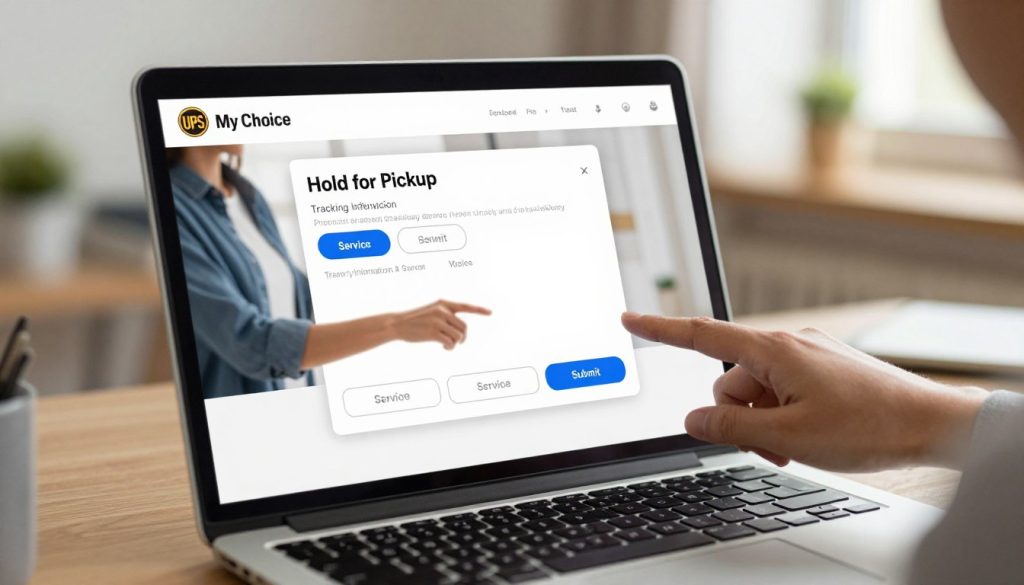
Requesting a Hold Through UPS My Choice
Using the UPS My Choice dashboard is easy. Just log in with your email and password. Find your package and click “Hold for Pickup”. Then, pick where you want to pick it up from nearby locations.
After confirming, you’ll get a notification that your hold is set.
- Log in to your UPS My Choice account
- Find your package in the dashboard
- Click “Hold for Pickup” option
- Select your preferred UPS location
- Confirm your request
Calling UPS Customer Service
Calling UPS customer service is another option. Have your tracking number ready. The person you talk to will need your address and where you want to pick it up.
Once a package is moving, it follows a set path. But, you can ask for a hold before it goes out. Most calls take just five to ten minutes.
Timing Your Hold Request
When you ask for a hold, timing is everything. Ask for a hold at least one business day before your delivery. This gives UPS time to stop the package.
Sometimes, you can ask for a hold the same day. But, it’s not always sure. Asking early makes it more likely to work out and avoids disappointment.
| Request Timing | Success Rate | Notes |
|---|---|---|
| 1+ Business Days Before Delivery | Very High | Recommended for guaranteed processing |
| Same Day | Moderate | Not guaranteed; call early in the day |
| After Loading | Low | Package already in transit on set route |
What Happens After You Request a Hold
After you ask for a hold, your package starts a new journey. It won’t go to your home. Instead, it goes to a place you picked. Knowing what happens next helps you stay ready.
Your package will go through many steps before you can pick it up. Let’s look at each step so you know what to expect.
Confirmation of Your Hold Request
When you ask for a hold through UPS My Choice or by calling UPS, you get a quick confirmation. This shows the system got your request. You can choose how to get updates, like by phone or email.
UPS lets you track your request online. Keep the confirmation number for later. You might need it if you have questions or need to change your hold.
Package Arrival at Hold Location
Your package goes to the place you picked. It’s kept safe until you get it. Packages are usually kept for 5-7 business days.
Receiving Pickup Notifications
When your package is ready, you’ll get a notification. You can choose how you want to get this message:
- Email alerts to your registered address
- Text messages to your mobile device
- In-app notifications through the UPS app
- Phone calls from the facility
Wait until you get this message before you go. This makes sure your package is ready for you.
| Notification Type | Speed | Best For |
|---|---|---|
| Within 2-4 hours | Detailed information you can reference | |
| Text Message | Within 30 minutes | Quick alerts on your mobile device |
| App Notification | Instant | Real-time updates when tracking online |
| Phone Call | Within 1-2 hours | Direct communication with staff |
Tracking your package’s status online lets you see where it is. Log into your UPS account to see when it arrives and confirm it’s ready.
Picking Up Your Held Package
When you get to your chosen spot to pick up your package, be ready for a quick and easy time. Getting your package is easy, but knowing what to bring and the steps helps a lot. The team at your spot is ready to help you finish your delivery journey.
What to Bring with You
You need a government ID and your tracking number to get your package. Your ID is key to prove who you are. This stops theft and makes sure the right person gets the package.
Here’s what you should bring to your pickup:
- A valid government-issued photo ID (driver’s license, passport, or state ID card)
- Your tracking number (printed out or on your phone)
- Email confirmation of your hold request if you have it
The ID is to keep your package safe and secure. It makes sure only the right person gets the package.
Store Hours and Access
UPS Store locations have their own hours. Call your local spot to find out when they’re open. Hours can change a lot depending on where you are.
| Location Type | Typical Hours | Holiday Adjustments |
|---|---|---|
| UPS Customer Centers | Extended hours (often 8 AM–7 PM) | May have reduced hours on select holidays |
| UPS Access Points | Varies by retail partner (often 9 AM–6 PM) | Depends on partner store schedule |
| Alternative delivery locations | Varies (check location directly) | Subject to individual location policies |
Other places to pick up your package are open during their hours. Always check online or call ahead to avoid going for nothing.
The Pickup Process
Picking up your package is easy and quick. Here’s what happens:
- Go to the counter and tell them you’re there for a package
- Show your ID and tracking number
- Staff will get your package from storage
- Check the label to make sure it’s yours
- Sign the delivery slip
- Take your package and leave
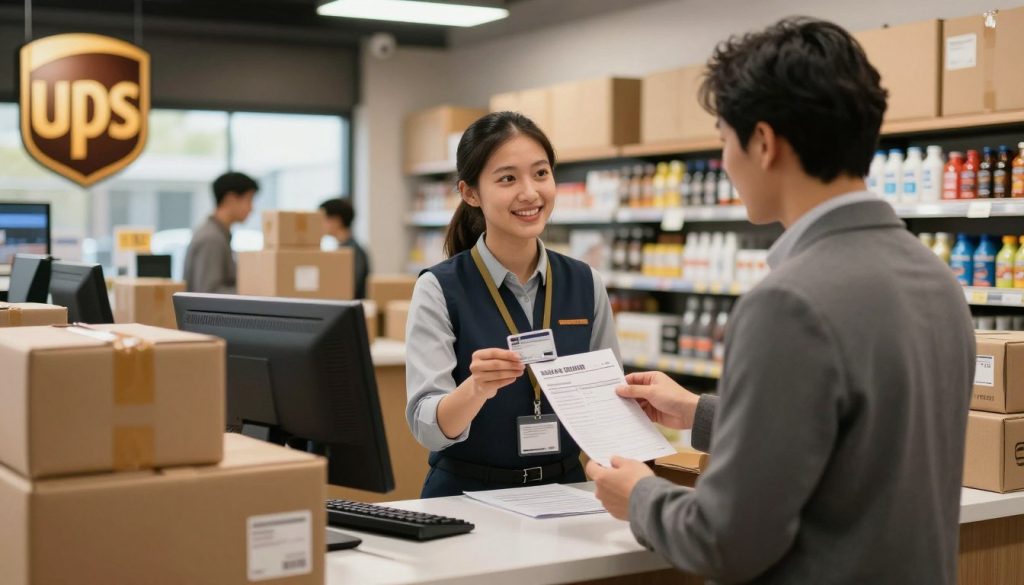
The team at your spot is ready to help. If someone else is picking up for you, call ahead to see if they need ID too.
Troubleshooting Common Hold for Pickup Issues
Sometimes, things don’t go as planned with your UPS hold request. Your package might not arrive when you expect it to. Or, your hold request might get rejected. Knowing what to do when problems arise helps you get your package faster. Here are the most common issues and how to solve them.
What If Your Hold Request Is Denied?
Hold requests are not guaranteed and may incur a fee in some cases. Your request might get denied for several reasons. The package might be out for delivery already, or it could be heading to a location that doesn’t support holds. Your package type might not be eligible for holding.
When your hold request gets denied, contact UPS customer service right away. They can tell you why the request failed and what your options are. You can also visit your nearest UPS Store location to ask for help. Sometimes staff there can arrange a special hold for your package.
Package Not at Hold Location
You arrive to pick up your package, but it’s not there. This happens when packages are delayed in transit. Packages are typically held for a limited time (5-7 business days) before being returned or delivered. If you don’t understand tracking information, contact the package carrier directly to find out where your shipment is.
Check your tracking updates regularly. If the package hasn’t arrived after three business days, call UPS customer service for updates. They can track your item and give you a new pickup date.
Missed Pickup Window
Life gets busy, and sometimes you can’t make it to the store during business hours. The good news is that packages are held at your chosen location for several days. Contact The UPS Store location or UPS customer service for specific issues with your pickup schedule.
Ask about extending your hold if needed. Staff can often keep your package longer if you explain your situation. Plan ahead next time by requesting your hold early in the week, not waiting until Friday.
| Common Issue | Reason It Happens | What to Do |
|---|---|---|
| Hold Request Denied | Package already in delivery route or location doesn’t support holds | Contact UPS customer service immediately for alternatives |
| Package Not at Location | Shipping delays or package is in transit | Check tracking and call the package carrier for updates |
| Missed Pickup Date | Couldn’t make it during store hours | Contact The UPS Store to request an extended hold |
| Hold Fee Applied | Some shipments require payment for holding service | Ask about fees when requesting hold at UPS locations |
Getting Help When You’re Stuck
Don’t wait around hoping things work out. Reach out for support as soon as you spot a problem. Contact The UPS Store location or UPS customer service for specific issues that prevent you from picking up your package. You can call customer service, use the UPS app, or visit your local store in person.
- Call UPS customer service at 1-800-742-5877
- Visit your nearby UPS Store location during business hours
- Use the UPS tracking website to monitor your package
- Chat with support through the UPS mobile app
Benefits of Using UPS Hold for Pickup
UPS Hold for Pickup makes getting packages easy and safe. It lets you choose when and where to pick up your delivery. This helps solve many shipping problems that bother people.
This service holds your package at a spot you pick. Then, you can get it when it’s best for you. It makes you worry less about your package not arriving safely.
Enhanced Package Security
Many people worry about package theft. In Canada, 23% of people have had a package stolen, with an average loss of $113. Most thefts happen when no one is home, and they’re more common during Christmas.
UPS Hold for Pickup fixes this issue. Packages are kept in safe places, like lockers or places watched by staff. This means your package is never left outside where it could get stolen or damaged by the weather. It’s a big relief to know your items are safe.
Flexible Pickup Times
Your time is important. With UPS Hold for Pickup, you can pick your own time to get your package. You choose a UPS location near you and go there when it’s convenient for you. You don’t have to wait for a delivery truck.
This is great for people who are always busy. You can get your package when you want. It makes getting your package a positive experience every time.
Avoiding Delivery Issues
Delivery problems can be a big hassle. Packages might get lost or damaged by the weather. UPS Hold for Pickup stops these problems.
- Your package stays safe in a secure place
- It’s protected from weather damage
- There’s no chance of misdelivery
- It’s safe from outside threats
- You always have a reliable pickup experience
This service keeps your package safe until you pick it up. It’s a big help in avoiding delivery problems.
Frequently Asked Questions About UPS Hold for Pickup
Before you ask for a UPS hold, it’s good to know the answers. This section answers common questions about costs, how long packages are held, and who can pick them up. If you’re new or need more info, you’ll find it here. For more help, call UPS customer service at 1-800-742-5877.
Is There a Fee for Hold for Pickup?
Cost is a big question. Hold for pickup is usually free. But, it might cost in some cases. UPS My Choice is free and lets you manage your deliveries. Using it for a hold won’t cost you anything.
How Long Will UPS Hold My Package?
Timing is key for your package. UPS holds packages for a short time. They keep it for five business days. After that, it goes back to the sender.
Can Someone Else Pick Up My Package?
Sometimes, you can’t pick up your package. Someone else can if you let them. They need a government ID to get it. They should also have a note from you if you’re not there.
What About International Packages and Hold Requests?
International packages have different rules. UPS might let you hold them, but it depends on where they’re going and what’s in them. Call UPS customer service at 1-800-742-5877 to check.
Can You Change Your Mind After Requesting a Hold?
Plans can change. You can switch to home delivery again if you change your mind. Use UPS My Choice to change your delivery anytime. If it’s already arrived, call UPS customer service at 1-800-742-5877.
Does Hold for Pickup Work With Other Carriers?
This service is just for UPS packages. It doesn’t work with FedEx or USPS. Each carrier has its own rules for holds.
Does This Service Work With UPS My Choice Premium?
UPS My Choice is free and works for all versions. The hold feature is free for everyone. Premium offers more, but the basic hold is available to all.
| Question | Answer |
|---|---|
| Is there a fee? | Typically free with UPS My Choice |
| How long is my package held? | Five business days from arrival |
| Can someone else pick it up? | Yes, with government-issued ID |
| Does it work internationally? | Usually yes, with restrictions |
| Can I cancel a hold? | Yes, before package arrival |
| Do other carriers use this? | No, UPS only |
| Is UPS My Choice required? | Free version works fine |
Need More Help?
Got more questions about hold for pickup? Call UPS customer service at 1-800-742-5877. They can answer your questions about fees, timing, and more. They’re ready to help with your hold request and delivery preferences.
Final Thoughts on UPS Hold for Pickup
The UPS Hold for Pickup service is easy to use. First, sign up for UPS My Choice and get your tracking number. Then, ask for a hold before your package is delivered.
Choose a pickup spot near you. Wait for a notification that your package is ready. When you get it, show your ID and tracking number.
This whole process takes just a few minutes. It gives you control over your deliveries.
When to Use This Service
Use this service when you’re not home during delivery. It’s good if you live in a place with package theft. It’s also great for receiving packages while you’re away.
Choose it to avoid multiple delivery attempts. Many people like the control and convenience of picking up on their own time. About 1 in 5 online shoppers prefer BOPA services for this reason.
Making Hold for Pickup Your Default Option
You can make hold for pickup your default option. Do this through UPS My Choice settings. This way, all your future packages go to your preferred spot automatically.
UPS My Choice lets you set delivery preferences easily. Once set, your packages will always go to your chosen location. This gives you more control and better protection for your packages.
This free service is a big help. You’re joining many who take charge of their deliveries. Use hold for pickup whenever it fits your schedule.