
Are you tired of shipping that takes too long and costs too much? Learning how to create a FedEx account might change everything. This guide will show you how to sign up for FedEx easily. It will make shipping a lot better for you.
Whether you run a small business or just ship things sometimes, a FedEx account is great. You’ll see how to get one fast. It will open up a world of shipping benefits that make life easier.
The best news is, setting up your account is free and takes only a few minutes. You’ll get tools for tracking shipments and special discounts. Shipping will be smoother and more efficient than ever.
Key Takeaways
- FedEx account registration is free and quick
- Suitable for both personal and business shipping needs
- Access to tracking and management tools
- Potential for big shipping cost savings
- Good for all shipping volumes and frequencies
Why You Need a FedEx Account
Shipping doesn’t have to be hard. When you sign up for fedex shipping, you get a lot of benefits. A FedEx online account setup gives you tools to make shipping easier and cheaper.
Benefits of Having an Account
Your FedEx account is great for both personal and business shipping. With a free account, you can:
- Store multiple shipping addresses for quick access
- Save package preferences and shipping details
- Access complete shipping history
- Create shipping labels from home
- Schedule pickups without calling customer service
Cost-Saving Features
Registered users get special financial perks. Your account gives you discounts, volume savings, and exciting promotional offers. The FedEx Rewards program lets you earn points on shipments, saving you money later.
Enhanced Shipping Management
Managing shipments is easy with a FedEx account. You can track packages, set up notifications, and handle returns well. These tools make shipping smoother and cheaper, no matter how often you ship.
Step-by-Step Guide to Creating Your Account
Creating a FedEx account is easy. It makes shipping faster for you. It’s good for both business owners and people who send packages.
- Personal contact details
- Email address
- Phone number
- Shipping address
Visit the FedEx Website
Go to fedex.com. Look for the sign-up area. It’s in the top right corner. Make sure it’s the real FedEx site to keep your info safe.
Choosing Your Account Type
FedEx has two main account types:
- Personal Account: For when you ship things yourself
- Business Account: For companies that ship a lot
Completing the Registration Form
When you fill out the form, remember these important things:
- Write your full legal name right
- Use an email you check often
- Make a strong, unique password
- Check your contact info
After you fill it out, you’ll get a confirmation email. Click the link in it to turn on your account. Then, you can start using FedEx’s shipping services right away.
Setting Up Your Shipping Preferences
After making your FedEx account, it’s time to set up your shipping profile. This makes shipping easier and faster. Just a few minutes of setup can save you a lot of time later.
Adding Shipping Addresses
Your FedEx profile lets you keep all your shipping addresses in one place. This makes sending packages quicker and simpler. You can:
- Store addresses you use a lot
- Save different shipping and return addresses
- Choose default addresses for quick labels
- Update your address book easily
Selecting Notification Preferences
Setting up your notifications means you’ll always know what’s happening with your shipments. Your FedEx profile lets you pick alerts for different events:
| Notification Type | Event Details |
|---|---|
| Pickup Alerts | Confirmation when package is collected |
| Transit Updates | Real-time tracking information |
| Delivery Notifications | Alerts when package is out for delivery or delivered |
By setting these preferences, you get a personalized shipping experience. You and your recipients will always be in the loop without having to ask.
Understanding FedEx Account Types
Choosing the right FedEx account can make shipping easier and cheaper. FedEx has accounts for everyone, from individuals to businesses.
When you get a FedEx business account, you get special features. Knowing the difference between accounts helps you pick the best one for you.
Personal vs. Business Accounts: Key Differences
FedEx has two main account types:
- Personal Accounts: Great for those who ship now and then
- Business Accounts: Best for those who ship a lot
Selecting the Perfect Account for Your Needs
| Account Feature | Personal Account | Business Account |
|---|---|---|
| User Access | Single User | Multiple Team Members |
| Shipping Frequency | Low Volume | High Volume |
| Reporting | Basic Tracking | Detailed Analytics |
| Billing Options | Personal Credit Card | Invoice Billing |
With a FedEx business account, you get cool stuff like detailed reports and more users. Start with what you need now. You can always change later.
The right account makes shipping better, no matter how much you ship.
Navigating the FedEx Dashboard
After you sign up for fedex login, you’ll find a great tool. It makes shipping easy. The FedEx dashboard is your main place for all shipping tasks.
Key Dashboard Features
Your dashboard has quick access to important shipping tools. When you log in, you’ll see key parts that help with shipping:
- Quick Ship Section: Create shipping labels fast
- Tracking Center: Keep an eye on all shipments
- Shipping History: Look at past orders
- Billing Information: See payment info
- Support Resources: Get help right away
Customizing Your Dashboard Layout
FedEx knows everyone ships differently. With fedex login, you can make your dashboard your own:
- Put widgets where you use them most
- Pin favorite tools on the home screen
- Change notification settings
- Set up your space for best work
| Dashboard Feature | Purpose | Accessibility |
|---|---|---|
| Rate Calculator | Find out shipping costs | Easy to get to |
| Label Creator | Make shipping labels | Quick to make |
| Pickup Scheduler | Set up package pickups | Flexible times |
Pro Tip: Take a few minutes to explore your dashboard. Make it your own shipping center. It will save you time every time you log in.
Tracking Your Shipments
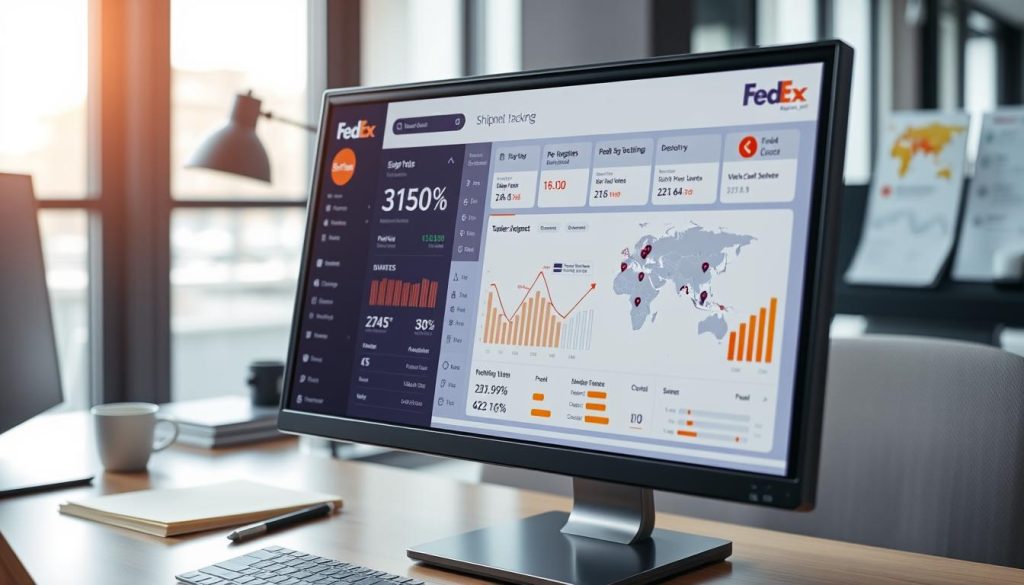
When you create a FedEx account, you get to track your packages easily. This makes sure you know where your packages are at all times. It’s simple and clear, so you can see your deliveries without any trouble.
Mastering the FedEx Tracking Tool
Your FedEx account has a great tracking system. It makes it easy to watch your packages. You can track them in a few ways:
- Enter tracking numbers directly on the dashboard
- Track multiple packages at once
- See all the details about your shipment
- Get updates on where your package is
Configuring Tracking Notifications
Make tracking your packages even better by setting up alerts. After you make a FedEx account, you can set up notifications. You can get alerts in different ways:
| Notification Type | Details |
|---|---|
| Email Alerts | Get updates right in your email |
| Text Messages | Get SMS alerts right away |
| Push Notifications | Get updates on your phone |
With these tools, you’ll always know where your packages are. Your FedEx account makes managing your shipments easy and clear.
Managing Billing and Payments
Handling the money side of your FedEx account is key for easy shipping. It’s important for both small businesses and people sending packages. Knowing how to deal with bills and payments can save you time and stress.
Your FedEx account has flexible billing options for all kinds of shipping needs. After you sign up, you’ll find many ways to make your shipping costs easier to handle.
Understanding FedEx Invoicing
FedEx gives clear and detailed invoices to its account holders. You’ll get all the billing info you need. This includes:
- Base shipping rates
- Fuel surcharges
- Additional service fees
- Detailed transaction histories
Setting Up Payment Methods
Setting up your payment choices when you sign up for FedEx is easy. You can pick from several ways to manage your money:
- Add credit or debit cards
- Link bank account information
- Set default payment method
- Create backup payment options
For businesses, FedEx has invoice billing with certain credit needs. Your financial info stays safe with encrypted payment processing. This means you can feel secure with every payment.
Using FedEx Mobile App with Your Account
Managing your shipping needs is now super easy with the FedEx mobile app. Your fedex online account setup gets even better on your smartphone. You can control your shipping from anywhere.
Downloading the App
Starting with the FedEx mobile app is easy and free. You can get it from two main places:
- Apple App Store for iOS devices
- Google Play Store for Android smartphones
After you download it, log in with your account details. The app links up with your web account. So, all your shipping info is right there.
Features Available on the App
The FedEx mobile app makes shipping better with cool features:
- Create and print shipping labels
- Track packages with real-time updates
- Schedule pickups from where you are
- Find FedEx locations near you
- Get shipping rate quotes fast
Your phone turns into a great tool for managing shipping. It makes using fedex online account setup super easy.
| App Platform | Download Link | Device Compatibility |
|---|---|---|
| iOS | Apple App Store | iPhone, iPad |
| Android | Google Play Store | Android Smartphones, Tablets |
Upgrade your shipping management with the FedEx mobile app. It’s your handy shipping helper.
Utilizing Discounts and Promotions
Saving money on shipping is easier when you sign up for FedEx shipping. You can find many discounts and promotions. Your FedEx account can help you save a lot of money.
How to Access Exclusive Offers
When you sign up for FedEx shipping, you get special deals. These deals are not for everyone. Here’s how to get them:
- Check the “Offers” section in your account dashboard
- Explore the FedEx Advantage program for discounts based on how much you ship
- Look for promo codes when you check out
Keeping Up with Seasonal Promotions
Knowing about special offers can save you a lot of money. Here’s how to find the best deals:
- Enable marketing emails from FedEx
- Follow FedEx on social media
- Check the offers section often
| Promotion Type | Potential Savings | Availability |
|---|---|---|
| Volume Discounts | Up to 20% | Business Accounts |
| Seasonal Promotions | 10-15% | Limited Time |
| New Customer Offers | First Shipment Discount | Sign Up Bonus |
Pro Tip: Watch out for holiday and back-to-school seasons for big discounts. Being proactive can save you a lot on shipping costs.
Tips for Troubleshooting Common Issues
Setting up your FedEx account can be tricky. This guide will help you fix common problems. It will also show you how to deal with login or payment issues.
When you set up your FedEx account, you might face some usual problems. Knowing how to solve these can save you time and stress.
Account Login Problems
Login issues are common when setting up your FedEx account. Here are some quick fixes:
- Reset your password using the Forgot Password link
- Check your spam folder for recovery emails
- Verify the email address linked to your account
- Clear browser cache and cookies
Resolving Payment Issues
Payment problems can stop your shipping plans. Here’s how to handle billing issues:
- Check if your payment method is working
- Update any expired credit card info
- Call FedEx billing support for any charges you can’t explain
- Set up payment alerts to avoid service stops
For quick help, call FedEx customer support at 1.800.GoFedEx (1.800.463.3339). They’re ready to fix any account problems fast.
Most issues can be fixed with patience and the right steps. This will help you through the FedEx account setup.
Frequently Asked Questions (FAQs)
Setting up your FedEx account can be tricky. We’ve gathered answers to common questions. This will help you set up your FedEx business account easily and solve any problems.
International Shipping with Your FedEx Account
Your FedEx account is great for shipping worldwide. When you create a FedEx business account, you can ship to over 220 countries. The platform has many features for international shipping:
- Create detailed commercial invoices
- Access country-specific shipping requirements
- Calculate duties and taxes
- Track international packages in real-time
Business accounts also offer discounts on international shipping. Pro tip: Always check the specific international shipping guidelines at fedex.com for the most up-to-date information.
Recovering Your Account Access
Forgot your password? Don’t worry, it’s easy to get back into your FedEx account:
- Visit the FedEx login page
- Click on the “Forgot Password” link
- Enter your email address or username
- Check your email for the password reset link
- Create a new secure password
If you keep having trouble logging in, help is available. Call FedEx customer support at 1.800.GoFedEx (1.800.463.3339) for quick help with your account.
Conclusion: Maximizing Your FedEx Experience
Creating a FedEx shipping profile changes how you ship things. It lets you make a FedEx account. This makes shipping easier for you.
Your FedEx account does more than just ship packages. It has tracking, personal settings, and ways to save money. You can manage your shipments from anywhere with the app.
Customize your FedEx account to fit your needs. You can save addresses and get tracking updates. Start with the basics and learn more as you go.
Getting a FedEx account is easy and free. It offers many benefits. Millions of people use FedEx for shipping. Now, you can too, with an account that fits your needs.