
Do you want to know how to get a UPS quote fast? It’s easier than you think. You can get a UPS shipping quote in just minutes, and it’s free.
Shipping a gift or managing packages for your business? Knowing the cost helps a lot. A UPS quote shows you the price before you decide. This lets you control your budget and plan your shipping.
UPS offers many ways to get quotes. You can use their website, mobile app, or tools like QuickBooks Shipping Manager. Each way is quick and gives you accurate prices.
This guide will show you how to get a UPS shipping quote. You’ll learn how to enter your details and compare services. We’ll also share tips to find the best shipping option for you.
Even if you’ve never shipped anything, this is easy. No special skills needed. Let’s find the right shipping option and price for you.
Key Takeaways
- Getting a UPS shipping quote is completely free and takes just a few minutes online
- You can request a UPS shipping quote through the UPS website, mobile app, or QuickBooks integration
- Your quote includes all important details like weight, dimensions, destination, and service level
- Quotes remain accurate for a set period, giving you time to decide without pressure
- Understanding how to get a quote from UPS helps you budget better and compare shipping costs
- Different service levels and add-ons change your final price in the UPS shipping quote
- You can convert your quote to a shipping label whenever you’re ready to ship
Understanding UPS Shipping Quotes and Why You Need One
Shipping with UPS starts with knowing the cost. A UPS shipping quote shows you what it will cost before you send anything. This helps you plan your budget and make smart choices.
Getting a UPS pricing estimate is quick. Use the UPS rate calculator online to see costs for different services. It looks at your package’s weight, size, and where it’s going.
What Is a UPS Shipping Quote?
A UPS shipping quote is an instant cost estimate for delivering your package. The UPS rate calculator looks at your shipment’s details. Your package’s weight and size matter, and sometimes size costs more.
The quote includes your base shipping cost. It also shows extra fees like fuel surcharges. Your address type and special services add to the cost.
Benefits of Getting a Quote Before Shipping
Getting a UPS pricing estimate before shipping has big advantages. You can compare delivery speeds and choose the best one for you. Ground shipping is cheaper but slower, while express is faster but pricier.
Here are key benefits of requesting a quote:
- Know exact costs before committing to shipment
- Compare multiple service levels side by side
- Budget accurately for shipping expenses
- Choose the most economical option for your needs
- Avoid unexpected fees or surprise charges
- Plan delivery dates with confidence
A UPS rate calculator gives you accurate quotes instantly. You get clear pricing without hidden fees. This helps you decide when to ship and how to package to save money.
| Factor | Impact on Quote | Example |
|---|---|---|
| Package Weight | Increases cost | 5 lbs costs more than 2 lbs |
| Package Dimensions | Affects dimensional weight pricing | Large, light box may cost more |
| Destination Location | Changes shipping zones | Cross-country costs more than regional |
| Service Level | Different prices for different speeds | Ground vs. Next Day Air varies |
| Residential vs. Commercial | Residential adds extra charge | Home delivery costs more than business |
| Fuel Surcharge | Variable monthly fee | Percentage added based on oil prices |
Using the UPS rate calculator gives you power over your shipping decisions. You know exactly what you’re paying for and why. This helps you pick the right service for each package.
Methods to Request a UPS Quote Online
Getting a UPS package quote is now super easy. You can choose from many ways to get a UPS quote online. You can use your computer at home or check rates on your phone while you’re out.
UPS offers the flexibility you need. Let’s look at the different ways you can get a quote.
Using the Official UPS Website
The UPS.com website is where you find all the shipping info you need. Just visit the homepage and find the “Quick Cost Calculator” or “Calculate Time and Cost” tool. This tool lets you enter your shipment details and get rates right away.
Here’s what you do:
- Enter your pickup location zip code
- Input your delivery destination zip code
- Select your package weight and dimensions
- View available service options and pricing
The website is great for comparing services and making smart shipping choices.
Mobile App Options for Quick Quotes
The UPS mobile app makes shipping easy. You can get a UPS quote online anytime, anywhere with your smartphone. The app helps you quickly calculate costs, compare services, and even schedule pickups.
Benefits of the mobile app include:
- Fast quote generation in seconds
- Access at UPS Store locations
- Create shipping labels immediately
- Track packages in real-time
Use the website for detailed comparisons and business planning. The app is best for quick answers and convenience on the go.
Step-by-Step Guide to Getting a UPS Quote on UPS.com
Start by visiting UPS.com and finding their shipping calculator. This tool makes it easy to get a shipping estimate. Before you start, have all the needed info ready. This makes the process smooth and ensures your quote is right.
Entering Your Shipment Details
Go to the UPS website and click “Get a Quote” or “Shipping Calculator”. You’ll need to give details about your package and where it’s going.
Before you start, gather these details:
- Your starting zip code
- The destination address and zip code
- Package weight in pounds
- Package dimensions (length, width, and height in inches)
- The type of contents you’re shipping
Getting accurate measurements is key. Use a scale for weight and a ruler for dimensions. For odd shapes, measure the longest points. For large shipments over 150 pounds, the UPS website has a special process.
Selecting Your Service Level and Options
After you enter your details, choose your service level. UPS has many shipping speeds, each with its own cost.
| Service Level | Delivery Speed | Best For |
|---|---|---|
| UPS Ground | 1-5 business days | Budget-friendly, non-urgent shipments |
| UPS 3-Day Select | 3 business days | Moderate timeframes |
| UPS 2nd Day Air | 2 business days | Time-sensitive deliveries |
| UPS Next Day Air | Next business day | Urgent shipments |
When you calculate UPS shipping cost, you’ll see prices for each option. Choose the speed that fits your needs and budget.
Additional options can add to the cost. Consider these choices:
- Signature Confirmation – Recipient must sign for the package
- Insurance – Protects valuable items during transit
- Saturday Delivery – Weekend delivery option
- Residential or Commercial Delivery – Affects pricing
For businesses shipping a lot or heavy items, look into a UPS freight quote. Once you’ve picked all your options, your final estimate will show on screen. You can then proceed with shipping.
Using the UPS Quote Tool Effectively
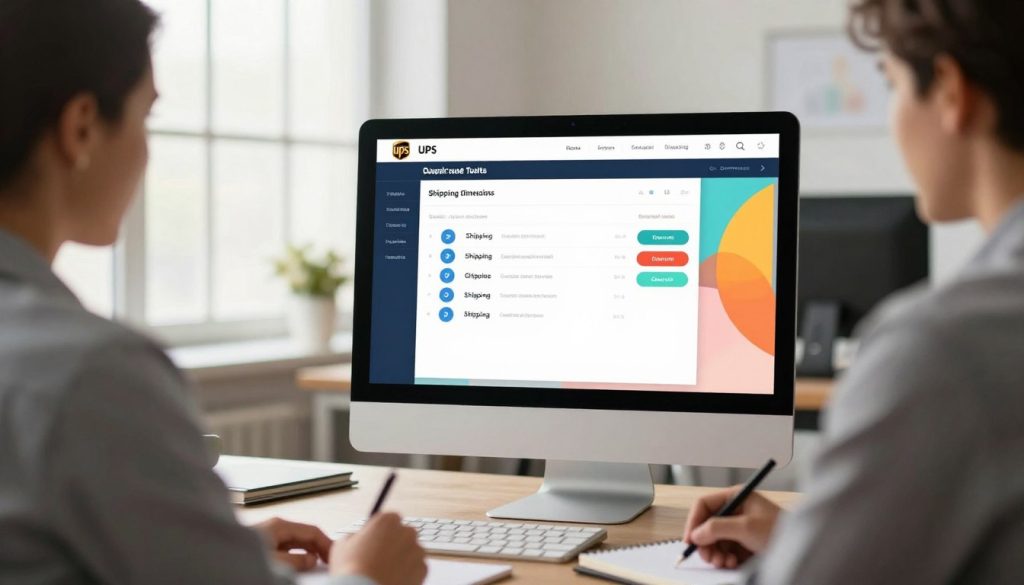
Getting a good shipping quote starts with knowing how the UPS quote tool works. Your measurements and package details affect the price. Small mistakes in measuring can surprise you later.
Learning to use the UPS quote tool saves time and money. This guide will help you get the best quotes.
Tips for Accurate Measurements
Measuring your package right is key to a true shipping cost. Always measure from the longest points of your box. Find the greatest length, width, and height values. Don’t round down or estimate.
Here’s what you need to do:
- Use a ruler or measuring tape for each dimension
- Measure from the outside of your box
- Record each measurement in inches
- Double-check your numbers before entering them into the UPS quote tool
- Include any packaging materials that add to the box size
Even one inch of difference changes your quote. A box that measures 12x10x8 inches costs differently than one measuring 13x10x8 inches. The UPS quote tool uses these exact numbers to calculate your rate.
Understanding Dimensional Weight Pricing
UPS charges you based on actual weight or dimensional weight, whichever is greater. This means a large, lightweight box might cost more than a small, heavy one.
Dimensional weight uses this formula:
Length × Width × Height ÷ 166 = Dimensional Weight
For example, a box measuring 20×15×10 inches with actual weight of 3 pounds calculates as:
20 × 15 × 10 ÷ 166 = 18 pounds dimensional weight
UPS charges you for 18 pounds, not 3 pounds, because the box takes up significant truck space.
| Package Type | Dimensions | Actual Weight | Dimensional Weight | Billable Weight |
|---|---|---|---|---|
| Small Electronics | 12×8×6 inches | 5 pounds | 4.3 pounds | 5 pounds |
| Lightweight Clothing | 18×12×10 inches | 2 pounds | 13.3 pounds | 13.3 pounds |
| Heavy Parts | 10×8×6 inches | 18 pounds | 3.6 pounds | 18 pounds |
Use smaller boxes when possible. Remove extra padding that takes up space. The UPS quote tool reflects these changes immediately. Better packaging means lower shipping costs for you and your customers.
Comparing UPS Service Levels and Delivery Times
UPS offers many shipping options for different needs and budgets. Each service has its own speed, cost, and reliability. Knowing these options helps you choose the best for your package.
Your choice affects your wallet and the happiness of your recipient. Let’s look at what each option offers.
Ground vs. Express Services
UPS Ground is good for budget-friendly, non-urgent shipments. It takes 1 to 5 business days. It’s perfect for sending items within the continental United States with flexible delivery times.
Express services are faster but more expensive. When you get UPS delivery estimates, you’ll see several Express options:
- Next Day Air – Your package arrives the next business day
- 2nd Day Air – Delivery within two business days
- 3 Day Select – A middle option between Ground and faster Express services
Express shipping is best for urgent needs, important documents, or time-sensitive orders. Many businesses use it for reliability and customer satisfaction.
Specialized Services for Your Needs
UPS also offers special services for unique situations. Early AM delivery gets your package before 8:30 AM. It’s great for urgent business needs. Saturday delivery lets you ship on weekends. International services help you reach customers worldwide.
When you get UPS delivery estimates, think about these special options. They can affect your cost and customer satisfaction.
Getting UPS Quotes Through QuickBooks Shipping Manager
If you use QuickBooks for your business, you can link UPS to it. This makes getting a UPS quote easy without leaving your invoicing. QuickBooks Shipping Manager works well with UPS, giving you shipping estimates right away.
Your customer info fills in automatically from your invoices. This saves time and cuts down on errors. You won’t have to type the same info over and over.
Setting Up UPS Integration in QuickBooks
Setting up UPS in QuickBooks is easy and free. Just register your UPS account in QuickBooks. It only takes a few minutes, and you can get shipping quotes right away.
Here’s what you need to do:
- Open QuickBooks and go to the Shipping Manager section
- Select to add UPS as your shipping carrier
- Enter your UPS account info
- Make sure your internet is working
- Test the integration with a sample shipment
Generating Quotes from Invoices and Sales Receipts
After linking your UPS account, getting quotes is simple. Your customer’s shipping info is already in your invoice or sales receipt. You won’t have to enter addresses or contact details again.
To get your shipping estimate, follow these steps:
- Open the invoice or sales receipt you need
- Click the “Estimate Cost” link in the Shipping Manager
- See the estimated shipping cost based on your package details
- Choose “List All Services” to compare all UPS shipping options
- Pick your preferred service level
QuickBooks shows UPS list rates for you. If you have special discounts with UPS, those rates will be on your invoice. This means your quotes show standard prices, but your final bill will reflect any discounts.
| Feature | Benefit |
|---|---|
| Auto-filled customer data | Saves time and reduces errors |
| Real-time rate comparison | Compare all UPS services instantly |
| Direct integration | No need to switch between programs |
| Immediate quote generation | Get pricing before you commit |
You need an active internet connection for accurate quotes and to process shipments. QuickBooks doesn’t support batch processing offline. So, working online is key for your shipping workflow.
For QuickBooks Point of Sale users, UPS integration is your main choice. This system works only with UPS. It helps you manage shipping costs and timelines well for your business.
Understanding UPS Account Types and How They Affect Your Quotes
Your UPS account type is key to your shipping costs. Different accounts have different rates. Knowing your account type helps you save money on shipping.
Setting up your UPS account is easy. You can do it for free on ups.com/myups/info/openacct or by calling 1-800-PICK-UPS. After choosing the right account, your shipping quote will show the best rates for you.
Daily Pickup vs. Occasional Shipping Accounts
UPS has two main account types. Your choice affects your shipping quote.
- Daily Pickup Account: This is for those who ship often. You get better rates because UPS likes regular business.
- On Demand/Occasional Account: This is for those who ship less. It’s good for small businesses or those who don’t ship much.
Your account type changes your shipping quote. Daily accounts usually cost less per package than occasional accounts.
How Discounts Apply to Your Quotes
UPS quotes show published rates. Your final cost might be lower if you have special discounts. These discounts show up on your invoice, not in the quote.
| Quote Tool Display | Your Final Invoice |
|---|---|
| Published/List Rates | Your Negotiated Discount Applied |
| Standard pricing shown to all customers | Your account-specific discounts reflected here |
When you register your account, your discounts stay. As you ship more, you can get even better rates. This means your actual cost could be lower than the quote. A strong relationship with UPS can lead to better prices over time.
Additional Factors That Affect Your UPS Shipping Quote
When you use a UPS rate calculator, the first price you see is just the start. Many hidden factors can make your final bill higher. Knowing these helps you plan better and avoid unexpected costs.
Your delivery address, insurance choices, and special handling needs all affect your cost. These factors are key to figuring out your total bill.
Residential vs. Commercial Delivery
Your delivery address type changes your shipping costs. Homes cost more because UPS drivers spend more time finding them. Business places are faster and cheaper because they have set hours and docks.
A commercial address is a business place with regular hours. A residential address is a home, apartment, or small office. The UPS rate calculator uses your address type to set the right fee.
| Delivery Type | Cost Difference | Typical Use |
|---|---|---|
| Commercial Delivery | Base Rate | Businesses, warehouses |
| Residential Delivery | Base Rate + Surcharge | Homes, individual recipients |
Insurance, Signature Requirements, and Special Handling
Your package might need extra protection and checks. UPS lets you insure your package up to $50,000. If your package is worth over $1,000, you need a High Value Report, which costs more.
Think about these extra services:
- Declared Value Insurance — Protects your shipment up to $50,000
- Signature Confirmation — Confirms delivery with recipient signature
- Adult Signature Required — Only adults 21+ can sign for packages
- Indirect Signature — Someone at the address can receive the package
- Special Handling — Oversized or hazardous materials require extra fees
- Fuel Surcharges — Variable fees based on current fuel prices
- Peak Season Surcharges — Extra fees during November-December holidays
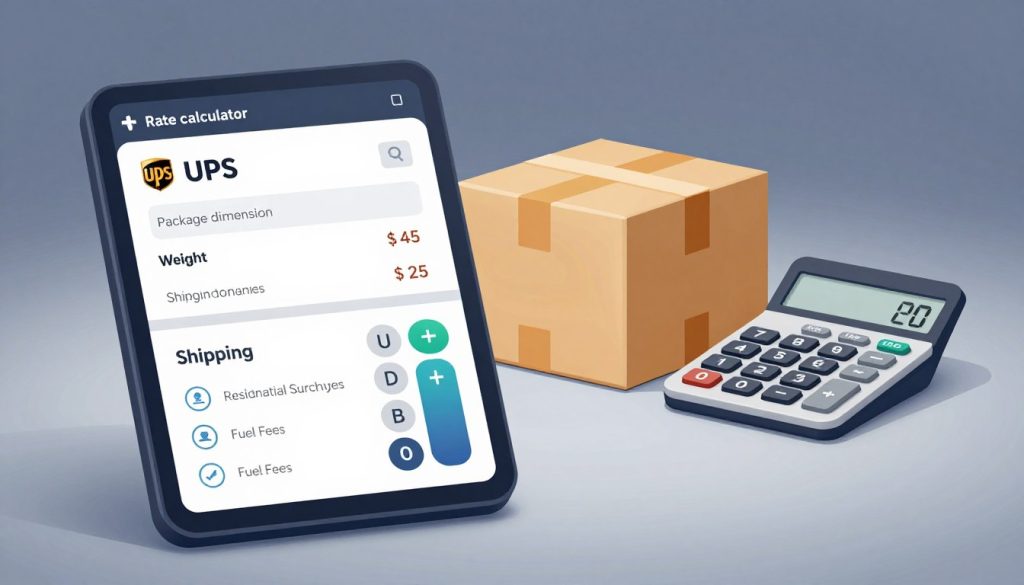
When you use the UPS rate calculator, adding services increases your cost. Fuel surcharges change every week. Peak season surcharges happen during holidays when shipping is busier. These costs can change your final price.
Each service has a purpose. Insurance covers your package. Signature checks confirm delivery. Special handling keeps fragile or dangerous items safe. Knowing these costs helps you avoid surprises and make better choices.
Tips for Getting the Best UPS Shipping Rates
Shipping costs can eat into your profits or personal budget. Smart strategies can help you reduce expenses while keeping your packages safe. Learning how to get the most competitive UPS pricing estimate takes just a little planning and knowledge.
Timing Your Shipments Strategically
When you ship matters as much as what you ship. Peak seasons—like holidays and major shopping events—bring expensive surcharges. Shipping early in the week, Tuesday through Thursday, costs less than Friday.
Plan ahead to use slower services instead of rush options. Ground shipping takes longer but costs much less than express services. By sending packages 7-10 days early, you avoid paying premium prices for speed you don’t need.
- Avoid holiday shipping periods when possible
- Ship mid-week for better rates
- Plan ahead to use economy services
- Track seasonal price increases on your UPS pricing estimate
Packaging Optimization Strategies
Your box size directly impacts your costs. Oversized packaging triggers dimensional weight pricing. Using the smallest appropriate box can reduce your UPS pricing estimate by 20-40%.
Right-sizing means selecting standard box dimensions that carriers prefer. Even reducing one box dimension by a single inch can move you into a lower pricing tier. Remove unnecessary padding and filler materials that add weight without protection.
| Strategy | Potential Savings | Effort Level |
|---|---|---|
| Use smaller boxes | 15-25% | Low |
| Eliminate excess padding | 10-15% | Low |
| Use flat-rate options | 20-30% | Medium |
| Negotiate volume discounts | 10-20% | High |
Consider UPS flat-rate boxes for heavy, compact items. These fixed-price options work great when your package weight exceeds standard pricing. Shipping frequently? Negotiate volume discounts with UPS directly. Account holders get additional benefits that lower your overall costs.
Common Questions About UPS Shipping Quotes
When you ask for a UPS quote online, you might wonder how it works. You want to know what to expect. This section answers the most common questions about UPS quotes.
How Accurate Are Online Quotes?
UPS online quotes are very close to the real cost if you give the right info. Your estimate will be almost exact, usually within pennies. It depends on the package’s size, weight, and where it’s going.
But, if you measure wrong or give the wrong info, the quote won’t be right. Adding extra services later also changes the price. Things like insurance and special handling can add up.
Think of your online quote as a good guess. It’s what you’ll pay if nothing changes from when you ask for a quote to when you ship it.
Can Quotes Change Before Shipping?
Your quote can change for a few reasons. Knowing why helps you avoid surprises.
| Reason Quote Changes | What Happens | How to Prevent It |
|---|---|---|
| Incorrect measurements | Actual package is larger or heavier | Measure carefully using a scale and ruler |
| Added services | Insurance or signature adds to cost | Include all services when you request UPS quote online |
| Fuel surcharges | Gas prices increase between quote and shipment | Ship within a few days of getting your quote |
| Address corrections | Destination changes or requires verification | Double-check all address information before submitting |
Your quote is only good for a short time. Rates can change, so ship soon after you get your quote.
Do You Need a UPS Account for a Quote?
You don’t need a UPS account to get a quote online. The tool works for everyone. But, having an account can give you better rates and more perks.
Getting an account is quick. It lets you track packages, save addresses, and check out faster next time.
What About International Shipping Quotes?
UPS quotes for international shipping too. You’ll need to add more details for customs and duties. This includes what’s in your package and where it’s from.
- Document shipments with commercial invoices
- Include product descriptions and values
- Specify the country of origin
- Account for customs brokerage fees
International quotes take longer because of these extra steps. Give yourself more time when you ask for a quote for packages going abroad.
Taking Action: From Quote to Shipped Package
You’ve figured out your UPS shipping cost and looked at your choices. Now, it’s time to make your quote into a real shipping label. This will send your package on its way. The steps are easy once you know what to do. Your quote is ready to turn into a real shipment when you’re ready.
Converting Your Quote to a Shipping Label
When you’re ready to ship, you can turn your quote into a label in a few ways. If you used UPS.com, you can finish your shipment there. Just check your details, pick how you’ll pay, and pay for your label. Your label will be made for you to print at home right away.
The UPS mobile app makes it even quicker. You can make your label on the move and print it when you’re ready. Your label is good for 28 days, so you don’t have to print it right away. If your plans change, you can cancel your label within 28 days without losing your money.
QuickBooks Shipping Manager users can make labels from their invoices. This keeps all your business info in one spot and saves time. Your label will print or show digitally, ready for your package.
Where to Drop Off or Schedule Pickup
UPS offers many ways to get your package to its destination. You can visit any of the thousands of UPS Store locations across the United States. Each store is run by people in your community. They can pack your items for you and offer a Pack & Ship Guarantee for safe delivery.
If your package is already labeled, you can drop it at a UPS drop box for free. These boxes are at many spots around town. You can also go to a UPS Customer Center for drop-off or other services.
UPS pickup at your home or business is also an option. Daily pickup account holders get free pickups. If you ship sometimes, pickups cost a little. You can schedule a pickup online and UPS will pick up your packages at a time that works for you.
Before you drop off or ship your package, seal it well and put your label on right. Keep your receipt for tracking. Knowing how to calculate UPS shipping cost upfront means you won’t be surprised by fees. You’re ready to ship confidently and affordably with UPS.