
Ever worried about a package on your doorstep when you’re away? It’s stressful to miss a delivery or have it get wet. UPS has a simple way to keep your packages safe and in your control.
Putting a vacation hold on UPS delivery is easy. It’s great for work trips, family vacations, or just picking up at your own time. This service stops missed deliveries and keeps your items safe from theft or weather.
In this guide, you’ll find many ways to hold your packages. You’ll learn about different places to pick up, how to request a hold, and what to expect when you get your order. UPS makes it easy to fit into your schedule and lifestyle.
Your packages need care, and you need convenience. With UPS’s vacation hold service, you get both. Let’s explore how to manage your deliveries with confidence.
Key Takeaways
- UPS offers free package hold services for up to seven days at UPS Store and Access Point locations
- You can request how to put a vacation hold on UPS delivery through the UPS website, mobile app, or by calling customer service
- Signing up for a UPS My Choice account gives you access to vacation hold features and delivery management tools
- Multiple pickup locations are available, including UPS customer centers and partnered retail stores
- Required identification and pickup hours vary by location type
- You can hold multiple packages and track each one individually during your vacation or absence
Understanding UPS Pickup Options
UPS lets you pick how you get your packages. You can ask UPS to hold your package for you. This is great for when you’re busy or traveling.
UPS My Choice has cool features. You can stop UPS from coming to your house. You can send packages to a place that’s better for you. This is good for everyone, even if you don’t pay for UPS My Choice.
What Is a UPS Hold for Pickup?
A UPS hold lets you stop packages from coming to your house. When you ask for a hold, UPS gets your package before it reaches you. Then, you can pick it up when it’s convenient for you.
UPS My Choice has many options for holding packages:
- Leave with neighbors for trusted delivery
- Hold according to your custom instructions
- Deliver to a UPS Access Point location
- Hold for “will call” pickup at customer services
Benefits of Choosing Pickup Over Home Delivery
Picking up packages has big advantages. It keeps your packages safe from thieves. You don’t have to be home to sign for them.
Weather won’t hurt your packages. They stay safe until you pick them up. This is great when you’re away, because packages won’t go back to the sender.
| Delivery Method | Security Level | Convenience | Weather Protection |
|---|---|---|---|
| Home Delivery | Moderate Risk | No Setup Needed | None |
| UPS Pickup Hold | High Security | Flexible Timing | Full Protection |
| UPS Access Point | High Security | Multiple Locations | Full Protection |
Stopping UPS deliveries makes you feel secure. Your packages are safe. You don’t need to sign for them. And you pick when to get them.
How to Request a Hold for Pickup
It’s easy to ask for a hold on your UPS package. You can use a few ways to do this. Just remember, you must ask before the truck leaves in the morning. Creating a free UPS My Choice account quickly helps you catch your package.
Being quick is key when you’re managing your package. Sign up for UPS My Choice fast. This way, you get alerts right away when your package arrives. This alert lets you ask for a hold before it’s too late.
Using the UPS Website
Go to the UPS website and log into your UPS My Choice account. Look for your package in the tracking section. Then, pick Hold for Pickup from the menu. Choose a UPS location near you. After confirming, your request is done. This is good if you’re at home or have a computer.
Calling UPS Customer Service
If the website or app doesn’t work, call UPS customer service. Have your tracking number and address ready. The person you talk to will help you pick a good place for pickup. This is helpful if you can’t change your delivery online.
Through the UPS Mobile App
Get the UPS Mobile app to request holds anywhere. The app alerts you when your package is at UPS. This lets you act fast. It’s easy to use the app to manage your delivery hold.
Think about using UPS My Choice vacation settings if you’ll be away. You can set holds for up to 14 days before you leave. This makes managing deliveries while you’re away easier.
| Method | Best For | Time Required | Requirements |
|---|---|---|---|
| UPS Website | Desktop users with time to browse | 5-10 minutes | UPS My Choice account and computer access |
| Phone Call | Complex issues or preference for talking | 10-15 minutes | Tracking number and preferred location |
| Mobile App | Quick requests on the go | 3-5 minutes | Smartphone and UPS Mobile app installed |
Remember, timing is everything. Ask for a hold early in the morning. The sooner you ask, the better your chances of a good pickup time.
When Can You Choose a Hold for Pickup?
Knowing when to hold UPS shipments is key to keeping your packages safe. You need to know who can ask for a hold and when. This guide helps you pause UPS packages with confidence.
Eligibility Criteria for Hold for Pickup
Most UPS packages can be held, but some can’t. You must be the package’s recipient or someone on your UPS My Choice account. Some packages, like international ones, might not qualify.
UPS My Choice members get more hold options. Your membership lets you hold packages longer at different places.
| Location Type | Maximum Hold Period |
|---|---|
| UPS Store and UPS Access Point | Up to 7 calendar days |
| UPS Customer Center | Up to 5 business days |
| Vacation Hold Feature | Up to 14 days in advance |
Timing Considerations for Your Request
Timing is everything when pausing UPS packages. You must ask for a hold before the truck loads. This is usually early morning.
The vacation hold in UPS My Choice is smart. You can plan up to 14 days ahead. All packages hold automatically, saving you from checking notifications while away.
- Request holds before your trip begins
- Use the vacation feature for planned absences
- Check your delivery date on the tracking label
- Submit requests by evening the day before delivery
- Confirm your hold through your UPS My Choice account
Planning ahead saves stress and keeps your packages safe when you’re away.
Finding Your Nearest UPS Location
After deciding to pick up your package, finding a UPS spot is next. You can choose from many places like UPS Store, UPS Customer Center, and more. Each place has its own benefits. Knowing where to go makes picking up your package easy.
Using the UPS Locator Tool
The UPS location finder is a great tool. You can find it on the UPS website and app. Just type in your ZIP code or address to see nearby spots on a map.
The tool shows each place’s hours, services, and how far it is from you. You can see details about UPS Store, UPS Customer Center, and other locations. This includes places like CVS and Michaels.
The locator tells you what services each place offers. Some are open late or on weekends. This helps you pick a spot that fits your schedule.
Tips for Choosing the Best Location
Choosing the right spot depends on a few things:
| Location Type | Package Hold Duration | Best For | Hours |
|---|---|---|---|
| UPS Customer Center | Up to 5 business days | Large or heavy packages | Standard business hours |
| UPS Store pickup | Up to 7 days | Convenient access | Extended hours, evenings and weekends |
| UPS Access Point locations | Up to 7 days | Quick pickup near home | Retail store hours |
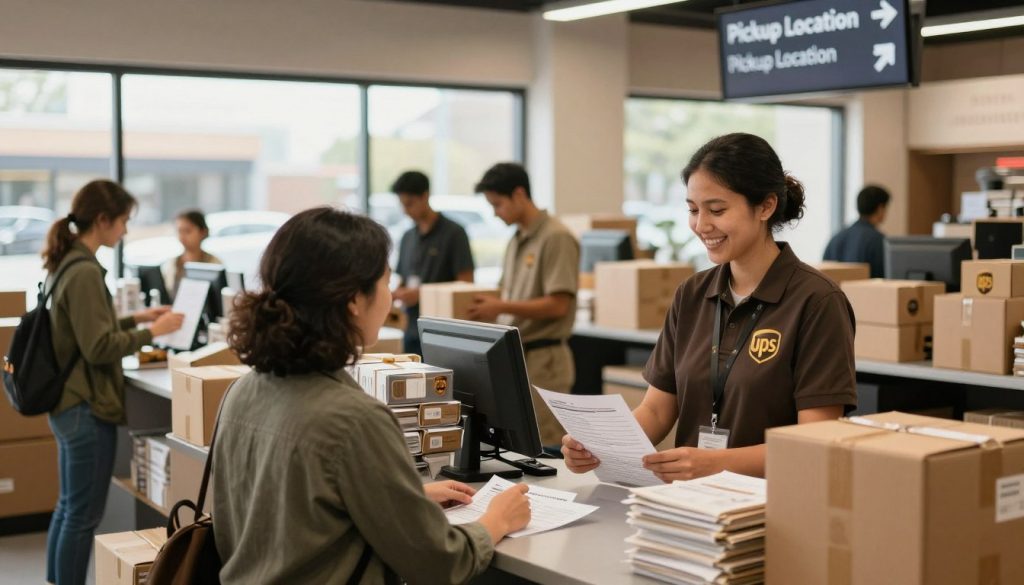
UPS Customer Centers are great for big or heavy items. They have docks and carts to help you. Staff is usually helpful when it’s not busy, like 10 AM weekdays.
UPS Store and Access Point locations are flexible with hours. They’re good for busy schedules. Pick a spot on your way to work or shopping.
- Visit during quieter times for faster service
- Check location hours before requesting your hold
- Pick spots near your daily destinations
- Verify staff can help with heavy items if needed
- Confirm the facility matches your schedule
Choosing wisely makes your UPS pickup easy and fits your day.
How to Change Delivery Preferences
Your UPS My Choice account lets you control your deliveries. You can pause UPS delivery or change delivery times to fit your schedule. UPS makes these changes easy through your online account.
Accessing Your UPS Account
First, log into your UPS My Choice account online or through the app. Look for the “Delivery Options” or “Manage Deliveries” section. This area shows all your packages and their status.
The dashboard has all the info you need about your shipments. You’ll see delivery dates, tracking numbers, and which packages you can change. It’s your place to manage all UPS deliveries.
Amending Delivery Instructions
Want to pause UPS delivery? You have a few options:
- Defer delivery for up to 10 business days by picking a new date
- Redirect your package to a different address, like work
- Change your delivery time window
- Request a hold at your nearest UPS location
Changing your delivery date costs $5 per package for basic My Choice members. Narrowing your delivery window from 9 AM to 1 PM to a 2-hour slot costs an extra $8 per package.
| Service Option | Cost Per Package | Details |
|---|---|---|
| Change Delivery Date | $5 | Defer delivery up to 10 business days |
| Narrow Time Window | $8 | Reduce from 4-hour to 2-hour window |
| Redirect to New Address | $5 | Send to workplace or friend’s location |
| Premium My Choice Membership | ~$20/year | May include free or reduced-cost services |
When you change UPS delivery options, you’ll get a new delivery window confirmation. You usually can’t pick the next day. Most dates are 2-3 days ahead.
For a free option, ask for a hold at your local UPS facility. It costs nothing and lets you control when you pick up your package.
What to Expect When Picking Up Your Package
When you get to your UPS place to get your package, you might wonder what happens next. Knowing what UPS needs helps you get your package fast. You’ll show your ID, sign some papers, and then you’re off with your package. It usually takes just a few minutes.
UPS staff are often very helpful. Some places even help carry heavy packages to your car. Showing up at the right time helps you get your package quickly.
Required Identification
One key thing is to bring a valid ID. You need a photo ID that matches the package’s name. You can use:
- Driver’s license
- State-issued ID card
- Passport
- Military ID
A UPS worker will check your ID and ask you to sign for the package. Having your tracking number ready makes things faster. If your ID and package name don’t match, just show your tracking number and address.
Also, bring any papers that show you’re allowed to pick up the package. If someone else is picking it up for you, check with UPS first.
Understanding Pickup Hours
UPS places open at different times. UPS Customer Centers are open from 8:30 AM to 6:30 PM weekdays, with weekends closed. UPS Stores and Access Points might be open later or on weekends.
| Facility Type | Typical Weekday Hours | Weekend Availability |
|---|---|---|
| UPS Customer Center | 8:30 AM – 6:30 PM | Limited or Closed |
| UPS Store | 9:00 AM – 7:00 PM | Often Open |
| UPS Access Point | 10:00 AM – 8:00 PM | Often Open |
It’s best to go during quiet times, like 10 AM weekdays. This way, UPS staff can help more and might even load your package.
Many places have carts for you to use. Calling ahead can help avoid surprises about hours or special needs for big packages.
Managing Multiple Packages for Pickup
When you need to hold multiple UPS packages, it’s important to plan well. You must make sure each package is held at your chosen spot. Many people find that just asking for holds doesn’t work unless they check each package.
Coordinating Multiple Orders
To hold multiple UPS packages, you can’t just send one request. You need to find all the tracking numbers for packages coming at the same time. When you manage UPS deliveries through your UPS My Choice account, each package needs its own care.
Here’s how to manage your packages well:
- Gather all tracking numbers for your incoming shipments
- Request holds for each package separately through your UPS account
- Verify that each tracking number shows “Hold for Pickup” status
- Call UPS customer service to verbally confirm all packages are held at your selected location
Checking each package is key. Some people have had issues where only one package was held, not the others. By checking each one, you can avoid this problem.
Cost consideration: Holding packages at UPS is free. But, changing delivery dates costs $5 per package. And, changing delivery windows to 2 hours costs $8 per package. If packages are delivered together, paying for a premium service can save money.
Tracking Your Packages Individually
Tracking each package separately is important when you have multiple. Your UPS My Choice dashboard shows details for each package under your account.
| Tracking Method | Best For | Details Shown |
|---|---|---|
| UPS My Choice Website | Desktop users | Full package status, hold confirmations, delivery windows |
| UPS Mobile App | On-the-go monitoring | Real-time updates, notification alerts, pickup availability |
| Text Notifications | Quick status checks | Package arrival, delivery attempts, pickup reminders |
Check your package statuses often. This way, you can keep track of your UPS deliveries without getting confused. You’ll see confirmations for each package, so you won’t be surprised when you pick them up.
Troubleshooting Common Issues
Sometimes, your UPS hold plan doesn’t work out as planned. Knowing how to fix common problems helps you get your package back fast. This part will cover the usual UPS hold issues and how to solve them.
What If Your Package Isn’t at the Location?
It’s upsetting when your package isn’t at the UPS spot. First, give your tracking number and ID to the staff. They can look up where your package is.
Maybe your package hasn’t been moved yet, like if you’re picking it up the same day it arrived. The truck might not have gotten back to the hub before it closed. Check your UPS My Choice account to see if your package is “Ready for Pickup.”
If your package was sent out despite your hold, call UPS customer service fast. They can stop the delivery and hold it for you the next day.
Rescheduling Pickup or Delivery
It’s important to know how long UPS holds your packages. Here’s what you need to know:
| UPS Location Type | Hold Duration | What Happens After |
|---|---|---|
| UPS Store | 7 calendar days | Package sent for home delivery |
| Access Point | 7 calendar days | Package sent for home delivery |
| Customer Center | 5 business days | Package sent for home delivery |
If you can’t pick up your package in time, don’t worry. You can reschedule by calling customer service or using UPS My Choice. Both ways let you extend your hold or pick a new delivery date.
When rescheduling, remember the hold period has limits. Act quickly if you’re running out of time. A calendar reminder helps you remember your pickup date and avoid delivery issues.
If your package misses the pickup, UPS will try to deliver it to your home. If no one is there, they’ll try again on different days before returning it. Planning ahead and being available saves you trouble.
- Check your tracking status before visiting the location
- Call UPS customer service immediately if you see delivery problems
- Know your hold deadline and plan ahead
- Use UPS My Choice to extend your hold if needed
- Set reminders so you don’t miss your pickup window
FAQs About UPS Pickup Holds
You might wonder how UPS hold for pickup works. This section answers common questions about UPS package hold help. You’ll feel more confident managing your deliveries while away.
Common Questions and Answers
Is UPS hold for pickup free? Yes, it is. UPS keeps your packages at no cost. You can hold packages at UPS Store locations and Access Points for up to 7 days.
At Customer Centers, packages stay for 5 business days. You only pay fees if you change delivery dates or addresses. This costs $5 per package for basic members.
Do you need a UPS My Choice account? Yes, you do. This free service lets you access hold options. UPS My Choice sends you notifications when packages enter the system.
How long can UPS hold your package? Most locations hold packages for 7 calendar days. Customer Centers keep them for 5 business days.
You can set a UPS vacation hold for up to 14 days in advance. This is great for planning ahead.
What happens with multiple packages? You can hold several packages at once. Check each one to make sure they’re all held properly.
Keep in mind that changing delivery options costs fees for each package.
Can someone else pick up your package? Yes. An authorized person on your UPS My Choice account can get it. They must bring a valid ID to complete the pickup.
How does UPS compare to other carriers? USPS holds mail for free between 3 and 30 days. FedEx offers free holds for up to 14 days with their Delivery Manager.
UPS vacation hold FAQ shows you get 5 to 7 days free at facilities or up to 14 days with vacation hold settings.
Additional Resources for More Help
You can get more information about UPS package hold help in several ways. Visit the UPS My Choice registration page to set up your free account. Call UPS customer service at 1-800-742-5877 for direct help.
Use the UPS location finder tool to find the nearest pickup spot. Download the UPS Mobile app for iOS and Android to manage holds on your phone.
The UPS Help Center has detailed articles about all your delivery options. Set up your account before packages arrive so you’re ready to use hold services.
Contact customer service when you have complex situations. Use self-service options for simple tasks like scheduling a hold. Planning ahead prevents problems and keeps your UPS hold questions answered quickly.