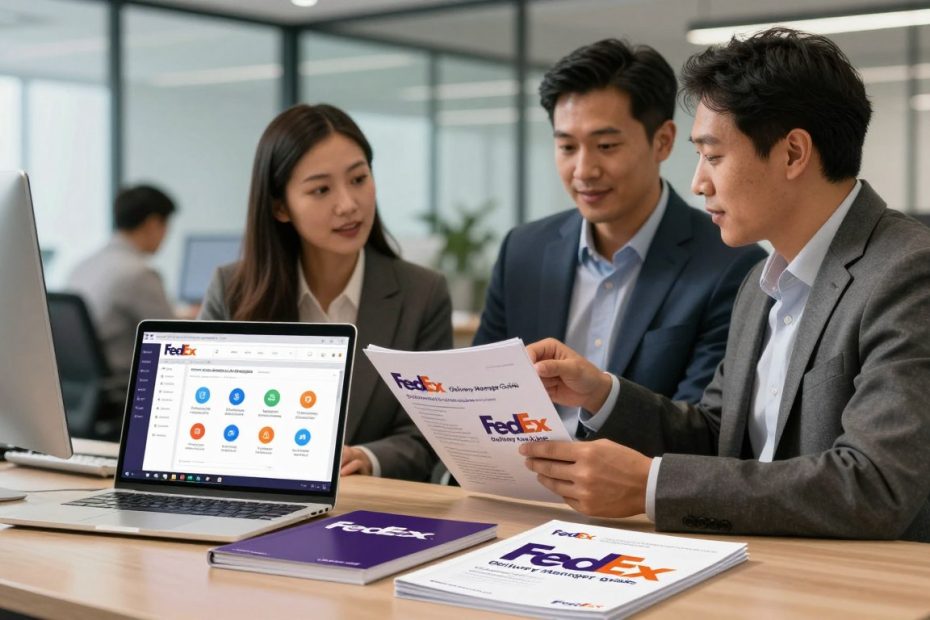
Are you tired of missing package deliveries? Do you get frustrated with unpredictable shipping schedules? Now, you can take control of your packages with just a few clicks. The FedEx Delivery Manager app is here to change the game for anyone who wants to manage their deliveries easily.
Learning how to use FedEx Delivery Manager makes shipping better. This guide will show you all the app’s features. You’ll learn to track shipments, set your own delivery times, and control your packages fully.
Whether you’re busy, love online shopping, or run a small business, the FedEx Delivery Manager app is perfect for you. You’ll find out how to make package management easy. Get updates in real-time and never miss a delivery again.
Key Takeaways
- Gain complete control over your package deliveries
- Track shipments in real-time with ease
- Customize delivery preferences and schedules
- Access features through mobile and desktop platforms
- Eliminate the stress of missed deliveries
What is FedEx Delivery Manager?
FedEx Delivery Manager is a digital tool that changes how you get packages. It’s free and lets you see and control your shipments. This makes managing deliveries easy in today’s world.
Setting up FedEx Delivery Manager lets you see your package’s journey. You can track and manage your deliveries easily. It also lets you pick how you want your packages delivered.
Service Overview
This service works well with different FedEx delivery options. These include:
- FedEx Express
- FedEx Ground
- FedEx Home Delivery
Key Features
FedEx Delivery Manager has features that make shipping easier. These include:
- Real-time package tracking
- Customizable delivery notifications
- Flexible delivery options
- Package holding at convenient locations
| Feature | Benefit |
|---|---|
| Delivery Notifications | Receive alerts via email, text, or phone |
| Address Redirection | Change delivery destinations easily |
| Signature Release | Authorize deliveries without personal presence |
Setting up FedEx Delivery Manager makes getting packages easy. It only takes a few minutes. You get to manage your packages with just a few clicks.
How to Set Up Your FedEx Delivery Manager Account
Setting up your FedEx Delivery Manager account is easy. It lets you control your package deliveries. You’ll never miss a shipment again.
- A valid email address
- Your current residential address
- Phone number
- Web browser or mobile device
Registration Process
Here’s how to start:
- Visit the official FedEx website
- Click on the Delivery Manager section
- Select “Create New Account”
- Enter your personal information accurately
- Create a strong, unique password
Account Verification
FedEx makes sure your account is secure. You’ll need to verify your identity:
| Verification Method | Process |
|---|---|
| Email Verification | Receive a unique code to confirm your email address |
| Phone Verification | Get a text message with a verification PIN |
| Address Confirmation | Validate your residential address through official documentation |
Pro tip: Use a personal email you check frequently to ensure you receive all important delivery notifications.
Managing Your Deliveries with FedEx Delivery Manager
FedEx Delivery Manager lets you control your packages. This tool gives you lots of flexibility and lets you see your shipments clearly. You can track important business documents or fun personal buys easily.
Tracking Your Shipments with Precision
Your FedEx Delivery Manager dashboard makes tracking easy. You can watch your shipments closely. The dashboard shows:
- Real-time package location
- Estimated delivery dates
- Current shipping status
- Detailed tracking history
Exploring Delivery Options
Fedex tracking options are more than just tracking. You can change your delivery experience by:
- Redirecting packages to different addresses
- Requesting special delivery instructions
- Scheduling pickup times that work for you
- Managing who signs for your packages
Each package can be set up differently. Remember, not all options work for every package. Always check what options you have for each shipment.
Scheduling Deliveries with FedEx Delivery Manager
Managing your package deliveries is now easy with FedEx Delivery Manager. This tool lets you control when and how your shipments arrive. It makes your delivery experience more convenient and flexible.
Rescheduling FedEx shipments is simple and easy. You can make your delivery fit your schedule and lifestyle.
Setting Preferred Delivery Times
FedEx Delivery Manager lets you pick delivery times that suit you. Here’s how to set your preferred delivery times:
- Access your account dashboard
- Select the specific shipment you want to modify
- Choose available time slots
- Confirm your preferred delivery window
Rescheduling Your Shipment
To reschedule FedEx shipments, follow these steps:
- Log into your FedEx Delivery Manager account
- Locate the package you want to reschedule
- Click on the rescheduling option
- Select a new delivery date from available options
- Confirm your new delivery appointment
Pro tip: Always reschedule before the package is loaded onto the delivery vehicle to ensure maximum flexibility.
Using these features, you can make sure your packages arrive when it’s most convenient. This reduces missed deliveries and gives you peace of mind.
Customizing Delivery Notifications
FedEx package delivery notifications keep you updated on your shipments. With FedEx Delivery Manager, you can set up a system that informs you just right. It won’t flood you with too many alerts.
It’s now easier to keep in touch with your packages. The system lets you pick how and when you get updates. This way, you only get the info you need.
Types of FedEx Package Delivery Notifications
FedEx has many notification types to keep you informed:
- Shipment Initiation Alerts
- Out for Delivery Notifications
- Delivery Confirmation Messages
- Delivery Exception Warnings
Setting Your Notification Preferences
Here’s how to customize your fedex package delivery notifications:
- Log into your FedEx Delivery Manager account
- Navigate to Notification Settings
- Select preferred communication channels
- Choose specific notification types
| Notification Channel | Typical Use Cases |
|---|---|
| Email Notifications | Detailed shipment updates |
| SMS Text Messages | Quick delivery status alerts |
| Phone Calls | Critical delivery exceptions |
By adjusting your notification settings, you stay informed about your packages. You won’t feel overwhelmed.
Understanding Delivery Hold Options
Traveling soon or away from home? FedEx Delivery Manager has a great service for you. It keeps your packages safe and secure. You can pause package deliveries temporarily. This ensures your shipments stay protected while you’re away.
What is a Delivery Hold?
A delivery hold is a flexible service. It lets you pause package deliveries. With vacation hold fedex, you can stop packages from being left at your door when you’re not there.
This service gives you peace of mind. It stores your packages at a secure FedEx location. You can pick them up when you’re ready.
How to Place a Delivery Hold
Placing a delivery hold is easy through your FedEx Delivery Manager account. Just follow these steps:
- Log into your FedEx Delivery Manager account
- Select the packages you want to hold
- Choose your preferred pickup location
- Specify your hold duration
- Confirm your request
When using vacation hold fedex, you can pick specific dates for package storage. FedEx can hold packages for up to 14 days. This gives you time to get your shipments when it’s convenient for you.
Don’t forget to bring a valid ID when picking up your packages. This service keeps your deliveries safe and on your schedule.
Changing Delivery Addresses
Life can change fast, and so can your delivery addresses. FedEx Delivery Manager makes it easy to update your packages. You can follow simple steps to keep your shipments on track.
There are two main ways to change your package addresses. You can choose between temporary and permanent changes. Knowing these options helps you stay in control of your deliveries.
Temporary Address Modifications
Temporary changes let you send packages to different places without changing your main address. You might use this when:
- Sending a package to your workplace
- Redirecting a gift to a different location
- Receiving a package at a temporary residence
Permanent Address Updates
Permanent changes update your main delivery address for all future shipments. These changes need to be verified to make sure everything is correct.
| Change Type | Duration | Account Impact |
|---|---|---|
| Temporary | Single Shipment | No Permanent Change |
| Permanent | Ongoing | Full Account Update |
Step-by-Step Address Change Process
- Log into your FedEx Delivery Manager account
- Select the specific package or account settings
- Choose temporary or permanent address modification
- Enter complete new address details
- Confirm and verify the changes
Don’t forget to add any special delivery instructions. This could be a gate code or specific directions. It helps ensure your package arrives smoothly.
Using FedEx Delivery Manager for Business
Small businesses and entrepreneurs can change how they manage shipping with FedEx Delivery Manager. This tool makes it easier to handle packages. It gives business owners more control over when packages arrive.

Benefits for Small Businesses
Customizing FedEx delivery can help your business a lot. It offers tracking and management tools. These tools can make your business run smoother.
- Track incoming supplies and inventory in real-time
- Reduce missed deliveries that could delay projects
- Ensure packages arrive during specific business hours
- Redirect packages to alternative locations when needed
Multiple User Access Management
FedEx Delivery Manager lets businesses work together better. You can set up different access levels for team members. This way, everyone knows about important shipments.
| User Type | Access Level | Notification Options |
|---|---|---|
| Office Manager | Full Access | Email & SMS |
| Warehouse Staff | Package Tracking | SMS Only |
| Sales Team | Limited Tracking | Email Notifications |
Using these features, your business can manage deliveries better. It becomes more efficient and responsive.
Troubleshooting Common Issues
Learning how to use FedEx Delivery Manager can be tricky. This guide will help you solve problems fast. This way, your delivery experience stays smooth.
Identifying Common Delivery Manager Problems
Users often face these issues with FedEx Delivery Manager:
- Packages not showing up in your dashboard
- Notification settings not working right
- Hard to change delivery options
- Account verification problems
Quick Troubleshooting Tips
Here are some quick fixes for common problems:
- Check notification settings
- Make sure your contact info is up to date
- Look in spam folders for missed notifications
- Double-check your notification preferences
- Verify package visibility
- Some packages might not show up due to shipper rules
- Not all shipping services are included
Getting Professional Support
Need more help? FedEx has many ways to assist you:
- Call customer service at 1-800-GO-FEDEX (1-800-463-3339)
- Use online chat at fedex.com
- Submit support requests through your FedEx account
- Check the FedEx help center for more info
When you call for help, have your tracking numbers ready. Also, bring your account details and a clear problem description. This helps the customer service team help you fast.
Benefits of Using FedEx Delivery Manager
FedEx Delivery Manager changes how you get packages. It gives you control and makes things easier. You can manage your deliveries without stress.
This service has many benefits. It makes handling packages simpler and more efficient:
- Complete control over package delivery timing
- Flexible fedex signature release options
- Real-time tracking and notifications
- Enhanced delivery security
Enhanced Control Over Deliveries
FedEx Delivery Manager lets you control your packages. You can allow deliveries without being there. This stops missed deliveries and redelivery hassles.
Convenient Notifications and Reminders
Get updates on your packages with alerts and reminders. You’ll know when they’re coming and any changes. These help you plan your day and be ready for packages.
- Instant delivery status updates
- Customizable notification preferences
- Delivery time predictions
Using these features helps avoid delivery problems. You get full control over your shipping.
Frequently Asked Questions About FedEx Delivery Manager
Users often ask about managing their FedEx Delivery Manager accounts. Knowing how to use it well can help you get the most out of it. It also helps solve common problems fast.
If you’re having trouble logging in or want to know more about the tool, you’re in the right spot. Here are answers to some common questions about managing your FedEx Delivery Manager account.
Password Recovery Strategies
Forgetting your password is common. If you can’t log in, go to the FedEx website. Click the “Forgot Password” link and enter your email address.
You’ll get a password reset link in your email. Check your spam folder if you don’t see it right away.
Account Management Options
Canceling your FedEx Delivery Manager account is easy. Go to your account settings and find the deactivation option. Remember, canceling won’t stop packages from coming to you. It just removes extra tracking and management features.
If you change your mind, you can always re-register and get back your preferences.
Learning how to use FedEx Delivery Manager gives you more control over your shipments. Whether you need to reset a password or understand account options, these tips will help you manage your deliveries easily.