
Ever wondered what happens if your DPD package goes to the wrong address? You can easily change your delivery address with a few clicks. This guide will show you how to change your DPD delivery address quickly and easily.
Maybe you’re moving, traveling, or made a mistake when you checked out. Knowing how to change your delivery address on DPD can save you time. DPD makes it easy to change your delivery details before or after your package is sent.
Tracking and managing your deliveries is now easy. You can use their mobile app, website, or customer support. You’ll see how simple it is to make sure your package goes to the right place.
Key Takeaways
- DPD provides multiple methods to change your delivery address
- You can modify address details before and sometimes after dispatch
- The DPD app offers convenient address change options
- Timely address updates prevent possible delivery issues
- Customer support is available to help with address changes
Understanding DPD’s Address Change Policy
Changing delivery addresses can be hard. DPD has many dpd delivery options to help. Knowing their address change policy makes delivery smoother.
Key Considerations for Address Modifications
DPD has clear rules for address changes. They offer several options:
- Redirect packages to local pickup shops
- Reroute to parcel lockers
- Modify delivery dates
- Update delivery instructions
Restrictions You Should Understand
Not all changes are allowed. DPD has rules to protect everyone. Important restrictions include:
- You cannot change the delivery address to an entirely new location
- Complete address modifications require sender approval
- Changes must comply with data protection regulations
Post-Dispatch Address Change Limitations
After a package is sent, options are limited. DPD focuses on package safety and sender wishes. If you need big changes, contact the original sender.
Timing matters a lot. Requests close to delivery might need special handling. Always check your delivery details and talk to DPD customer support for help.
Changing Your Address Before Dispatch
Changing your DPD shipping address before dispatch is very flexible. It can save you time and avoid shipping problems. Let’s see how to update your DPD delivery location easily.
Accessing Your DPD Account
To change your shipping address, you need to log into your myDPD account. Here’s how to start:
- Visit the official DPD website
- Click on the “Login” or “Create Account” button
- Enter your email and password
- Navigate to the “My Parcels” section
Step-by-Step Address Editing Guide
Once you’re in your account, changing your DPD delivery location is easy. Here’s a step-by-step guide:
- Find your pending shipment with the parcel tracking number
- Pick the package you want to change
- Click on the “Change Address” option
- Enter the new delivery address carefully
- Check all details before confirming
Potential Challenges to Expect
When you try to change your DPD shipping address, you might face some issues:
| Issue | Solution |
|---|---|
| Unrecognized Parcel Number | Wait 24-48 hours for sender processing |
| Address Validation Error | Double-check postal code and street details |
| Login Problems | Reset password or contact customer support |
Pro Tip: Always have your tracking number and current contact info ready. It makes updating your address easier.
Changing Your Address After Dispatch
Shipping your package doesn’t mean you’re out of options. DPD lets you change delivery plans after it’s sent. Knowing how to change your address can save you time and stress.
When Address Changes Are Possible
DPD has options for changing delivery after it leaves the warehouse. You can usually make changes until just before delivery. These changes include:
- Changing delivery date
- Redirecting to a local pickup location
- Selecting a convenient parcel locker
Submitting After-Dispatch Change Requests
To ask for changes, you’ll need some info ready. Get your:
- Parcel tracking number
- Postal code
- Contact information
Limitations on Post-Dispatch Changes
DPD is flexible, but there are limits. You can’t change to a new address once dispatched. If you need a new address, contact the sender to recall the package.
| Possible Changes | Restrictions |
|---|---|
| Delivery date modification | Must be within delivery window |
| Pickup location redirection | Limited to DPD authorized locations |
| Parcel locker selection | Available in designated areas |
Most changes happen the next working day. Plan ahead and act fast to get your package with little trouble.
Using the DPD App to Change Your Address
Managing your package deliveries is now easy with the DPD mobile app. This tool lets you control your dpd delivery preferences. You can make changes quickly and easily from your smartphone.
The app makes changing your delivery address simple. You can do it from anywhere. This way, your package will always go to the right place.
Downloading the DPD App
Starting is easy. Here’s how to download and set up your app:
- Visit the App Store (iOS) or Google Play Store (Android)
- Search for “DPD Mobile”
- Download the official DPD app
- Create your account using your phone number
- Verify your identity for secure access
Navigating Address Change Features
After logging in, changing your delivery address is easy. Look for the active shipments section. There, you can:
- View current package locations
- Select alternative delivery options
- Modify delivery address before dispatch
- Choose convenient delivery preferences
Pro Tips for Smooth App Experience
Get the most out of your app with these tips:
- Enable push notifications for real-time updates
- Save preferred delivery locations
- Use the tracking map to monitor your driver’s location
- Refresh your delivery list if packages don’t appear
With the DPD app, managing your deliveries is easy and stress-free.
Contacting DPD Customer Support
Dealing with delivery problems can be tough. But DPD has many ways to help. If you need to change your shipping address, knowing how to get in touch with customer support is key.
Talking to DPD’s customer service can make things easier. Here are the main ways to get in touch:
- Phone Support: Direct line for urgent address modifications
- Live Chat: Quick online assistance
- Email: Non-urgent inquiries
- Social Media Channels: Alternative communication platforms
How to Reach DPD Customer Service
Each way is good for different needs. Phone support is for urgent issues. Email is for slower questions. Live chat is for quick answers to address changes.
What Information to Have Ready
Before you call or email, have these ready:
- Tracking number
- Delivery postcode
- Your contact information
- Sender details
- Clear explanation of your request
Expected Response Times for Address Change Requests
How fast you get a response depends on your method:
- Phone Support: Immediate help
- Live Chat: Quick answers
- Email: 4-24 business hours
DPD can help with many delivery changes. But, changing to a new address usually means contacting the sender yourself.
Tracking Your Delivery After an Address Change
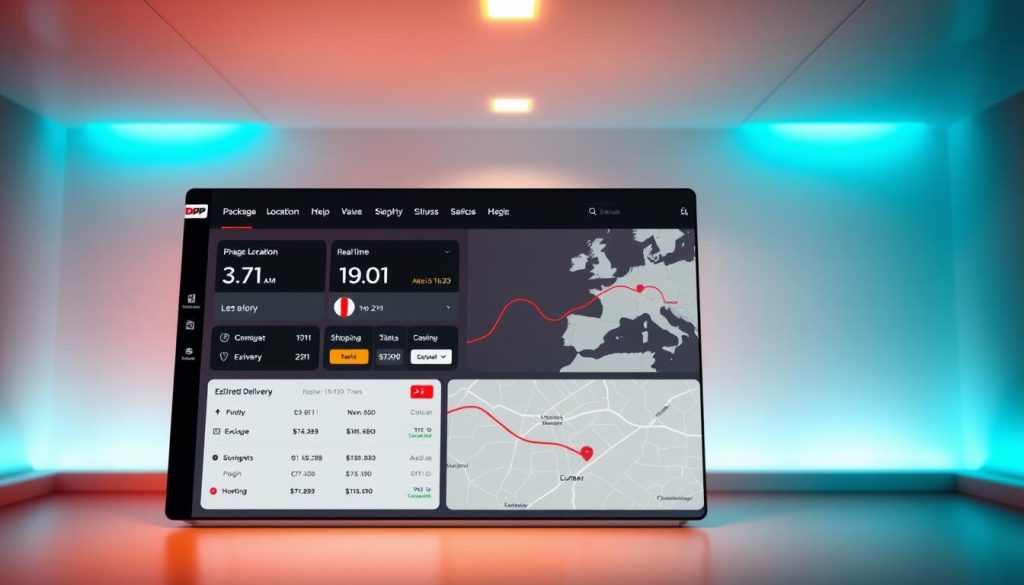
Changing your delivery address with DPD doesn’t mean losing sight of your package. The dpd parcel redirection service keeps you updated every step of the way. Knowing how to track your delivery can make you feel less worried and more at ease.
How to Stay Updated on Your Package Status
DPD has many ways to track your redirected package. You can follow your shipment through:
- DPD mobile app
- Online tracking portal
- Text message notifications
- Email updates
What to Do If You Experience Delays
Package delays can happen during dpd parcel redirection. If tracking shows a pause, do these things:
- Check the tracking details carefully
- Verify your updated delivery address
- Contact DPD customer support if delay exceeds 24 hours
Understanding DPD’s Tracking System
DPD’s tracking system gives real-time updates with specific messages. Here’s a quick guide for common tracking statuses:
| Status Message | What It Means |
|---|---|
| Delivery Instructions Updated | Address change processed successfully |
| Redirected to Pickup Location | Package rerouted to specified alternate address |
| Delivery Rescheduled | New delivery attempt planned |
By staying proactive and using DPD’s tracking tools, you can ensure a smooth delivery experience even after changing your address.
Why You Should Double-Check Your Address
Getting your address right is key for easy package delivery. A small mistake can turn a simple delivery into a big problem. Knowing how important correct address info is can save you time, money, and stress with DPD delivery services.
Entering the right address is more than typing a few lines. Your delivery success depends on many things that can go wrong.
Importance of Accurate Address Entry
When you update DPD delivery location, every detail counts. Small mistakes can cause big problems:
- Transposed house numbers
- Incorrect apartment unit
- Misspelled street names
- Missing directional indicators
Consequences of Incorrect Address Information
Wrong addresses can lead to big delivery issues. Possible problems include:
- Packages sent to wrong places
- Returned shipments
- Extra shipping costs
- Lost valuable items
Tips for Validating Your Address
To avoid delivery problems, follow these tips for dpd delivery instructions:
- Use official postal verification tools
- Double-check every character
- Include precise unit or apartment numbers
- Verify ZIP codes
Pro tip: Always confirm your full address details before finalizing any shipment to ensure a smooth delivery experience.
Additional Services DPD Offers
DPD knows that everyone is different. They offer many dpd delivery options to fit your needs. Whether you’re always on the go or have special delivery wishes, DPD has got you covered.
DPD’s delivery services are more than just shipping. They have dpd delivery instructions for you to choose how and where your package arrives.
Changing Delivery Locations
Need a different delivery spot? DPD has got you covered:
- Redirect to a nearby pickup shop
- Send to a convenient parcel locker
- Deliver to a trusted neighbor
- Reroute to an alternative address
Adding Delivery Instructions
Make your delivery special with your own instructions. You can tell them:
- Safe drop-off locations
- Preferred delivery times
- Contact preferences
- Special handling requirements
Exploring Flexible Delivery Options
DPD has many delivery choices for you. Here’s a quick look at what they offer:
| Service | Description | Availability |
|---|---|---|
| Neighbor Delivery | Package delivered to a specified neighbor | Nationwide |
| Safe Place Delivery | Package left in a secure, pre-approved location | Nationwide |
| Parcel Locker | 24/7 pickup from secure locker | Major metropolitan areas |
| Flexible Delivery Date | Reschedule delivery within 5 weekdays | Most packages |
Pro tip: Always update your delivery preferences in advance to ensure a smooth shipping experience.
Preemptive Measures for Future Deliveries
Managing your delivery starts with planning. DPD has tools to help you control your delivery preferences. This makes shipping smooth and easy every time.
Controlling your dpd delivery preferences saves time. It also avoids delivery problems. By setting up your account ahead of time, you make shipping easier.
Setting Up Saved Addresses in Your DPD Account
Creating a detailed address profile in your DPD account makes updates quick. Here’s how to manage your addresses well:
- Add many delivery places (home, work, family)
- Choose a default shipping address
- Make backup delivery plans
- Update your dpd delivery location easily
Utilizing DPD’s Scheduling Features
DPD’s scheduling lets you control your deliveries. You can now:
- Pick specific delivery times
- Change package delivery dates automatically
- Set regular delivery plans
- Send notifications to family members
Planning Ahead for Special Circumstances
Plan for delivery issues with DPD’s flexible options. For travel, moving, or special shipments, you can:
- Hold packages during vacation
- Arrange deliveries during seasonal changes
- Manage different delivery spots
- Sync preferences on various online sites
Pro tip: Always check and update your delivery preferences for smooth shipping.
Frequently Asked Questions About DPD Deliveries
Getting packages delivered can be hard. This part answers common questions about changing your DPD package address. It helps you handle your deliveries with ease.
How Often Can I Change My Delivery Address?
DPD lets you change your delivery address often. You can change it many times before your package ships. Important things to remember are:
- Changes are made the next business day
- Too many changes might need extra checks
- For a new address, talk to the sender
What Happens If My Package Is Delivered to the Wrong Address?
DPD can make mistakes. Here’s what to do:
- Call DPD customer service right away
- Ask your neighbors if they got it
- Ask for package tracking and to pick it up
| Scenario | Recommended Action |
|---|---|
| Package at wrong address | Contact DPD within 24 hours |
| Undelivered package | Check tracking and pickup options |
Can I Change My Address If I’m Not Home?
Yes, you can! DPD’s online tools make it easy to change your address. You can manage your delivery through:
- DPD mobile app
- Online customer portal
- Customer support phone line
Good communication is key for package delivery. Always update your contact info and stay ready for delivery issues.
Conclusion: Ensuring a Smooth Delivery Experience
Changing your DPD delivery address is easy. You now know how to do it. This means you can control your shipping better.
DPD delivery options are flexible for today’s needs. You can change your delivery details online, through the app, or by calling customer service. This helps if your schedule changes or you’re moving.
Being proactive is key when dealing with deliveries. Always check your address before buying something. Set up your DPD account early and keep track of your packages. Using DPD’s online tools helps avoid delivery problems.
DPD made its system easy for customers. Use their tools, try pickup locations, and track your packages. These steps make getting packages hassle-free.