
What happens to your packages when you’re not home? This worries many travelers, even with important deliveries. UPS delivers between 9am and 7pm, but can go up to 9pm during busy times. Missing a package can cause redelivery, theft, or trouble with customer service.
But, you don’t have to worry about missed deliveries anymore. UPS has a vacation hold service. This service pauses your packages while you’re away. Your location and the season affect when packages arrive. Knowing your UPS delivery windows helps you plan better.
This guide will show you how to set up a vacation hold. This way, your packages stay safe until you get back home.
Key Takeaways
- UPS vacation hold prevents package delivery while you’re away from home
- You can set up a hold online through your UPS account
- UPS drivers typically deliver between 9am and 7pm, with possible late deliveries up to 9pm during peak seasons
- Advanced notice is required before your vacation dates begin
- You can modify or cancel your vacation hold anytime
- Packages resume delivery automatically after your hold period ends
- UPS My Choice service gives you control over your residential delivery options
Understanding UPS Vacation Hold Services
When you go on a trip, packages keep coming. UPS vacation hold services keep your packages safe. They hold your packages at UPS facilities until you get back.
This service is great for everyone. It works whether you live close to UPS centers or far away. It ensures your packages are safe while you’re away.
What is a Vacation Hold?
A vacation hold stops UPS deliveries for a while. You pick the dates, and UPS holds your packages. Then, when you get back, deliveries start again.
This stops thieves and keeps your packages dry. It’s a smart way to keep your home safe while you’re away.
Benefits of Using UPS Vacation Hold
Using this service has many benefits:
- Keeps packages safe from theft and weather
- Prevents porch pirates from stealing valuable items
- Works for multiple packages sent during your absence
- Saves you from missed delivery attempts
- Protects your home while you enjoy your trip
When to Use a Vacation Hold
Use this service when you’ll be away for a few days or more. It’s very useful for long trips or vacations. It’s also good for business travel or any time you won’t be home.
How to Set Up Your UPS Vacation Hold
Setting up a vacation hold with UPS is easy and quick. You can do it from your computer or phone. This keeps your packages safe while you’re away.
Online Setup Process
First, go to the UPS website and log into your UPS My Choice account. If you don’t have one, create a free account. Then, find the “Delivery Preferences” or “Vacation Hold” option in your account settings.
The system will ask for your address and if you want a vacation hold. You’ll see a form to fill out. Make sure your address is correct to avoid any issues.
- Visit the UPS website home page
- Click on “Track a Package” or “My Account”
- Sign in with your credentials
- Select “Delivery Preferences”
- Choose “Vacation Hold” from the menu
Scheduling Your Hold Duration
Next, set your hold dates. Enter when you leave and when you return. UPS will keep all packages safe during this time.
UPS delivers between 9:00 AM and 00 PM. But, they can work later during busy times. This means your packages are safe at all times.
During busy times like holidays, UPS works late to deliver. Knowing this helps you plan for when your packages will arrive.
Choose your dates wisely. If you’re not sure when you’ll return, pick a date a bit later. You can always cancel early if needed.
Confirming Your Vacation Hold
After you submit your info, you’ll get a confirmation message. Save this or take a screenshot. UPS will also send a confirmation email to your account.
Check the confirmation for any mistakes. Look at your address, departure date, and return date. If something’s wrong, contact UPS customer service right away.
| Confirmation Element | What to Check | Action If Wrong |
|---|---|---|
| Delivery Address | Street address matches your UPS account | Contact UPS to update address |
| Vacation Start Date | Date matches your departure day | Cancel and restart the process |
| Vacation End Date | Date matches your return day | Cancel and restart the process |
| Confirmation Number | Number appears in your email | Save for future reference |
| Hold Status | Status shows “Active” or “Pending” | Wait 24 hours and check again |
Your vacation hold is set. UPS will hold all packages during your chosen dates. When you get back, your packages will be ready. The hold usually starts within 24 hours, so plan ahead if you’re leaving soon.
Important Deadlines for Vacation Holds
Setting up a UPS vacation hold needs careful planning. Knowing the deadlines helps avoid delivery surprises. You’ll learn when to request a hold and how to plan for holidays.
Advanced Notice Requirements
UPS wants you to request a vacation hold at least three business days before your trip. This gives UPS time to update their system. It helps keep packages from arriving when you’re away.
The last delivery time is 9pm. If it’s 8:45pm and your package is “Out for Delivery,” it will arrive that day. Knowing this helps plan your day.
Request your hold on the UPS website or app. The sooner, the better to avoid missed deliveries.
Setting a Holiday Schedule
During holidays, the UPS cutoff time is 9pm. Drivers try to finish early, but 9pm is the limit.
Most deliveries happen around 7pm. While 9pm is the latest, packages often arrive sooner. If not delivered by 9pm, it will come the next day.
Plan your hold dates with extra days after returning home for holidays.
- Check your tracking info before you leave
- Remember weekends and holidays when setting dates
- Include buffer days at the start and end of your trip
- Update your hold if your plans change
These times help UPS keep service consistent and keep drivers safe. Planning ahead keeps your packages safe until you get back.
Checking the Status of Your UPS Delivery
It’s important to keep an eye on your packages, even when you’re on vacation. You want to know where they are and if your hold is working. Knowing how to track your deliveries helps you stay ready for when they arrive.
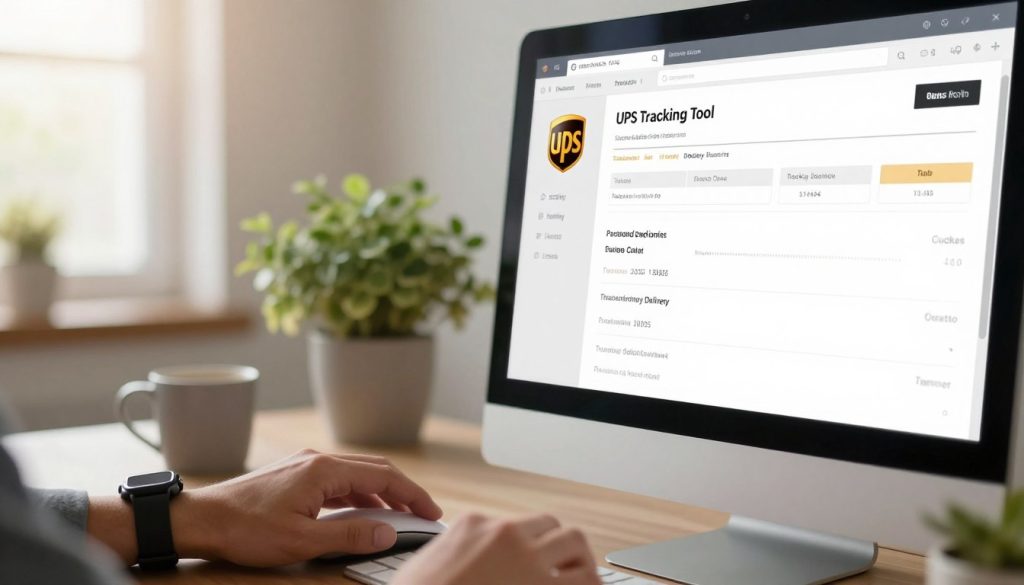
Using the UPS Tracking Tool
The UPS tracking system is very helpful. It gives you updates in real time. When you send a package, it starts with Label Created. This means UPS is getting ready to send it.
As it moves, the status changes to On the Way. This means it’s coming to your area. The best news is Out for Delivery. This means a driver has it and it will arrive today.
When it shows Delivered, it’s at your place. Or Delivered to UPS Access Point if it went somewhere else.
To track your package, you need its tracking number. You can:
- Visit ups.com and enter your tracking number
- Use the UPS mobile app for instant updates
- Receive SMS or email notifications about your package
- Set up delivery alerts for specific packages
How to Confirm Your Vacation Hold
It’s also important to check if your vacation hold is active. Log into your UPS account and look at your delivery settings. Make sure your vacation hold is set up right.
If you don’t see it, call UPS customer service. They can help make sure your hold is in place.
Modifying Your Vacation Hold
Your plans can change, and that’s okay. UPS lets you control your vacation hold settings. You can change your dates and packages anytime.
It’s free and easy to use. Just log in to your UPS account to make changes. You can update your hold settings online, without calling customer service.
Changing Dates
First, log in to your UPS account online. Then, go to account settings to find your vacation hold. Click on it to edit your dates.
Changing dates is simple. Just update your end date. UPS will start delivering again on your new schedule.
Adding or Removing Packages
Not all packages need to be held. Log in and go to account settings. Then, pick which packages to hold or exclude.
- Review your pending deliveries
- Choose packages to hold or exclude
- Save your updated preferences
This way, you get urgent items while pausing others. You’re in control, making delivery fit your life.
What Happens During the Hold Period?
When your UPS vacation hold is active, your packages don’t just sit in a warehouse. They go through a special handling process. This keeps them safe while you’re away.
Your packages’ journey depends on several things. These include how far they are from UPS facilities, your address, and the package’s service level. All these factors decide where and how your items are stored.
UPS handles millions of packages every day. Your delivery commitments are tracked in their system. When you activate a vacation hold, your packages get a special status. This stops drivers from trying to deliver to your address.
Delivery Resumption After Hold
When your vacation hold ends, your packages go back into the delivery queue. The timing of your first delivery depends on several things. UPS looks at your place on delivery routes, package volume in your area, and traffic patterns.
Your packages don’t show up at your door right away. UPS puts them back into delivery routes based on their schedule. It’s like joining a line again, with packages prioritized by their delivery time.
How Packages are Handled
The package handling process in residential areas is smart. Drivers start with densely populated blocks to do more stops in less time. This means urban areas get deliveries earlier than suburban or rural ones.
Ever wondered why your neighbor gets their package at 2pm but yours at 5pm? It’s because of route optimization and delivery commitments. Some packages have set time windows, while others follow standard schedules. Your address and how far it is from distribution centers affect your delivery time.
Traffic patterns also play a role in when drivers reach your street. UPS uses real-time traffic data to find the best routes. If your area gets busy in the afternoon, your delivery might be in the morning instead. The number of packages in your area on any day also changes these patterns.
- Packages stored during hold periods remain in climate-controlled facilities
- Your items get scanned and tracked throughout the entire hold duration
- Resumption follows the same efficiency-based routing as regular deliveries
- Address location determines your position on delivery routes
- Service level (standard vs. guaranteed) affects your delivery window
Delivery timing isn’t personal or arbitrary—it’s based on logistics. It’s all about getting packages delivered efficiently. Your place on the route depends on your address and the package’s service level. Understanding this helps you see why UPS makes the scheduling decisions it does, serving millions of customers reliably.
Troubleshooting Common Issues
Having trouble with your UPS vacation hold? Don’t worry. Most problems have easy fixes. Knowing what went wrong helps you fix it fast and get your packages on time.
Unconfirmed Vacation Holds
Your vacation hold might not work if UPS didn’t get your request. First, check your account to see if the hold was set up. Use tracking to see if your package’s status is correct.
If the hold status is unclear, here’s what to do:
- Log into your UPS account and check hold settings
- Look for emails from UPS about your hold
- Chat or call support at 1-800-742-5877 with your account info
- Ask for a written confirmation of your hold dates
Delivery Errors After Hold
Sometimes, packages arrive when they shouldn’t. Check tracking to see if your package is “Out for Delivery.” If it was delivered during your hold, contact UPS right away.
For services that miss deadlines, you can claim a refund within 15 days. Sign up for UPS My Choice for alerts about your packages. You can also pick up your package at a UPS facility during their hours.
| Issue Type | Solution | Contact Method |
|---|---|---|
| Package delivered during hold | File a claim or request redelivery | Call 1-800-742-5877 |
| Missing hold confirmation | Verify account settings and resubmit | UPS online account portal |
| Missed guaranteed delivery date | Start a refund claim | Call support or online portal |
Alternatives to UPS Vacation Hold
UPS vacation hold is good for many, but it’s not your only choice. There are other smart ways to handle your packages when you’re away. These options let you control your deliveries and keep your packages safe.
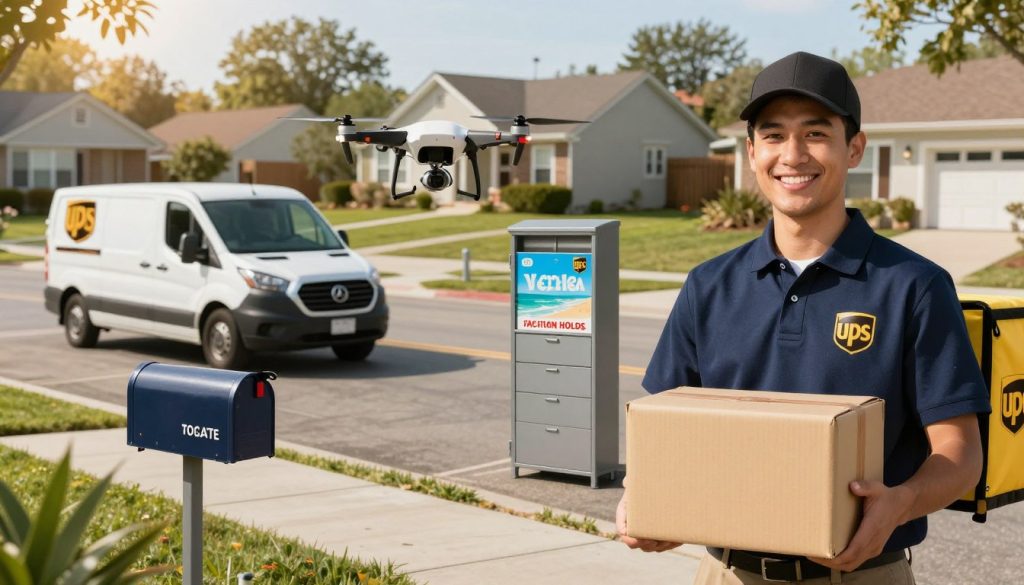
UPS Access Point
An UPS Access Point is a place where you can pick up your packages. Instead of home delivery, UPS sends them to a nearby Access Point. This is great for keeping your packages safe while you’re traveling.
UPS Access Points are at many places. You’ll find them at local stores, pharmacies, and shipping centers. Your packages stay there until you pick them up. You’ll get a notice when they arrive. This way, your packages are safe from theft or weather damage.
- Packages held for up to 7 days
- Extended hours at many locations
- No additional delivery fees
- Easy access before or after your trip
UPS My Choice Service
UPS My Choice is a free service that lets you control your deliveries. You can change delivery dates, request a redelivery, or send packages to an Access Point from your phone or computer.
This service alerts you about upcoming deliveries. You’ll know exactly when your packages arrive. You can pause deliveries, reschedule them, or choose new delivery locations. It’s great for managing your packages with full control.
| Feature | UPS Access Point | UPS My Choice |
|---|---|---|
| Cost | Free | Free |
| Pickup Time | Held 7 days | Flexible scheduling |
| Control Level | Choose location | Full delivery control |
| Setup Time | At checkout | Anytime before delivery |
Both options give you peace of mind while traveling. Pick the one that best fits your needs.
Frequently Asked Questions About UPS Vacation Hold
Many people have questions about UPS Vacation Hold before they use it. You might wonder about costs, what packages it covers, and what if your plans change. Getting answers to these questions helps you make the right choice for your delivery needs.
How Much Does it Cost?
The best news is that UPS Vacation Hold is free. You don’t pay any fees to pause your deliveries while you are away. This service comes with your UPS account at no extra charge. You can hold your packages without worrying about your budget.
Can You Hold All Types of Packages?
UPS Vacation Hold works for most regular packages that arrive at your address. But, some special packages may not be eligible for holds. For example, packages marked as signature required or packages sent through certain specialized services might not qualify. Check with UPS directly if you are unsure about a specific package type coming your way.
What if You Change Your Plans?
Life happens, and your vacation plans may change. You can cancel or adjust your vacation hold anytime through your UPS account online. Simply log in and modify your dates as needed. If you need to stop the hold right away, UPS customer service can help you make that change in just a few minutes.