
Ever wonder where your package is right now? UPS has a cool tech that lets you see your delivery truck on a map in real-time. Your delivery notice number is the key to unlock this info.
Waiting for a delivery doesn’t have to be a mystery. UPS has a live tracking feature called “Follow My Delivery”. It shows your driver’s exact location. You can watch a dot on your screen that shows your delivery truck coming to your home. This tool works on your computer or phone.
The best thing is, you likely already have what you need to start tracking. Your delivery notice number is on the notice left at your door or in your email. With just this number, you can see your package’s journey in real-time. It’s easy and fast to set up.
This guide will show you how to track your UPS package. You’ll learn to use your delivery notice number on the UPS website, mobile app, and by text. By the end, you’ll know how to watch your delivery from start to finish.
Key Takeaways
- Your delivery notice number is your gateway to real-time UPS tracking updates
- UPS “Follow My Delivery” shows your truck’s location on a live map
- You can track packages through the website, mobile app, or text message
- The tracking feature activates when the truck is within 10 stops of your address
- UPS My Choice service provides free access to advanced tracking options
- Live tracking eliminates uncertainty and helps you plan your day
- Multiple tracking methods ensure you stay informed whatever way you like
Understanding What a UPS Delivery Notice Number Is
When you order online, you want to know where it is. UPS package tracking lets you do that. Your delivery notice number is like a passport for your package. It tells you where it is and when it will arrive.
Learning about your delivery notice number is key. It helps you track your package with UPS. Once you know what it means, you can use it to stay updated on your package’s journey.
Definition of Delivery Notice Number
UPS gives each package an 18-digit tracking number starting with “1Z.” This number has all the info UPS needs to track your package. It includes a 6-character shipper number, a 2-digit service level, and 8 digits for your package.
You might see an InfoNotice® number too. This happens when UPS tries to deliver but no one answers. UPS sends your tracking number via email or at retail locations.
| Tracking Number Component | What It Means | Example Format |
|---|---|---|
| First Characters | Always starts with “1Z” | 1Z |
| Shipper Number | Identifies the business sending the package | ABC123 |
| Service Level | Shows delivery speed (ground, express, etc.) | 01-02 |
| Package Identifier | Unique code for your specific package | 12345678 |
Importance of Tracking Your Package
Tracking your package is more than just curiosity. It helps you plan your day for delivery. You can be home, tell neighbors, or make other plans. This stops packages from getting stolen and ensures you’re there for signatures.
Tracking reduces stress about your order. It gives you peace of mind, whether it’s something important, urgent, or valuable.
How Delivery Notices Help You
Delivery notices connect you to your package’s journey. They show you what’s happening at every stage. If UPS can’t deliver, the InfoNotice® on your door offers options.
- Track packages in real-time across any device
- Plan ahead for delivery windows
- Receive automatic updates about your shipment status
- Arrange alternate delivery locations when needed
- Protect yourself from porch theft and lost packages
Understanding these numbers puts you in control. You go from waiting to knowing and planning.
Finding Your UPS Delivery Notice Number
Your UPS delivery notice number is your key to tracking your package. It lets you see where your package is from start to finish. Knowing where to find this number and what it looks like helps you track your package easily.
Where to Locate Your Notice Number
Your tracking number is in several places. When you buy online, the seller sends it to your email. First, check your order confirmation emails for the tracking details.
If you sent a package to a UPS Store, look at your receipt. The tracking number is at the bottom under “Package Information.” Your receipt proves you shipped it and has all the tracking info you need.
Your online shopping account also has this info. Log in to your account and look at your order history. The tracking number is in your order details. If you didn’t get an email, check your spam folder. Sometimes, emails go there by mistake.
Common Formats of the Notice Number
UPS tracking numbers have a standard format. They start with 18 digits and “1Z” followed by 17 more characters. An example is: 1Z1234567891234567.
| Element | Description | Example |
|---|---|---|
| Prefix | Always starts with these two characters | 1Z |
| Digits | Remaining characters in the code | 1234567891234567 |
| Total Length | Full tracking number length | 18 characters |
| Usage | Works on all UPS platforms | Website, app, and phone |
This 18-digit format works everywhere. Use it on the website, app, or by calling UPS. It gives you access to your shipment details and lets you track your package in real time.
- Email confirmations from retailers
- UPS Store receipts
- Your online shopping account
- InfoNotice stickers on your door
- UPS My Choice account
Having your tracking number ready lets you control your delivery. You can start tracking your package right away and get updates as it moves.
Using UPS’s Online Tracking System
The UPS online tracking system lets you see your package’s status anytime. You don’t need to download anything or make a complicated account. Just go to the UPS website and type in your tracking number to see where your package is. This tool works on phones, tablets, or computers.
Tracking your package on the UPS website gives you quick updates. You’ll know when your package will arrive. Plus, you can track up to 10 packages at once. This is great if you’re waiting for many deliveries on the same day.
Step-by-Step Guide to Online Tracking
Starting with UPS online tracking is easy and fast:
- Go to ups.com in your web browser
- Find the tracking field on the homepage
- Enter your 18-digit tracking number
- Click the “Track” button to view results
Your results page shows your package’s current status and where it’s been. You’ll see when it’s expected to arrive. On delivery day, you can track the UPS truck on a map. This shows your driver’s location and how many stops left before your package arrives.
Benefits of Online Tracking
Online tracking has many benefits for customers:
- Access from any internet-connected device
- No app download required
- View complete shipment history
- Real-time status updates throughout delivery
- UPS live truck map feature on delivery day
- Track multiple packages simultaneously
The UPS live truck map turns tracking into something you can see. A moving icon shows your driver’s location. A counter shows how many stops left before your package arrives. This makes waiting for your package less stressful and helps you plan your day.
Tracking Your Package via the UPS Mobile App
Your phone makes tracking easy. The UPS app gives you live updates. It works on both iPhone and Android.
Downloading the UPS App
It’s easy to start. The UPS app is free on both major platforms.
- Apple App Store: Search for “UPS” and tap the official app by United Parcel Service
- Google Play Store: Find the UPS app and install it on your Android device
- Create or log into your existing UPS account
- Enable location services and push notifications for the best experience
- Grant the app permission to access your device’s GPS
Setting up takes just a few minutes. Then, you can track your deliveries from anywhere.
How to Use the App for Tracking
The app is easy to use. Add your tracking numbers to see your package status. The UPS Follow My Delivery feature is a big plus.
| Feature | What You Get |
|---|---|
| Live GPS Updates | Refreshes every 30-60 seconds with 50-100 foot accuracy |
| Moving Truck Icon | Watches your delivery truck approach on an interactive map |
| Stop Counter | See how many deliveries remain before yours |
| Push Notifications | Alerts when your truck is nearby |
The UPS Follow My Delivery feature is cool. It shows your truck on your screen. It updates as it comes to you.
The app works on both iOS and Android. You need a stable internet connection. It’s great for shopping a lot or for businesses.
Checking UPS Tracking Status via Text Message
Text message alerts are easy to use. They let you know about your UPS package without always checking your phone. You get updates right to your mobile device. This way, you stay updated on your package’s journey.
Setting Up SMS Notifications
Starting with text alerts is easy. Go to the UPS tracking website and enter your tracking number. Then, find the notification options on the page. You can add your phone number to get updates.
UPS My Choice offers the best SMS alerts. It lets you pick what updates you want. You decide how often and what kind of messages you get.
What Information You Can Receive
UPS tracking updates via text include:
- Out for Delivery when your package leaves the facility
- Proximity alerts when the driver is near
- Delivery confirmation with details
- Exception alerts for delays
These messages help you plan your day. You’ll know when your package arrives. You can manage your alerts to avoid too many messages. This keeps you updated without feeling overwhelmed.
Utilizing UPS Customer Service for Tracking
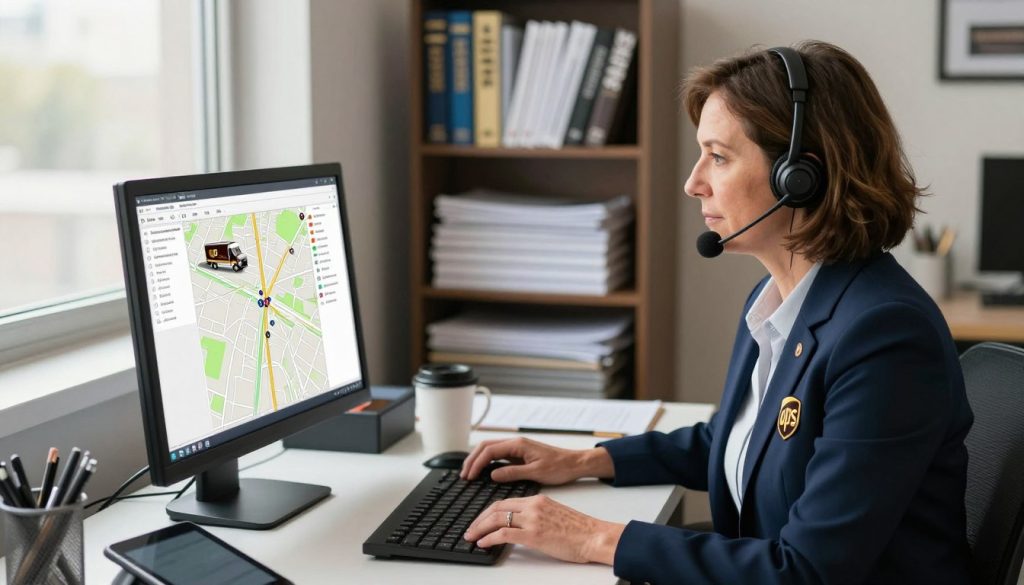
Sometimes online tools aren’t enough. Talking to a UPS rep gives you real-time help. They can track your package’s location and answer tough questions.
Contacting UPS Support
It’s easy to get in touch with UPS customer service. Call the right number based on where you are. They can fix tracking issues and arrange special delivery.
Use these contact numbers:
- Domestic inquiries: 1-888-742-5877
- International shipments: 1-866-782-7892
Information to Have Ready When You Call
Get ready before you call. This makes your talk quick and helpful. Here’s what you need:
| Information Needed | Where to Find It | Why It Matters |
|---|---|---|
| 18-digit tracking number | Delivery notice or shipment email | Locates your exact package instantly |
| Delivery address | Original order confirmation | Confirms correct destination |
| Your phone number | Account information or email | Links you to delivery records |
| Shipper reference number | Shipping invoice or receipt | Provides additional context |
Having this info ready helps reps quickly find your package. They can fix issues, arrange special delivery, and reassure you about your shipment.
Additional Tracking Options
UPS offers more than just basic tracking. You can see where your package is going. This helps you pick the best tracking for you.
UPS My Choice® for Enhanced Tracking
UPS My Choice is free and changes how you track packages. It has features not found in basic tracking.
The best part is the UPS Follow My Delivery feature. It shows a live map of your delivery truck’s location. You’ll know exactly when your package will arrive. The app updates as your driver moves.
- Use the live map to track UPS truck on map in real time
- Reschedule deliveries if you won’t be home
- Redirect packages to nearby UPS Access Point locations
- Set up custom delivery alerts via email and text
- Request signature release when appropriate
UPS My Choice Premium is a paid version. It costs $100 and offers more delivery options. But, it doesn’t improve live tracking. The UPS Follow My Delivery feature works the same in both versions.
Third-Party Tracking Websites
Many websites claim to track UPS packages. Some say they show all delivery trucks in your area. But, be careful.
Many unofficial sites:
- May break UPS rules
- Could risk your personal info
- May show wrong or old info
- Could charge for free info
It’s best to use official UPS sites. The UPS Follow My Delivery feature in My Choice is safe. It gives you all you need without risks. Official UPS sites keep your info safe and tracking up to date.
Understanding Tracking Status Updates
UPS package tracking tools show different status messages as your package moves. These messages tell you where your package is and what’s next. Knowing these statuses helps you understand when your items will arrive.
Common Tracking Status Terms
UPS uses specific terms to describe your package’s location and status. These terms make tracking easy and stress-free.
| Tracking Status | What It Means | What to Expect |
|---|---|---|
| In Transit | Your package is moving through the UPS network | Package stays on schedule for original delivery date |
| On Vehicle for Delivery | Your package is loaded on a delivery truck | Package will arrive today with live UPS delivery tracking available |
| Out for Delivery | Driver has your package and is making stops | Delivery happens today; track your driver’s progress |
| Exception | Something unexpected happened to your package | Delivery may be delayed; check details for the issue |
| Updated Delivery Date | Your delivery date has changed | Check the new expected delivery day in your tracking |
| Returned to Shipper | Package is going back to the sender | Contact the shipper about what went wrong |
What Each Status Means for Your Package
When your package shows In Transit, it’s moving in UPS facilities. It stays on schedule unless something changes.
The statuses On Vehicle for Delivery and Out for Delivery mean your package is with a driver. You can track it live. Your package will arrive that day.
An Exception status means something unexpected happened. Reasons include:
- Package damage discovered during handling
- Address is unclear or incomplete
- Recipient was not available to sign
- Business location was closed
- Weather or traffic delays
When you see Updated Delivery Date, your delivery date changed. The system shows your new arrival day.
A Delivery Attempted status means the driver tried to deliver but couldn’t. You’ll get instructions on what to do next.
If your package shows Returned to Shipper, it’s going back to the sender. Contact them to fix any issues.
Tracking updates happen when packages are scanned at UPS locations. Most updates are near real-time. But, allow up to 24 hours for initial tracking after your shipment starts. By understanding these statuses, you’ll know exactly what’s happening with your delivery.
Troubleshooting Tracking Issues
Tracking your UPS package can be tough when updates stop or it seems to disappear. Knowing why tracking delays happen helps you stay calm. Many problems have easy fixes that don’t need you to rush.
What to Do If Your Package Isn’t Updating
When you can’t see updates, remember UPS takes up to 24 hours to log tracking numbers. Your package might not have been picked up yet or reached a scanning point.
First, check your tracking number is right. A small mistake means you’re watching the wrong package. Make sure the shipper gave the package to UPS, not just printed a label. If no updates after 24 to 48 hours, call UPS customer service.
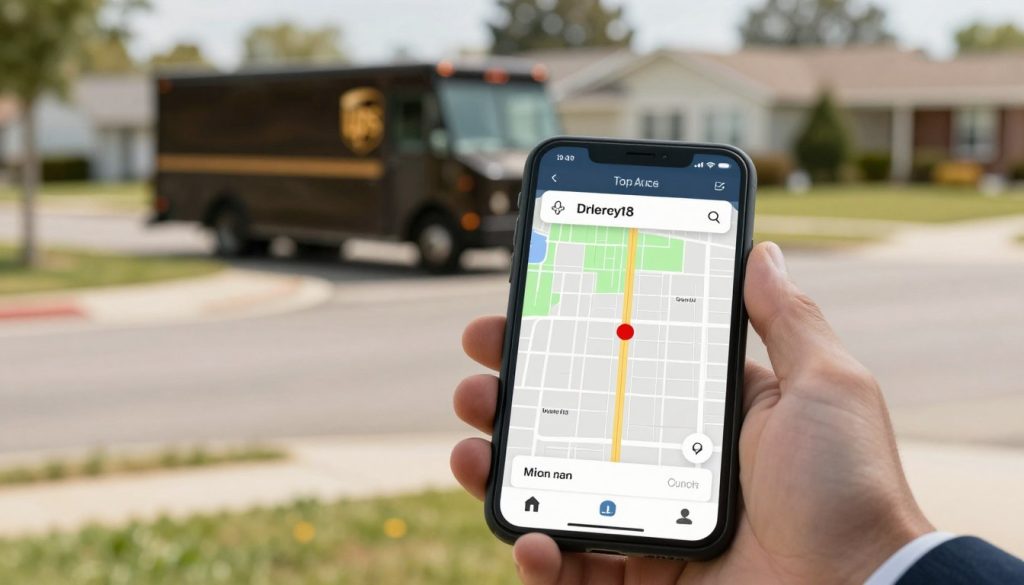
Learning to track UPS truck live on their website or app gives you updates. UPS driver GPS shows when your package is scanned at centers and hubs.
Contacting UPS for Missing Packages
If your package is late, wait 24 hours before saying it’s missing. Drivers might deliver late, so your package could arrive after expected.
Here’s how to contact UPS:
- Have your tracking number ready
- Note the original shipment date
- Describe what the package contains
- Provide your delivery address
UPS starts looking for your package within 10 business days. If found, they send it to you right away. If not, the shipper gets a claim letter and must provide proof for compensation.
Security and Privacy in Package Tracking
Real-time UPS tracking lets you see where your package is. It’s easy to use but you must be careful. Keeping your personal info safe is very important.
Keeping Information Safe
Your tracking info has your address and when packages come. Don’t share your tracking links on social media. This tells thieves when to steal your packages.
UPS tracking needs permission. You can only track packages with:
- Your tracking number
- The email linked to the shipment
- Your UPS My Choice account
Using tracking info wrong is against UPS rules. It’s also against the law to track drivers or steal packages.
How UPS Protects Your Data
UPS keeps your info safe with many steps. Your tracking uses encrypted connections to keep it safe. The truck’s GPS stops showing after delivery.
UPS makes tracking easy and safe for you:
| Security Feature | What It Does |
|---|---|
| Encrypted Connections | Keeps your data safe during sending |
| Permission-Based Access | Only those who should see your package info can |
| GPS Data Deletion | Truck location goes away after delivery |
| Driver Privacy | Drivers’ names are not shown to customers |
| Secure Login Requirements | Keeps your account safe from others |
Be smart with UPS tracking. Keep your tracking numbers and login info secret. Use two-factor authentication on your UPS My Choice account. Treat UPS drivers with respect for their hard work.
Tips for Better Package Tracking
To get the most from UPS package tracking, plan ahead. Make sure you have the latest UPS app on your phone. Turn on location services and push notifications to stay updated.
Check your delivery address carefully. Make sure it’s right in your UPS My Choice profile. This avoids delivery day mix-ups.
Staying Organized with Notifications
Expecting many packages? Stay organized with the UPS app. It tracks up to 10 shipments at once. Set up alerts for each package based on your needs.
Keep your tracking numbers safe. Store them in a notes app or email folder. This makes them easy to find.
Setting Up Delivery Updates
Knowing when your package arrives helps plan your day. The UPS live truck map starts 1-2 hours before delivery. It activates when the driver is about 10 stops away.
Here’s what you need to know about tracking:
- GPS accuracy is 50-100 feet
- Updates happen every 30-60 seconds
- You’ll know when the truck arrives
- Keep your phone charged on delivery day
- Make sure WiFi or data works
Tracking UPS truck on map works well in cities and towns. But, rural areas might see a delay. By following these tips, you make tracking a part of your daily routine.
Conclusion: Staying Informed About Your Package
You can track your UPS shipment in many ways. The UPS website lets you check your package status from any device. The mobile app sends updates to your phone.
Text messages also keep you updated easily. Customer service is ready to help if you need it. Plus, the free UPS My Choice service lets you track your delivery in real-time.
The UPS Follow My Delivery feature is easy to use. You just need your tracking number and a free UPS account. When your driver is close, you get live updates.
The map shows your driver’s exact location every 30 to 60 seconds. This works well in most areas and is easy to use on your phone or tablet.
Recap of Tracking Methods
You have five main tools to track your package. The UPS website lets you check your package status quickly. The mobile app sends updates right to your phone.
SMS text alerts work on any phone. Customer service is there to help if you call. The UPS Follow My Delivery feature is the best for live updates on delivery day.
Importance of Timely Deliveries
Knowing when your package arrives is important. It helps you plan your day. You can arrange to be home or pick a safe spot for delivery.
Timely delivery keeps your items safe from theft. Real-time tracking makes you feel in control. You know exactly when to expect your shipment.
Modern package tracking has solved the mystery of delivery times. You no longer have to guess when your order will arrive. With tools like UPS Follow My Delivery, you’re always informed.
Take charge of your delivery experience today. Never wonder about your packages again.