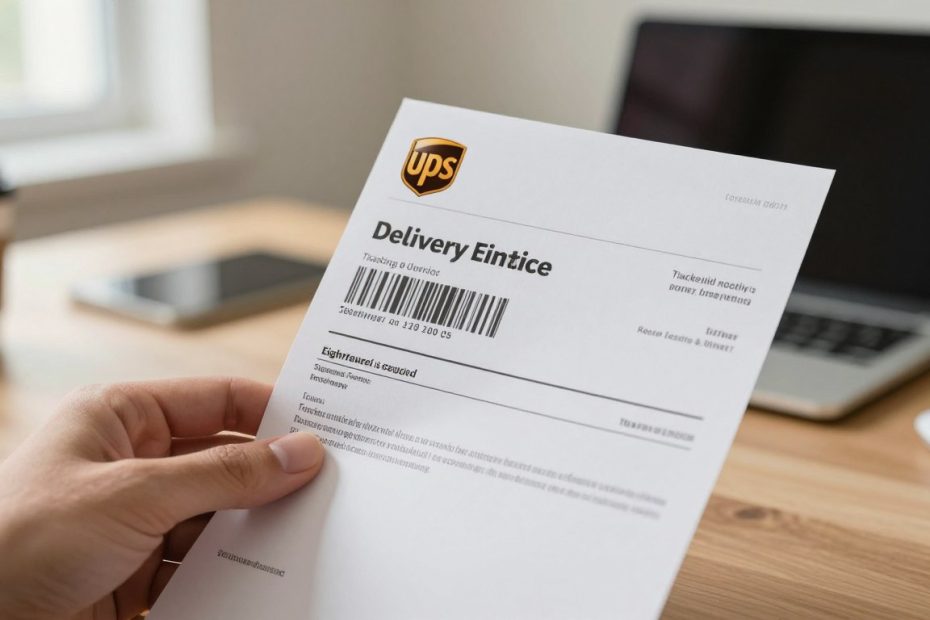
What if a UPS driver comes to your door and you’re not there? It can be stressful. But UPS leaves a helpful tool behind. They leave an InfoNotice with important details about your package.
This notice tells you if you’ll need to sign for the next delivery. It’s a key part of your UPS delivery notice tracking.
The InfoNotice has a special tracking number. This number lets you see what’s happening with your package. You can make choices that fit your schedule.
Knowing how to track your UPS delivery notice number gives you power. You don’t have to wait for your package. You can reschedule delivery, pick it up, or sign for it next time.
This guide will teach you about your UPS package and signature needs. You’ll learn how to find and use your InfoNotice number. You’ll also know how to track your package and what delivery options you have.
Whether it’s a valuable item or just something you need, this article will help. You’ll know how to handle any situation with confidence.
Key Takeaways
- UPS InfoNotice is left when delivery attempts are unsuccessful and contains your package’s tracking details
- The InfoNotice number lets you track your package and see whether a signature is needed
- You can use UPS delivery notice tracking to reschedule delivery or pick up your package locally
- Understanding signature requirements helps you prepare for successful delivery on the next attempt
- Missing a delivery doesn’t mean your package is lost—you have multiple convenient options available
- Your InfoNotice gives you access to important delivery information and flexibility in how you receive your shipment
Understanding UPS Signature Requirements
When UPS delivers a package, you might find an InfoNotice at your door. This notice has important details about your package. It tells you if a signature is needed.
Knowing about signature requirements helps you prepare for your delivery. It ensures your package is safe and delivered correctly.
What Is a Signature Required Delivery?
A signature required delivery means someone must be home to accept the package. The UPS driver won’t leave your package without a signature. You can check if your delivery needs a signature by tracking the UPS InfoNotice number online.
UPS has different signature services for your package:
- Standard Signature – Any adult at your address can sign for the package
- Adult Signature Required – Only a person 21 years or older with valid photo ID can accept delivery
- Indirect Signature – A neighbor or household member can sign on your behalf
Adult signature packages need you to be there with your ID. Or, you can pick up the package at a UPS facility. Check the UPS InfoNotice tracking online to see which type you need.
Why Would a Package Need a Signature?
Senders ask for signatures for many reasons. High-value items need proof of safe delivery. Age-restricted products like alcohol or tobacco require adult signatures by law.
Sensitive shipments with valuable or fragile goods also need signatures. Your InfoNotice will tell you if a signature is required. When you track UPS InfoNotice number details, look for delivery instructions. Planning ahead helps you be home when your package arrives.
How to Check Your Delivery Status
Knowing where your package is can make you feel better. UPS makes it easy to find out where your package is and when it will arrive. You can get updates in real time through different ways. It’s easy to start and you’ll know everything about your delivery.
Using the UPS Tracking Tool
Every UPS package has a special tracking number that starts with “1Z.” This number lets you see detailed info about your shipment. You can also use your Package ID, Delivery Confirmation Number, or the InfoNotice number to track it. When you look up your delivery notice, you’re using the same system as UPS drivers.
To track your package, follow these steps:
- Find the tracking number or InfoNotice number on your delivery notice or email
- Go to the UPS tracking page at ups.com
- Put your tracking info in the search field
- Click the tracking button to see your package details
The tracking page shows key info about your shipment. You’ll see where your package is, delivery history, when it’s expected to arrive, and how to get it. This info updates every time your package is scanned.
Understanding Tracking Updates
Tracking updates tell you what’s happening with your package. Different messages mean different things. Knowing what they mean helps you know what to expect.
| Tracking Status | What It Means | Next Step |
|---|---|---|
| Out for Delivery | Your package is on the delivery truck today | Wait for delivery between the scheduled hours |
| Delivery Attempted | The driver tried to deliver but couldn’t complete it | Check your delivery notice for instructions |
| Held at UPS Facility | Your package is waiting at a UPS location | Visit the facility or wait for next delivery attempt |
| Available for Pickup at UPS Access Point | Your package is ready to collect | Pick it up at your nearest UPS location |
Tracking updates happen each time your package is scanned. For long-distance shipments, you might see gaps between scans. These gaps don’t mean your package stopped moving. It keeps traveling through the network even when you don’t see updates. Be patient with cross-country deliveries, as scanning happens at major UPS hubs.
For the most accurate info, check your tracking status early in the morning. This gives you the latest updates and helps you prepare for delivery. If your tracking hasn’t changed in several days, contact UPS customer service with your tracking number ready.
UPS Service Options that May Require Signatures
UPS has many shipping services, each with its own rules. Some need a signature when the package arrives. Knowing your package’s service helps you get ready for delivery. You can find the UPS notice number by checking your tracking or the delivery notice left at your door. Let’s look at the main UPS services that often need signatures.
UPS Standard Signature
With Standard Signature, any adult at your address can sign for the package. You don’t have to be the one who ordered it. If no one is home, UPS leaves a notice. This notice tells you delivery was tried. You can use it to find the UPS notice number and reschedule or pick up your package.
UPS Adult Signature Required
This service is for items like alcohol, tobacco, and some medicines. The signer must be 21 or older and show a valid ID. This rule helps UPS and the sender follow the law.
UPS Next Day Air Signature Options
Express services like UPS Next Day Air often need signatures. This is because they carry valuable or urgent items. Having a signature ensures your package arrives safely.
| Service Type | Signature Requirement | Best For |
|---|---|---|
| UPS Ground | Optional (sender’s choice) | Standard packages and everyday items |
| UPS Standard Signature | Any adult can sign | Valuable packages needing confirmation |
| UPS Adult Signature Required | 21+ with valid ID required | Age-restricted items like alcohol and tobacco |
| UPS Next Day Air | Usually required | Urgent, high-value shipments |
| UPS SurePost | Rarely required | Lower-cost, lower-value items |
Knowing your service type is key. If your package needs a signature, make sure someone is home. Or arrange delivery to a place where you’ll be. When you find the UPS notice number on an InfoNotice, you have options to finish your delivery.
How to Set Up Signature Requirements
You can control your UPS deliveries more than you think. You can choose how you want your packages delivered. You can pick if they should be left at a safe spot or given to a neighbor.
Setting up these options is easy. It only takes a few minutes. Knowing your options ensures your packages arrive just right.
Requesting Signature Options at Checkout
When someone sends you a package, they pick the signature option at checkout. They can choose UPS Standard Signature or no signature needed. If you’re sending a package, you’ll see these options before you finish.
If you’re getting a package, sign up for UPS My Choice. It’s free and lets you set delivery instructions before your package arrives. You can tell drivers where to leave your package, like your garage or porch, without needing your signature.
Modifying Delivery Preferences
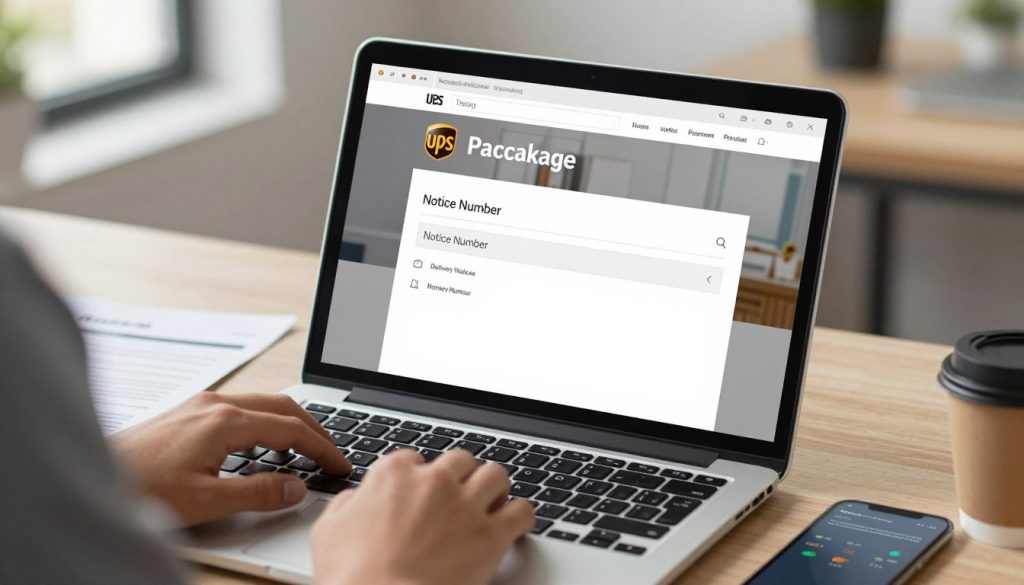
Once you know how to modify delivery, your UPS notice number search gets even more useful. After getting an InfoNotice, you can do several things:
- Sign the back of your InfoNotice to let the package be delivered without you there (when allowed)
- Use UPS My Choice to pick a safe place for delivery
- Nominate a trusted neighbor to get your package
- Ask for a different delivery date that’s more convenient for you
- Send your package to a UPS Access Point for pickup
Just log into your account online with your UPS notice number search. You can change your delivery instructions right away. This works for most packages, but some have rules. Always check your InfoNotice to see what you can change.
Notifications from UPS
UPS makes it easy to know when your package comes. They send updates right when your delivery is set. You can get these messages by email or text, based on what you like.
Signing up for UPS My Choice is a smart move. It lets you get more tracking and delivery alerts. You’ll know when UPS tries to deliver your package. You can also find out where your package is with its InfoNotice number.
Email Notifications for Signature Requests
UPS emails you when your package is on its way. They tell you when they try to deliver and when it’s at a UPS facility. These emails have all the details you need, like when it will arrive.
Text Alerts About Your Package
Texts from UPS give you updates fast. They tell you when your package is coming and where it is. To get these texts, sign up for UPS My Choice with your phone number.
Set up your notification preferences today to never miss a delivery update.
Contacting UPS Customer Service
Getting help with your UPS delivery is easy. UPS customer service is ready to help with your package or signature questions. Knowing how to reach them and having the right info makes it quick.
How to Reach Customer Support
UPS has many ways to connect with customer service. You can choose what works best for you.
- Call the UPS hotline at 1-800-742-5877 (1-800-PICK-UPS) for immediate help
- Use the live chat feature on ups.com for real-time chat
- Visit your local UPS Customer Center for in-person help
- Connect through UPS social media for general questions
- Email UPS support through their website contact form
The best times to call are mid-morning or mid-afternoon. Avoid lunch hours or late afternoon when it’s busy.

What Information to Have on Hand
Before calling UPS, gather important package details. This makes your conversation faster and helps find answers quicker.
| Information Needed | Why It Matters |
|---|---|
| Your UPS delivery notice number | Helps find your specific delivery attempt |
| Tracking InfoNotice reference number | Quick access to your delivery history |
| Tracking number (if different from notice number) | Identifies your package in the UPS system |
| Delivery address | Confirms the correct location for your package |
| Date of delivery attempt | Narrows down which delivery effort you’re asking about |
| Sender’s name or company | Verifies the package’s origin |
Having your tracking InfoNotice number is very helpful. It gives customer service quick access to your delivery status and signature needs.
Write down specific questions before calling. Ask about rescheduling delivery, picking up your package, or signature requirements. Clear questions lead to faster solutions.
Signs Your Package Might Require a Signature
Knowing if your package needs a signature is key. It helps you plan for delivery day. Look for clues that show you’ll need to sign for it. This way, you avoid missed deliveries and keep your items safe.
Special Handling Labels
Check your package when it comes to your door. Special labels are a big clue. They’re on the box and tell you what you need to do.
Look for these labels:
- Signature Required
- Adult Signature Required
- Direct Signature Only
- Delivery Signature Required
Your UPS InfoNotice tracking number will tell you about signature needs. It explains what happened if you’re not home.
High-Value or Sensitive Items
Some items always need signatures because they’re valuable or sensitive. Knowing this helps you prepare.
| Item Type | Why Signature Required | Typical Value Range |
|---|---|---|
| Electronics | High replacement cost and theft risk | $300 and up |
| Jewelry | Valuable and easily targeted by thieves | $500 and up |
| Age-Restricted Items | Legal requirements for alcohol, tobacco, medications | Varies |
| Firearms and Ammunition | Federal law requirements for safe transfer | $400 and up |
| Cash on Delivery (C.O.D.) | Payment collection at delivery | Any amount |
When you buy from places like Apple or luxury jewelry stores, expect a signature. Your shipping email will show if you chose signature service. It tells you about special handling needs.
Plan ahead for these deliveries. This way, you’ll be home when your package arrives. It keeps your valuable items safe from loss or theft.
Tips for Ensuring Smooth Delivery
Getting your UPS package delivered smoothly saves you time and stress. When you prepare your delivery details well, you avoid problems. This means taking steps before your package arrives.
By following these tips, you can track with delivery notice confidence. You’ll know exactly what to expect when your shipment arrives.
Providing Accurate Address Information
Your address is key for a successful delivery. When you order online, include your apartment or suite number. Make sure your house number is clear from the street.
UPS delivers Monday to Friday until 5:30 PM in most places. Saturday delivery is available in some areas. Knowing your delivery window helps you plan to be home.
If you need to look up your shipment, use a UPS notice lookup tool. It helps you find important delivery information fast.
Designating Safe Locations for Delivery
UPS My Choice members can choose where packages are delivered. You can pick safe locations like:
- Back porch or side door
- Garage entrance
- Building concierge or management office
- Specific gate or fence areas
Leave clear delivery instructions with gate codes or building access info. This helps drivers find your address without delays. You can also let trusted neighbors receive packages without your signature.
When you track with delivery notice updates, you’ll see your driver’s progress. Setting up delivery alerts through UPS My Choice lets you receive notifications as your package approaches. This gives you time to prepare.
What to Do If You’re Not Home for a Signature
Missing a signature-required delivery can feel stressful. But, you have more control over your package than you might think. UPS will leave a delivery notice package lookup at your door. This notice has your UPS InfoNotice number tracking information.
This information unlocks several convenient options for getting your package delivered successfully.
UPS makes up to three delivery attempts on consecutive business days. You don’t need to wait passively for these attempts. Instead, you can take action immediately using your InfoNotice number to manage your delivery preferences and timeline.
Reschedule Delivery Options
Rescheduling your delivery is simple and convenient. Visit the UPS website and enter your UPS InfoNotice number tracking details. Select “Schedule a Delivery” and choose a specific date when you’ll be home.
You can pick a time window that works best for your schedule. This option keeps your package moving directly to your address without extra stops.
The rescheduling feature works well for packages requiring signatures. You maintain control over when delivery happens. Pick a day that fits your routine perfectly.
Alternative Delivery Locations
Sometimes your home isn’t the best delivery location. UPS Access Points offer a practical solution. Your package can go to a nearby participating retail location like a grocery store, pharmacy, or convenience store.
These locations hold packages securely for up to seven calendar days.
To redirect to an Access Point, use your delivery notice package lookup information:
- Track your package using your InfoNotice number
- Select “Change Delivery to UPS Access Point”
- Choose your most convenient location from the map
- Get confirmation via email or text when it arrives
For pickup at an Access Point, bring your InfoNotice and a government-issued photo ID. Your last name and address on the ID must match the package exactly. This requirement protects your package security.
| Delivery Option | How Long Package Held | What You Need | Best For |
|---|---|---|---|
| Home Rescheduling | Delivered to your home | Your availability | When you can be home |
| UPS Access Point | Up to 7 days | Government ID + InfoNotice | Busy schedules |
| UPS Store Pickup | Per store policy | Government ID + InfoNotice | Immediate pickup needs |
| Neighbor Authorization | Varies | Your approval instructions | Trusted neighbors nearby |
Other alternatives include authorizing delivery to a trusted neighbor or picking up at a UPS Customer Center or UPS Store location. Check the back of your InfoNotice for neighbor authorization instructions if your package type permits this option.
Your delivery notice package lookup information gives you power over the delivery process. Use your UPS InfoNotice number tracking to pick the option that works best for your situation. Whether you reschedule, choose an Access Point, or pick another alternative, you control when and where your package arrives.
Common Myths About UPS Signature Deliveries
Many people think wrong about UPS signature deliveries. These wrong ideas can make you worried when waiting for a package. Knowing the truth helps you feel more confident about your deliveries.
Your InfoNotice tells you what’s needed for your package. It helps you understand UPS policies.
Misconceptions About Signature Requirements
Some think all expensive packages need signatures. But, this isn’t always true. The sender decides if a package needs a signature.
Another wrong idea is that missing a delivery means picking up the package. UPS tries to deliver up to three times. You can reschedule, redirect, or authorize release through your InfoNotice.
Many believe they can’t track their package after getting an InfoNotice. But, this is not true. Your InfoNotice number lets you track and find delivery options.
Clarifying Delivery Policies
Some think any adult can sign for a package. But, the actual rule is stricter. The signer must show a valid photo ID proving they’re 21 or older. The ID name must match the delivery address.
A final myth is that UPS always delivers its own packages. But, this is not true for UPS SurePost shipments. These packages go to USPS for final delivery. You can track UPS delivery notice info using your tracking number.
| Common Myth | The Reality |
|---|---|
| All expensive packages require signatures | Senders choose signature requirements regardless of package value |
| One missed delivery means pickup is mandatory | UPS attempts delivery three times with rescheduling options available |
| You cannot track after receiving an InfoNotice | InfoNotice number search enables continued tracking and delivery changes |
| Any adult can sign for adult signature packages | Signer must have valid photo ID and match the delivery address name |
| All UPS packages are delivered by UPS trucks | UPS SurePost packages transfer to USPS for final delivery |
Your InfoNotice clearly states what’s needed for your package. Use it as your guide. Check official UPS policy info if you have questions. Knowing these facts helps avoid frustration and prepares you for delivery day.
Conclusion: Stay Informed About Your Deliveries
You now know how to track your UPS package. Your UPS InfoNotice number is key. It lets you see where your package is and when it will arrive.
Keep your delivery notice safe until your package comes. It has all the info you need. Use it to track your package on ups.com or other sites. Knowing where your package is helps you plan.
Recap of Key Points
Your UPS InfoNotice tells you if you need to sign for your package. This depends on what’s inside and what the sender chose. You can change delivery times, redirect packages, or request release in some cases.
If you miss a delivery, don’t worry. You can control how your package gets to you. UPS tries multiple times and offers solutions. Tracking your UPS InfoNotice gives you control.
Final Tips for UPS Tracking and Signatures
Sign up for UPS My Choice for alerts on your deliveries. It lets you control your packages before they arrive. Check your package status often with your InfoNotice number.
If you need help, call UPS customer service with your InfoNotice number. They can answer your questions and fix delivery issues. Use the tools UPS offers to track your packages and enjoy peace of mind.