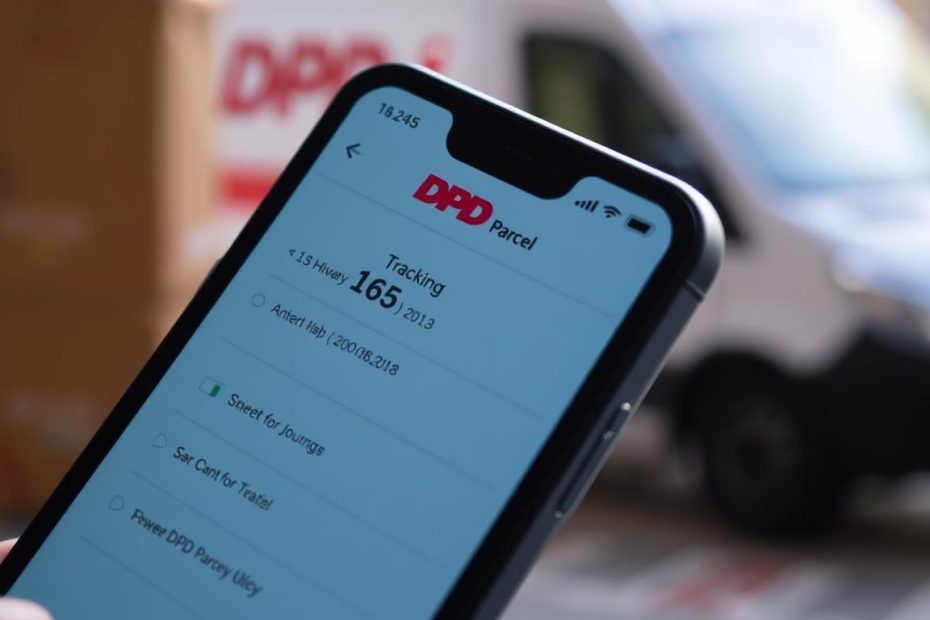
Ever wondered why tracking your DPD parcel feels like solving a complex puzzle? What if you could unlock the secrets of seamless package tracking with just a few simple steps?
Tracking a delivery can be stressful. But with DPD’s advanced tracking systems, you’ll never be left in the dark about your package’s journey. Whether it’s a critical business shipment or an exciting online purchase, knowing exactly where your parcel is provides peace of mind.
This guide will walk you through the most efficient methods to track your DPD parcel in the United Kingdom. You’ll stay informed every step of the way.
Key Takeaways
- Multiple easy tracking options available
- Real-time parcel location updates
- Free tracking through DPD website and mobile app
- Quick access to estimated delivery times
- Convenient notification settings
Understanding DPD’s Tracking System
Tracking your package is easy with DPD. They are a top parcel delivery service. They make shipping clear and simple. This is great for sending gifts or getting important business packages.
DPD started in 1977. They are known for reliable and fast delivery. Their tracking tech lets you see your package’s journey.
About DPD Delivery Services
DPD has some special features:
- Real-time package tracking
- Precise delivery estimates
- Comprehensive online and mobile tracking options
- International and domestic shipping capabilities
How DPD Tracking Operates
The tracking is easy and simple. When you ship a package, DPD gives it a special number. This number lets you track it on:
- DPD website tracking
- Mobile app tracking
- SMS notifications
- Email updates
Every time your package is scanned, it updates its location. This means you get precise information about where it is and when it will arrive. This helps you stay informed and plan better.
Where to Find Your Tracking Number
Tracking your DPD parcel starts with finding your unique tracking number. This number is key to watching your package’s journey. Knowing where to find it saves time and reduces frustration.
When you’re waiting for a delivery, several places can help you find your tracking number fast:
Checking Your Email
Most online stores send a confirmation email right after shipping. This email usually has:
- Your complete order details
- Shipping confirmation
- DPD tracking number
- Estimated delivery date
Look in your inbox (and spam folder) for these important emails. Tip: Make a folder for shipping confirmations to keep things tidy.
DPD App Notifications
The DPD mobile app is another easy way to get your tracking number. Here’s how to get your tracking info:
- Download the DPD mobile app from your device’s app store
- Create or log into your account
- View recent shipments automatically
- Get instant tracking number updates
With these options, you’ll always know where your package is. DPD makes it easy to stay updated, whether through email or the app.
Tracking Your Parcel Online
Tracking your DPD parcel online is easy. It lets you see where your package is at all times. You get updates in real-time, so you always know what’s happening.
Navigating the DPD Website Tracking Section
When you go to the DPD website, the tracking section is easy to find. It’s right on the homepage. This makes it simple to track your package, even if you’re not good with computers.
Simple Steps to Enter Your Tracking Number
Here’s how to track your DPD parcel:
- Open the official DPD website
- Locate the tracking search field
- Enter your parcel label number or reference number
- Click the “Track” button
Quickly, you’ll see where your package is, where it’s been, and when it will arrive. DPD’s tracking system is top-notch. It updates right after your package is picked up, so you’re always in the loop.
You can see every stop your package makes. This shows you exactly where it’s been. The website is easy to use, so you can check your package’s status easily. This makes you feel calm and sure about your package’s journey.
Utilizing the DPD Mobile App
Managing your parcel tracking is now easy with the DPD mobile app. This tool lets you control your deliveries with just a few taps. It’s all in your pocket.

The DPD app makes tracking easy for everyone in the United States. It’s perfect for when you’re waiting for a package or just want to know where it is. This app gives you all the tracking info you need.
Downloading the App
Starting with the DPD app is easy. Just follow these steps:
- Open the App Store (iOS) or Google Play Store (Android)
- Search for “DPD Delivery“
- Click “Install” or “Get”
- Create your account
- Start tracking right away
Features of the DPD App
The app has great tracking features:
- Real-time parcel location tracking
- Instant delivery notifications
- Estimated delivery time predictions
- Easy tracking number management
- Tracking many packages at once
Using the DPD mobile app changes your shipping experience. You get top-notch tracking tech right in your hand.
Real-Time Tracking Features
DPD’s advanced tracking technology lets you see where your package is. It’s more than just a location update. It gives you real-time info to plan your day.
Tracking your package is easy with these new features. They keep you informed every step of the way.
Live Location Updates
DPD’s tracking system gives you exact location updates. You can watch your package move in real-time. With GPS, you can:
- See your package’s current location
- Track it between centers
- See when it will arrive
Estimated Delivery Time
The estimated delivery time feature helps you plan better. It tells you when to expect your package. This is useful from 00 PM to 3:00 PM.
Key benefits include:
- Know when your package will arrive
- Plan your day around it
- Get updates from 00 PM to 3:00 PM
With these features, you can go out and come back home on time. The system updates as your driver moves. This way, you always have the latest info.
| Tracking Feature | Benefit |
|---|---|
| Live GPS Tracking | Pinpoint package location |
| Dynamic Time Estimates | Accurate delivery window |
| Real-Time Notifications | Instant status updates |
Pro tip: Keep your smartphone handy to receive instant tracking notifications and stay updated on your package’s journey.
Setting Up Delivery Notifications
Staying informed about your DPD parcel is easy now. Delivery notifications let you track your package in real-time. This way, you always know where it is.
DPD has many ways to keep you updated on your package. These alerts help you plan your day and get ready for deliveries.
SMS Alerts: Stay Connected on the Go
SMS notifications send updates straight to your phone. Here’s how to get them:
- Make sure your mobile number is right when you order
- Choose to get SMS tracking when you check out
- Get updates on your package’s location right away
Email Notifications: Detailed Tracking
Email notifications give you a full tracking experience. They have lots of info about your delivery.
- You get updates at every delivery step
- Find out when your package will arrive
- Track more than one package at a time
Here are the different notification types you can choose from:
| Notification Type | Key Features | Availability |
|---|---|---|
| SMS Alert | Instant mobile updates | All UK deliveries |
| Email Tracking | Detailed package information | All registered email addresses |
Pro tip: Always update your contact info for smooth delivery notifications!
Common Tracking Issues and Solutions
Tracking your DPD parcel can sometimes be tricky. Don’t worry if you encounter challenges along the way. This guide will help you navigate common tracking problems and find quick solutions.
When Your Tracking Number Seems Invisible
Your parcel might not have been scanned into the system yet (this typically happens within a few hours of collection). There are several reasons why you might struggle to locate your tracking information:
- You might have entered the number incorrectly (double-check for typos or missing digits)
- You could be using a reference number instead of the actual tracking number
- The parcel may be in early stages of processing
Resolving Tracking Status Mysteries
When your tracking status isn’t updating, don’t panic. Parcels sometimes move between scanning points without intermediate updates, specially during overnight sorting operations. Here are practical steps to investigate:
- Verify your tracking code with the original sender
- Check the tracking number for accuracy
- Wait 24-48 hours before raising concerns
If your tracking has been static for more than 24 hours during a business day, it’s worth investigating further. You’ll learn to verify your tracking information and know exactly when to contact customer service.
Pro Tips for Tracking Success
Always have the following information ready when investigating tracking issues:
• Original tracking number
• Sender’s details
• Estimated shipping date
• Shipping method selected
By following these guidelines, you’ll feel confident handling any tracking hiccups that come your way.
What to Do If Your Parcel is Delayed
Waiting for a delayed package can be frustrating. When your DPD delivery doesn’t arrive as expected, knowing the right steps can help you resolve the situation quickly and effectively.
Tracking delays happen for various reasons. This includes weather conditions, logistics challenges, or processing errors. Understanding your options can reduce stress and help you get your package.
Reaching DPD Customer Support
When facing a delivery delay, contacting DPD customer service is your first step. You have multiple communication channels:
- Call DPD’s customer support hotline
- Use the online chat support on their website
- Send an email with your tracking details
- Message through the DPD mobile app
Claiming Compensation for Delayed Deliveries
If your package experiences significant delays, you might be eligible for compensation. Here are key steps to claim reimbursement:
- Gather your tracking number
- Document the original expected delivery date
- Collect proof of the delay
- Contact DPD with detailed information
Pro tip: Always keep your tracking information and communication records for possible compensation claims.
Remember, patience and clear communication are key when dealing with delivery delays. Most issues can be solved quickly with the right approach.
How to Change Your Delivery Preferences
Flexibility is key when it comes to parcel delivery. DPD knows your schedule might not always match theirs. That’s why they offer easy ways to change your delivery preferences.
If the delivery day doesn’t work for you, pick a better date. DPD has many ways to make your delivery experience better:
- Redirect your parcel to a different address
- Choose an alternative delivery location
- Reschedule delivery times
- Specify safe drop-off points
Redirecting to Another Address
You have many options for redirecting your parcel. Want to receive your package at work or a different residential address? DPD makes it easy. Just make sure your contact number is linked to the parcel. This lets you get updates and make changes.
Rescheduling Delivery Times
You can also choose where to leave your parcel if you’re not home. Options include a trusted neighbor, a secure spot like your back porch, or a designated safe place. These features let you control your delivery, fitting it into your life instead of the other way around.
To change your delivery preferences, follow these steps:
1. Log into your DPD account
2. Find the parcel tracking number
3. Click “Modify Delivery”
4. Pick your preferred option
5. Confirm the changes
Frequently Asked Questions About DPD Tracking
Getting your parcel delivered can be confusing. This section answers common questions about DPD tracking. It helps you understand their delivery services and tracking.
How Accurate is DPD Tracking?
DPD’s tracking is very accurate. In the UK, standard delivery takes 1-2 days. You can track your parcel’s exact location in real-time.
Their GPS technology is advanced. It lets you:
- Find your parcel’s exact spot
- Get updates every minute
- See all delivery details
How Long Does Delivery Take?
Delivery times change based on where you are. Here’s a detailed look at DPD’s delivery times:
| Delivery Type | Typical Delivery Time | Coverage |
|---|---|---|
| UK Standard | 1-2 working days | Nationwide |
| DPD Europe Classic | 2-5 working days | European Countries |
| DPD Express | Next working day | Within Europe |
| International Air Classic | 3-8 days | Global Destinations |
Several things can affect delivery times. These include:
- Customs processing for international shipments
- Weather conditions
- Peak shipping seasons
For urgent deliveries, DPD has next-day services. This ensures your package arrives fast. Big cities usually get their parcels in 1-3 days. This shows DPD’s dedication to quick delivery.
Conclusion: Enjoy Stress-Free Tracking
Tracking your DPD parcel is easy. Just follow a few simple steps. Always save your tracking number right away. This way, you can quickly find important delivery info.
Get the DPD app for easy tracking. It gives you updates in real-time. Turn on notifications to get alerts about your delivery.
Change your delivery if needed. DPD’s system makes it easy. Check your tracking often, on the day it’s supposed to arrive.
DPD’s one-hour delivery window means no more long waits. Their tracking system is complete. Now, you can track your parcels like a pro, making every delivery smooth and worry-free.